Torque Limiting Screwdriver –TLS0022, Minor, Standard, TLS1360
3
1
2
www.torqueleader.com
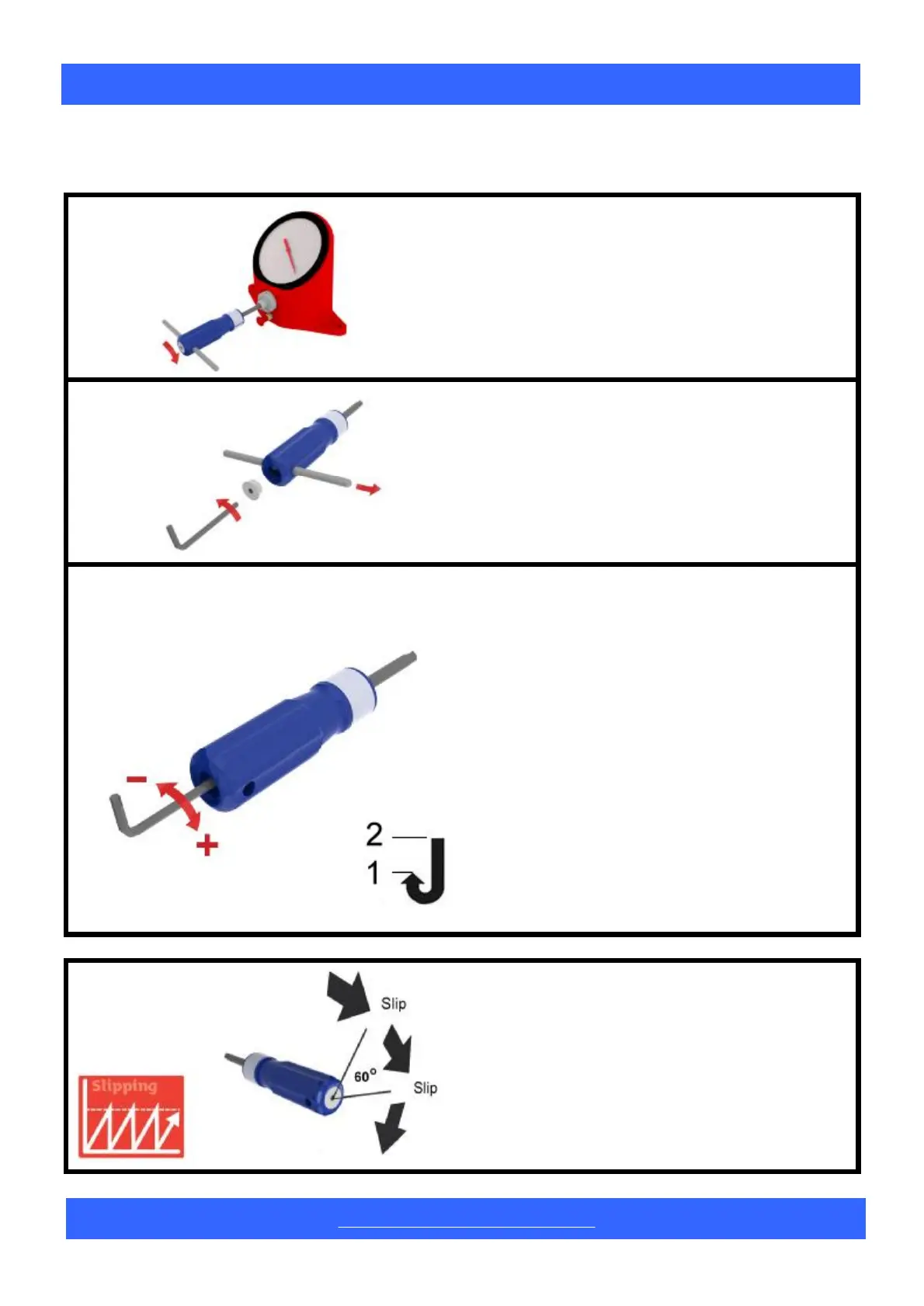
Adjustment Procedure
Check Setting
Using a Torque Analyser, check the setting of
the screwdriver.
Insert Adjusting Key
If adjustment is necessary, use a 3/16”Hexagon
Key to remove the plastic end cap and engage
with the adjusting screw inside.
On the TLS 1360, the ‘T-Bar’must be removed.
Torque Limiting Screwdrivers are designed for
use with sockets, screwdriver bits and blades.
At the set torque, the handle rotates through
an angle of 60
O
before resetting.
3
Reduce Torque
When adjusting, always approach the required
torque from a lower setting.
To reduce the torque, rotate the key anti-
clockwise past your setting, then increase
torque to the required value.
Increase Torque
Rotate the key clockwise until the correct
torque is shown consistently on the analyser.
(10 readings).


 To Next Page
 Loading...