Screen Display
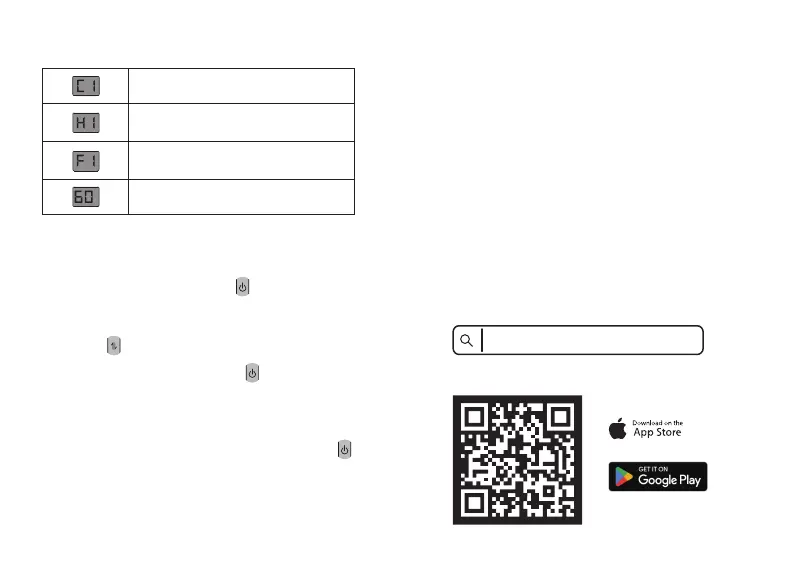
C1-C3 Cooling mode
H1-H3 Heating mode
F1-F3 Fan mode
Power display
Operation Instructions
1. Short press the power button to turn on the
device.
2. Short press / long press 1.5s the mode
button to switch to your desired mode.
Turn on(F1/C1/H1 gear)
→F2/C2/H2 gear→
F3/C3/H3 gear→Turn off, cycle switching.
(To turn off the device with a short press, cycle
through to the highest gear in the current mode,
then short press again to power off.)
4. Short press / long press 1.5s the power button
to turn off the device.
3. Short press the power button to adjust to
the gear you want.
%
Auto Memory
The product features an intelligent memory
function that automatically saves the last mode
used before powering off
1. Click the power button in turn off state to restore
the previous mode in 1 gear.
2. Click the mode button to switch any mode in
turn off state, then click the power button to turn
on the fan.
TORRAS COOLIFY | Connect
Operations
03 04
Scan to Download the TORRAS App
1. Search “
TORRAS COOLIFY | Connect ” in
the
app.
app store and click to download the



 To Next Page