01 02
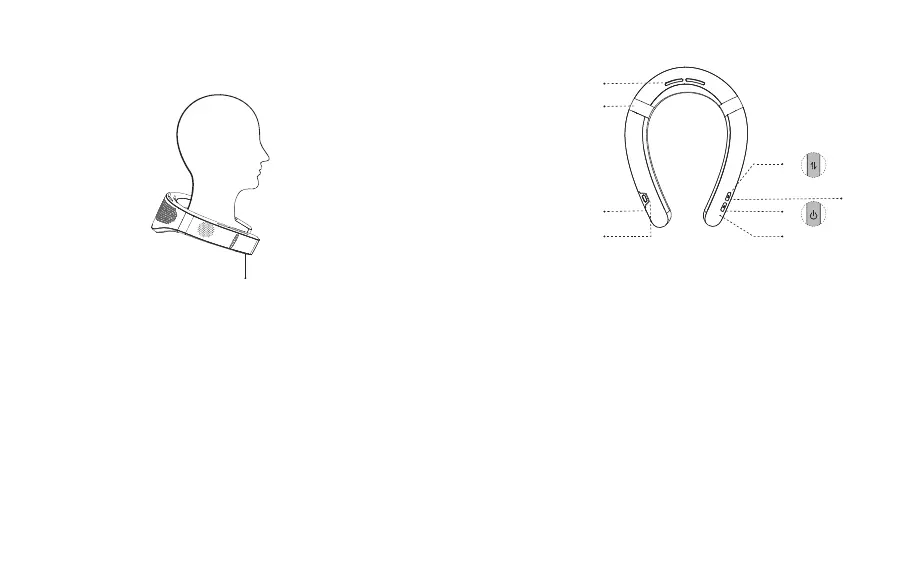
Wearing Guide
Button
Wear with the buttons facing down and clamped.
Overview & Functions
③
①
②
⑧
Rear Air Outlet①
Memory Silicone
③
②
Left Display
④ Right Display
Mode Button
⑤
Short press: Switch between Cool and Fan mode.
Long press: Switch between Heat and Cool mode.
Power Button
Short press: Turn on(default Cool mode for the first time)/off or
switch gears.
Long press: Turn off the device.
⑥
Reset
Insert the card removal pin and long press to reset.
⑦
Charging Port
When the battery is low, please charge the device promptly.
⑧
④
⑤
⑥
⑦


 To Next Page