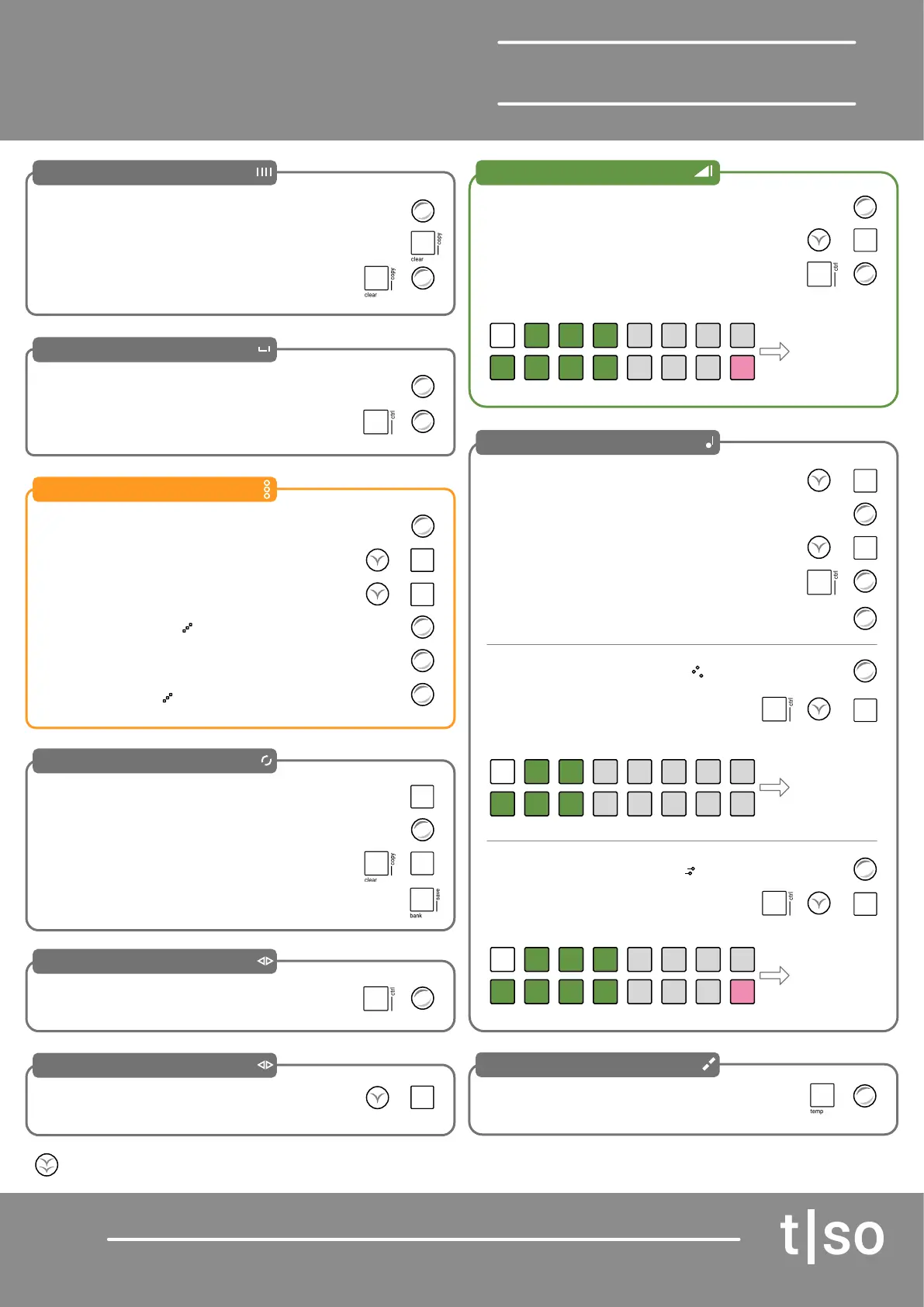
Torso T-1
Quick Reference Guide
Page 4
Length
Note Timing
Repeats
Cycles
Probability
Channel
Temp
Accent
Pitch
Reduce Set Length
Swing
Add Repeats
Select Cycle to Edit
Chance of notes opted out
Select Channels
Temporary
‘On-The-Fly’
Edits
Groove Prole
Insert Notes
Random Start
Delay
Choke on new note
Adjust Number of Cycles
Groove
Transpose
Repeat Division Time
Velocity Ramp
Pace Acceleration
Exit Cycles Edit Mode
Root Note
Style Template
Phrase
Harmony
Voicing Amt
Range
Random Start / Length
Tail - overlay notes
Clear Cycle
Accent Amount
Scale
Turn (LENGTH)
Turn (TIMING)
Turn (REPEATS)
Press [VBx]
[CTRL] + Turn (PROBABILITY)
Hold (CHANNEL) + [VBx]
[CTRL] + Turn (GROOVE)
Hold (PITCH) + [VBx] Using Keyboard
[CLEAR]
[CTRL] + Turn (DELAY)
Hold (REPEATS) + [VB8]
Turn (CYCLES)
Hold (GROOVE) + [VBx]
Turn (PITCH)
Turn (TIME)
[CTRL] + Turn (OFFSET)
[CTRL] + Turn (PACE)
Press [BANK]
[CTRL] + Turn (ROOT)
[CTRL] + Hold (STYLE) + [VBx]
[CTRL] + Hold (PHRASE) + [VBx]
Turn (HARMONY)
Turn (VOICING)
Turn (RANGE)
+
+
+
+
+
+
+
+
+
+
+
+
+
[CLEAR] + Turn (LENGTH)
Hold (REPEATS) + [VB16]
[CLEAR] + [VBx]
Turn (ACCENT)
Groove Prole Template
Style Prole Template
Phrase Prole Template
Accent
Voicing
Range
Amount of
Velocity prole
applied
Amount of style
prole applied
Note range
applied
Edits are reset when Temp is releasedUse [CTRL] + (CHANNEL] to route MIDI to tracks.
Hold (SCALE) + [VBx]
+
+
+
+
+
Congas
Sine
Timbales
Agogo
Triangle
Saw
Bongo
Pulse
CV
Poly
Fixed
Poly
Ramp
Mono
Ramp
Mono
Fixed
Poly
Climb
Mono
Climb
Cad 1 Cad 2
TriSaw
Cad 3 Cad 4
Sine Pulse CV
[TEMP] + Turn (Parameter)
The 16 Value button pads, VBx, illuminate in colour to represent the current function or parameter value. This is normally visible when function or
parameter is held. To lock the displayed value, double tap the parameter or function button.


 To Next Page
 Loading...

