English - 3 -
English
Re-tuning: TOSHIBA Freeview Products
Toshiba Digital TV
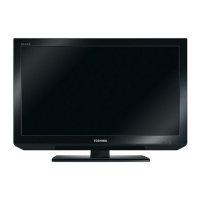
This guide can be used to help you re-tune the following product with the remote control below.
Make sure your TV is on and press 80 for the BBC News channel
1 ) Press MENU and press ◄ or ► to select Install and Retune and press OK. Press
▲ or ▼ to select Automatic channel scan (Retune) to start the process.
MENU
2 ) Select the desired search mode using ► and press OK button.
3 ) Whenever you select an automatic search type and press OK button, a confi rmation
screen will appear on the screen. To start installation process, select Yes by using ◄
or ► and OK button.
4 ) After auto channel scan type is set and selected and confi rmed, installation process
will start and progress bar will move along. The television will start to search for all
available stations. You must allow the television to complete the search.
* This process may affect any saved information stored on your product. Please consult your
instruction manual or contact the manufacturer using the details above.
TOSHIBA Customer Helpline: 0844 856 0730 TOSHIBA Online Support: www.toshiba.co.uk/tv-dvd-support
MENU
/
INFO
EPG
FAV
PRESETS
SUBTITLE
RETURN
SOURCE
SLEEP
SCREEN
LANG.
RC-1900
19DV501B_DVD_A01_MB60_[GB]_(01-TV)_(IB_INTERNET)_DVB-T_(1900UK)_10072930.indd 319DV501B_DVD_A01_MB60_[GB]_(01-TV)_(IB_INTERNET)_DVB-T_(1900UK)_10072930.indd 3 03.10.2011 18:33:4203.10.2011 18:33:42



 To Next Page
 Loading...