EasyManua.ls Logo

Toshiba 20AS25 - User Manual

Toshiba 20AS25
14 pages
Print Icon
To Next Page IconTo Next Page
Loading...
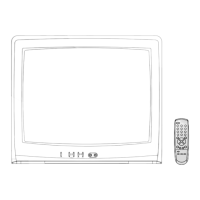
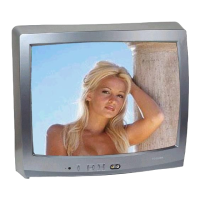
20AS25
J3M21821A(E)_ COVER 01/12/2004, 12:19 PM1

Other manuals for Toshiba 20AS25

Questions and Answers

  • M
    Mr. Ethan HarveyAug 17, 2025
    Why is my Toshiba TV not turning on?
    • D
      Deborah MorrisAug 18, 2025
      There are several reasons why your Toshiba TV might not be operating. First, ensure the power cord is securely plugged in. If it is, try plugging the TV into another AC outlet. Also, verify that the power is on by checking the fuse or circuit breaker. As a last resort, unplug the unit for an hour, then plug it back in.
  • G
    Garrett GlennAug 20, 2025
    Why is my Toshiba 20AS25 TV remote not working?
    • K
      Kristin DavisAug 20, 2025
      If your Toshiba TV remote isn't working, the batteries might be weak, dead, or inserted incorrectly. Try replacing them. Ensure the remote is within 15 feet of the TV and aimed at the sensor. Also, make sure there are no obstructions between the remote and the TV. Finally, verify that the TV's power cord is plugged in.
  • S
    Stephanie RamirezAug 23, 2025
    Why does my Toshiba TV shut off by itself?
    • M
      Matthew MasonAug 23, 2025
      Your Toshiba TV might be shutting off because the tuned station is not broadcasting, the Sleep Timer is set, or the power was interrupted.
  • C
    Connie CunninghamAug 25, 2025
    What to do if my Toshiba 20AS25 has poor picture or no picture?
    • M
      Michael GarciaAug 26, 2025
      If your Toshiba TV has a poor picture or no picture, it could be due to several reasons. Start by tuning to another station, as the current station or cable TV provider might be experiencing problems. Then, ensure that the channels are properly set into memory. Check the antenna or cable TV connections and adjust the antenna. Also, check for any sources of interference. Review the picture control adjustments. Finally, press the CAP/TEXT button to turn off the closed caption mode.
  • K
    Kerri HillAug 27, 2025
    What to do if my Toshiba TV has poor sound or no sound?
    • S
      Sean HallAug 28, 2025
      If your Toshiba TV has poor sound or no sound, start by tuning to another station, as the current station or cable TV provider might be experiencing problems. Then, check the sound adjustments (VOLUME and MUTE). Also, check for sources of possible interference.
  • L
    lawsonreneeAug 30, 2025
    How to fix poor reception on some channels on my Toshiba 20AS25 TV?
    • W
      Wendy MartinAug 30, 2025
      If you're experiencing poor reception on some channels with your Toshiba TV, first try tuning to another station in case the current station or cable TV provider is having issues. Make sure the channels are set into memory. Adjust the antenna to receive the desired station if the station is weak. Also, check for sources of possible interference.
  • M
    Michele MorrisSep 1, 2025
    What to do if my Toshiba 20AS25 has no Cable TV reception?
    • R
      Ronald RobertsSep 2, 2025
      If your Toshiba TV is not receiving cable TV, check all cable TV connections. Then, set the TV/CABLE menu option to the CABLE mode. It may also be due to station or cable TV system problems, so try another station.
  • C
    Christopher YoungSep 4, 2025
    How to fix horizontal or diagonal bars on Toshiba 20AS25 screen?
    • P
      pattonpaulSep 4, 2025
      If you are seeing horizontal or diagonal bars on your Toshiba TV screen, check the antenna connections and reorient the antenna. Also, check for sources of possible interference.
  • T
    thomasmorganSep 6, 2025
    How to fix poor or no color on my Toshiba 20AS25 TV?
    • C
      Cynthia MedinaSep 7, 2025
      If your Toshiba TV has poor color or no color, try tuning to another station, as the current station or cable TV provider might be experiencing problems. Make sure the channels are set into memory. Check the picture control adjustments. Also, check the antenna or cable TV connection and adjust the antenna.
  • B
    Brian SmithSep 9, 2025
    What to do if my Toshiba TV has no reception above channel 13?
    • A
      Amber SnyderSep 9, 2025
      If your Toshiba TV is not receiving channels above 13, make sure the TV/CABLE menu option is in the appropriate mode. If you are using an antenna, check the UHF antenna connections.

Summary

Safety Precautions

Fire and Electric Shock Warnings

General safety warnings regarding fire and electric shock risks.

Polarized Plug Caution

Caution about using polarized plugs with extension cords and outlets.

CATV Installer Note

Note for CATV installers regarding grounding guidelines.

Picture Tube Damage Warning

Warning about permanent picture tube damage from fixed images.

Child Safety

Proper Furniture and Placement

Tips on selecting stable furniture and securing TVs to prevent tip-overs.

Important Safety Instructions

General Handling and Environment

Instructions on reading, keeping, handling near water, cleaning, and placement near heat.

Power Cord and Accessories

Guidelines on power cord protection, use of specified accessories, and plug safety.

Mounting and Servicing Precautions

Advice on using correct mounts, unplugging during storms, and servicing by qualified personnel.

Polarized Plug Safety

Reiterates caution on polarized plugs to prevent blade exposure.

Installation Guidelines

Installation Precautions

Recommendations for installation, avoiding modifications, stable placement, and ventilation.

Electrical Safety and Viewing

Power Source and Grounding

Instructions on operating from a 120V AC source and proper antenna grounding.

Lightning and Viewing Distance

Warnings about lightning activity and advice on viewing distance and reflections.

Cleaning and Slot Safety

Instructions on unplugging before cleaning and avoiding liquids in slots.

Care and Service Instructions

General Care and Maintenance

Guidelines for cleaning, unplugging before cleaning, and avoiding liquids in slots.

Servicing and Disposal

Information on servicing by qualified personnel and proper disposal of the TV.

Features

Tuner and Language Display

Details on the 181-channel tuner and multi-language display capabilities.

Timers and Memory Functions

Information on sleep timer, memory backup, and programmable on timer functions.

Advanced Features

Explains V-Chip, picture adjustments, closed captioning, and lock features.

Location of Controls

Front Panel Controls

Description of front panel buttons and indicators like power, volume, and channel.

Rear Panel Connections

Details on rear panel connections like AC power cord and antenna input.

Remote Control

Remote Control Buttons

Explanation of the functions of each button on the remote control.

Battery Installation

Instructions on how to open the compartment and install batteries correctly.

Antenna;Cable TV Connections

Combination Antenna Connections

Guides for connecting combination VHF/UHF antennas using different cable types.

Separate Antenna Connections

Instructions for connecting separate VHF and UHF antennas with combiners.

Cable TV Service Connections

Steps for connecting basic and scrambled cable TV services.

Connection to Other Equipment

Video Input Selection

How to switch between TV and VIDEO modes for external sources.

Connecting to VCR and Game Consoles

Diagrams for connecting VCRs, video game consoles, and camcorders.

Setting the Language

Language Selection Process

Steps to select the on-screen display language (English, Spanish, French).

TV Operation

Basic TV Controls

Instructions for turning on the TV and adjusting volume levels.

Channel Selection Modes

Explanation of TV/CABLE menu setting and channel selection methods.

To Memorize Channels

Channel Setup and Selection

Guide to setting up the TV/CABLE menu and memorizing channels.

Automatic Channel Memory

Procedure for automatically scanning and memorizing available channels.

Add or Delete Channels

Steps to add new channels or delete existing ones from memory.

Adjusting the Picture

Picture Setting Adjustments

How to adjust brightness, contrast, color, tint, and sharpness.

Resetting Picture Settings

Instructions to return picture adjustments to their initial factory settings.

Closed Captioning

Understanding Closed Captioning

Explanation of what closed captions are and how they are displayed.

Viewing Closed Captions

How to use the remote control to display closed captions or text.

Picture Tube Damage Warning

Warning about permanent picture tube damage from fixed images like captions.

Setting the V-Chip

V-Chip Functionality

Explanation of the V-Chip system for parental control of content.

Setting and Managing Ratings

Steps to set the V-Chip, manage passwords, and understand TV/MPAA ratings.

Using the Lock Menu

Locking Channels

How to lock specific channels to prevent unauthorized viewing.

Locking Video Input

How to lock video input sources and specific channels (3 and 4).

Setting the GameTimer

How to set a time limit for playing TV games using the GameTimer feature.

To Set the On Timer

Programming the On Timer

Steps to program the TV to turn on automatically at a set time and channel.

Troubleshooting Guide

Common TV Symptoms and Solutions

Guide to diagnosing and resolving common TV operational issues.

Specifications

Technical Specifications

Detailed technical data including power, picture tube, audio, and tuner type.

Dimensions and Weight

Physical dimensions and weight of the television unit.

Included Accessory

Information about the included remote control and batteries.

Toshiba 20AS25 Specifications

General IconGeneral
BrandToshiba
Model20AS25
CategoryTV
LanguageEnglish

Related product manuals