EasyManua.ls Logo

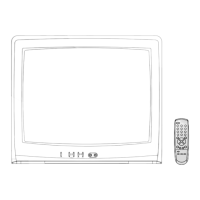
Toshiba 20AS24 - User Manual

Toshiba 20AS24
28 pages
Print Icon
To Next Page IconTo Next Page
Loading...
20AS24
3M21701A-E COVER 5/2/04, 10:231

Other manuals for Toshiba 20AS24

Questions and Answers

  • P
    pwoodsAug 18, 2025
    How to fix a Toshiba TV remote that is not working?
    • D
      Debra SilvaAug 18, 2025
      If your Toshiba TV remote isn't working, several factors could be the cause. First, ensure the batteries aren't weak, dead, or improperly installed. If that's not the issue, try moving closer to the TV, staying within 15 feet, and make sure the remote is aimed directly at the sensor. Also, check for any obstructions between the remote and the TV. Finally, confirm that the TV's power cord is securely plugged in.
  • C
    Cynthia GarciaAug 20, 2025
    What to do if Toshiba TV has poor picture or no picture?
    • T
      Tina LewisAug 20, 2025
      If your Toshiba TV has a poor picture or no picture, try these steps: * Tune to another station to rule out station or CATV problems. * Ensure channels are correctly set in memory. * Check and adjust your antenna or CATV connections. * Look for and eliminate any sources of interference. * Verify your picture control adjustments. * Press the CAP/TEXT button to disable closed caption mode, as it may be interfering.
  • J
    Jessica LeAug 23, 2025
    How to troubleshoot a Toshiba 20AS24 TV that does not operate?
    • Z
      zmendozaAug 23, 2025
      If your Toshiba TV isn't turning on, start by ensuring the power cord is properly plugged into the outlet. If it is, try using a different AC outlet to rule out any power source issues. Also, check your fuse or circuit breaker to ensure power is being supplied. As a final step, unplug the TV for one hour, and then plug it back in to see if it resets.
  • M
    Matthew GoodAug 26, 2025
    Why is there poor sound or no sound on my Toshiba 20AS24 TV?
    • G
      gregorypatrickAug 26, 2025
      If your Toshiba TV has poor or no sound, first try tuning to another station to ensure the issue isn't with the broadcast. Next, check your TV's sound adjustments, specifically the VOLUME and MUTE settings. Lastly, investigate and eliminate any potential sources of interference that could be affecting the audio.
  • B
    Bill LongAug 28, 2025
    How to improve poor reception on some channels on Toshiba 20AS24?
    • K
      Kevin RoseAug 28, 2025
      If you're experiencing poor reception on certain channels with your Toshiba TV, try tuning to another station to rule out broadcast issues. Ensure that your channels are properly set in memory. Adjust your antenna to better receive the desired station if it's weak. Finally, check for any sources of interference that might be affecting the reception.
  • R
    Rachel AndersonAug 30, 2025
    Why does my Toshiba 20AS24 TV keep shutting off?
    • P
      Patricia CortezAug 31, 2025
      Your Toshiba TV might be shutting off due to several reasons. It could be that there is no broadcast on the tuned station. Another possibility is that the Sleep Timer is activated. Lastly, a power interruption could also cause the TV to shut off.
  • J
    Jennifer KimSep 2, 2025
    Why is there poor color or no color on my Toshiba TV?
    • J
      Jamie MurraySep 2, 2025
      If your Toshiba TV is showing poor or no color, try tuning to another station to rule out any broadcasting issues. Make sure your channels are correctly set in the memory. Check your TV's picture control adjustments to ensure they are properly configured. Also, inspect your antenna or CATV connection and adjust the antenna for optimal signal.
  • J
    Jessica BarrSep 5, 2025
    What to do if there is no CATV reception on Toshiba 20AS24 TV?
    • R
      Robert DavisSep 5, 2025
      If you're not getting any CATV reception on your Toshiba TV, start by checking all of your CATV connections to ensure they are secure. Then, access the TV/CABLE menu option and set it to the CABLE mode. If the problem persists, the issue may be with the station or CATV system itself; try tuning to another station to check.
  • P
    pedroandrewsSep 7, 2025
    How to activate closed caption on Toshiba 20AS24 TV?
    • C
      conwayloriSep 7, 2025
      If closed captions aren't working on your Toshiba TV, the TV station might be experiencing issues, or the program you're watching may not be closed-captioned. Try switching to another channel to see if captions appear. Check your CATV connection or VHF/UHF antenna, repositioning or rotating the antenna. You can also press the CAP/TEXT button to turn on the closed caption decoder.
  • E
    Erica MillerSep 9, 2025
    What causes horizontal or diagonal bars on Toshiba 20AS24 screen?
    • R
      regina59Sep 9, 2025
      If you're seeing horizontal or diagonal bars on your Toshiba TV screen, start by checking your antenna connections and try reorienting the antenna. Also, check for any potential sources of interference that might be causing the distortion.

Summary

Safety Precautions

General Safety Warnings

Key safety warnings about fire, electric shock, and proper usage.

Child Safety Guidelines

Tips for safely placing and using TVs to prevent child injury.

Important Safety Instructions

Installation, Care, and Service

Installation Procedures

Follow recommendations and precautions for installing your TV.

Location of Controls

Remote Control

Remote Control Buttons

Explanation of each button on the remote control and its function.

Antenna and CATV Connections

Antenna Connection Options

Diagrams and descriptions for connecting various types of antennas.

Cable TV Service Connections

Guidance for connecting basic and scrambled cable TV services.

Connection to Other Equipment

Channel Management

Memorizing Channels

Programming channels into the TV's memory.

Adding or Deleting Channels

Methods to add or remove channels from memory.

Setting the V-Chip

Using the Lock Menu

Troubleshooting Guide

Toshiba 20AS24 Specifications

General IconGeneral
BrandToshiba
Model20AS24
CategoryTV
LanguageEnglish

Related product manuals