EasyManua.ls Logo

Toshiba 32L2200U - User Manual

Toshiba 32L2200U
139 pages
Print Icon
To Next Page IconTo Next Page
Loading...
GMA300014012
7/12
Note: To display a High Definition
picture, the TV must be receiving a
High Definition signal (such as an over-
the-air High Definition digital cable
program, or a High Definition Satellite
program). For details, contact your TV
antenna installer, cable provider, or
satellite provider.
If you need assistance:
Toshiba's Support Web site support.toshiba.com
Call Toshiba Customer Support Center:
Within the United States at (800) 631-3811
Outside the United States at (949) 583-3050
For more information, see “Troubleshooting” on page 121 in this guide.
Owner's Record
The model number and serial number are on the back and side of your TV.
Record these numbers in the spaces below. Refer to these numbers whenever you
communicate with your Toshiba dealer about this TV.
Model number: ______________________________________________
Serial number: _______________________________________________
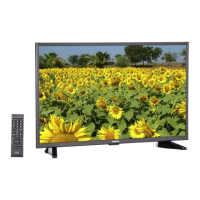
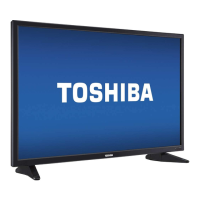
Integrated High Definition
LED
Television User’s Guide:
32L2200U
40L2200U
50L2200U

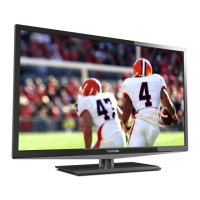
Table of Contents

Other manuals for Toshiba 32L2200U

Questions and Answers

  • G
    Gregory MartinezAug 19, 2025
    What to do if my Toshiba 32L2200U will not turn on?
    • K
      kevinchapmanAug 19, 2025
      If your Toshiba LED TV isn't turning on, make sure the power cord is properly plugged in and then press the power button. Also, try replacing the batteries in the remote control. You can also try using the control panel buttons located on the TV itself.
  • T
    Timothy TuckerAug 21, 2025
    Why is my Toshiba 32L2200U LED TV remote not working?
    • A
      Amber BruceAug 22, 2025
      If you're experiencing issues with your Toshiba LED TV remote, first remove any obstructions between the remote and the TV. If that doesn't work, replace the remote's batteries. As a last resort, you can perform the Reset Factory Defaults procedure.
  • J
    Joe JacksonAug 23, 2025
    How to fix general picture problems on Toshiba 32L2200U?
    • K
      Kevin MartinezAug 25, 2025
      To address general picture problems on your Toshiba LED TV: * Check the antenna/cable connections. * Press the INPUT button on the remote control or on the TV, and then select a valid video input source. * If applicable, use a highly directional outdoor antenna. * Try another channel. * Adjust the picture quality.
  • J
    jennifergonzalezAug 26, 2025
    How to fix channel tuning problems on Toshiba LED TV?
    • F
      Felicia WalshAug 26, 2025
      To resolve channel tuning problems on your Toshiba LED TV: * Ensure that the remote control is set to the correct device mode. * Add the channel to the channel memory. * Unblock the channel. * Check the antenna configuration. * Clear all channels from the channel list and reprogram channels into memory.
  • R
    rodriguezmichelleAug 28, 2025
    What to do if Toshiba LED TV stops responding to controls?
    • F
      fobrienAug 28, 2025
      If your Toshiba LED TV stops responding to controls, try pressing and holding the POWER button on the TV control panel for several seconds to reset the TV. If that doesn't work, unplug the TV from the AC wall outlet, and then plug it back in.
  • B
    Bryce MooreAug 30, 2025
    What to do if picture and sound are out of sync on Toshiba 32L2200U LED TV?
    • M
      Mary LunaAug 30, 2025
      If the picture and sound on your Toshiba LED TV are out of sync, you can try the following: * Use the programmable audio delay feature on your A/V receiver to synchronize the sound to the picture. * Inform your local broadcast, cable, or satellite provider about the issue. * Check the connections for digital audio settings. * Unplug the TV from the AC wall outlet for a few seconds, and then plug it back in.
  • M
    Melissa HillSep 1, 2025
    Why is there poor or no color on my Toshiba LED TV display?
    • M
      Matthew AdamsSep 1, 2025
      If you're experiencing poor or no color on your Toshiba LED TV display, it could be due to broadcast difficulties with the station, so try another channel. You can also adjust the Tint and/or Color using the picture quality settings.
  • J
    Jennifer BallSep 3, 2025
    How do I fix a noisy picture on my Toshiba LED TV?
    • P
      pyorkSep 3, 2025
      To reduce visible interference and fix a noisy picture on your Toshiba LED TV, set the CableClear® feature to reduce visible interference in the TV picture.
  • J
    Jeffrey MeltonSep 5, 2025
    Why are closed captions not working on my Toshiba 32L2200U LED TV?
    • K
      Kelly FoxSep 5, 2025
      If closed captions are not working on your Toshiba LED TV, it may be because the program or video you've selected is not closed captioned, resulting in no captions appearing on the screen. Alternatively, try turning off the closed caption feature, then turn it on again.
  • L
    Lance MccormickSep 7, 2025
    How to fix no HDMI CEC operation on Toshiba LED TV?
    • A
      Andrea TaylorSep 7, 2025
      To resolve HDMI® CEC operation issues on your Toshiba LED TV, ensure that you are using HDMI® cables with the logo. If the problem persists, turn off your TV and unplug the power cord, then plug it back in and turn it on again.

Summary

Introduction and Safety Guidelines

Safety Precautions and Warnings

Critical safety warnings for operation, installation, and child safety.

Important Safety Instructions

Detailed safety guidelines covering installation, care, and service.

TV Setup and Connectivity

Overview of Installation and Setup

Steps to follow for initial TV setup and basic operation.

Connecting Your TV: Cable Types and Devices

Guides for connecting various devices using different cable types.

TV Features and Adjustments

Selecting Video Input Source

How to choose and switch between different connected video sources.

Picture Size and Quality Settings

Options for adjusting display aspect ratio and picture quality parameters.

Audio Settings and Modes

Controls for volume, sound modes, and audio output selection.

Troubleshooting and Specifications

General Troubleshooting Steps

Procedures for diagnosing and resolving common operational issues.

Picture and Sound Problem Solutions

Troubleshooting guides for common display and audio malfunctions.

Technical Specifications

Details on TV system, power, dimensions, and signal formats.

Toshiba 32L2200U Specifications

General IconGeneral
Screen Size32 inches
Resolution1366 x 768
Display TypeLED
HDMI Ports2
USB Ports1
Refresh Rate60 Hz
Aspect Ratio16:9
Built-in Wi-FiNo
Smart TVNo

Related product manuals