
 Need help?
Do you have a question about the Toshiba 32PU200 series and is the answer not in the manual?
Instructions on how to securely attach the TV to the floor or wall.
Warnings against placing the TV on unstable surfaces or furniture.
Advice to prevent children from climbing on the TV.
Guidance on connecting the power plug to a suitable outlet.
Warning against touching the power plug with wet hands.
Precautions to ensure proper ventilation of the TV.
Warnings against placing the TV near heat sources or in direct sun.
Important steps and safety measures when moving the TV.
Warning against self-repair to avoid fire or electric shock.
Steps to take if the TV shows signs of malfunction like smoke or odor.
Precautions if the TV is physically damaged.
Guidelines for safely cleaning the TV and its components.
Guidance on connecting an aerial for optimal TV reception.
Instructions on how to insert batteries into the remote control.
Explanation of the functions of various buttons on the remote.
Diagram and explanation of input/output terminals on the TV back.
Steps for connecting the TV to an external audio system.
How to connect the TV to an amplifier with Dolby Digital.
Connecting the TV to an amplifier via digital optical audio.
Instructions for connecting HDMI and DVI devices to the TV.
Details on connecting a PC to the TV and supported formats.
Step-by-step guide for initial TV setup and channel tuning.
How to switch the TV on and off, and standby mode.
Detailed guide for manual channel tuning and organization.
How to access and use the Quick Menu for various settings.
Overview of navigating and using the TV's main menu system.
Guide to selecting languages and changing TV positions.
How to rearrange the stored channel positions.
Choosing between PC or HDMI audio for specific inputs.
Configuring audio output for the HDMI 2 input.
Adjusting picture settings like size and aspect ratio.
Explains various picture size options like Native, Wide, and 4:3.
Personalizing picture style with preset modes like AutoView, Dynamic, etc.
Customizing current Picture Mode settings for brightness, contrast, etc.
Improves picture contrast with adjustable levels.
Automatic recognition of stereo/bilingual programs.
Listening to specific audio tracks in bilingual programs.
How to select stereo sound for broadcast programs.
How to select audio from bilingual broadcasts.
Mitigates sound distortion or silence in low volume.
Basic sound adjustments including bass, treble, and balance.
Enhances bass for richer sound.
Controls audio signal compression for digital audio.
Reduces volume differences between channels or inputs.
Configuring digital audio output for amplifiers.
Setting sleep timers and on timers for TV operation.
Automatic display adjustment for HDMI signals.
Displays a blue screen and mutes sound when no signal is received.
Automatically turns off the TV after a period of inactivity.
Disables the TV's physical buttons for safety.
Stretches 4:3 programs to full screen.
Displays licensing information for TV software.
Introduction to Teletext features and modes.
Configuring Teletext language and viewing modes.
How to use List mode for favorite Teletext pages.
Explains functions of Teletext buttons on the remote.
Basic operation of displaying Teletext pages.
Accessing the index or initial page of Teletext.
Revealing hidden text, often for quizzes or answers.
Freezing a Teletext page on screen.
Adjusting Teletext font size for better readability.
Switching to Teletext while watching a normal TV picture.
Displaying the broadcaster's time information.
Fine-tuning horizontal and vertical picture placement.
Synchronizing PC signal with LCD for clear picture.
Optimizing picture clarity by adjusting the sampling clock.
Restoring PC settings to factory defaults.
Playing media files (photos, music, movies) from a USB device.
Starting, configuring, and managing the Media Player.
Viewing details of the connected USB device.
Grid format view for searching and browsing photos.
Displays one photo at a time with navigation options.
Automated playback of photos as a slideshow.
Customizing visual effects for the slideshow.
Adjusting the time each photo is displayed in a slideshow.
Magnifying or reducing photos for closer inspection.
Grid format view for browsing movie files.
Controls and functions available while playing movies.
Choosing subtitle and audio tracks for movies.
Configuring playback repetition for movie files.
Resuming movie playback from the last stopped position.
Process for registering the TV for DivX Video-On-Demand services.
Steps to deregister the TV from DivX services.
Specific playback controls and features for DivX Plus HD files.
Grid format view for browsing music files.
Configuring playback repetition for music files.
Showing details of the currently playing music file.
Solutions for when the TV fails to power on or has no picture/sound.
Addressing poor sound, picture quality, or reception issues.
Common issues related to Teletext and screen display problems.
Lists broadcast transmission systems by country and region.
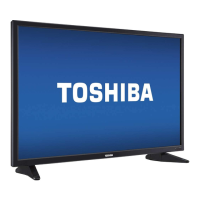
Technical specifications of the LED TV model.
Detailed descriptions of all input and output ports.
Specifies operating temperature, humidity, and included items.
 General
| Screen Size | 32 inches |
|---|---|
| Display Technology | LED |
| Resolution | 1366 x 768 |
| HDMI Ports | 2 |
| USB Ports | 1 |
| Refresh Rate | 50 Hz |
| Built-in Wi-Fi | No |
| Smart TV | No |
| Audio Output | 10 W |



 To Next Page