EasyManua.ls Logo

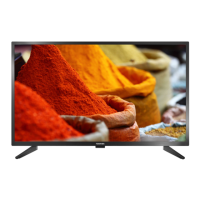
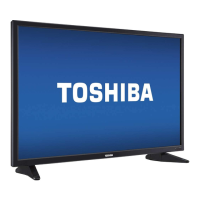
Toshiba 39L4300U - User Manual

Toshiba 39L4300U
186 pages
Print Icon
To Next Page IconTo Next Page
Loading...
Integrated High Definition LED
Television User’s Guide:
32L4300U / 39L4300U / 50L4300U
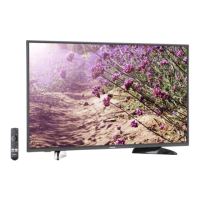
50L7300U / 58L7300U / 65L7300U
If you need assistance:
Toshiba's Support Web site support.toshiba.com
For more information, see “Troubleshooting” on page 160 in this guide.
Owner's Record
The model number and serial number are on the back and side of your television.
Record these numbers, whenever you communicate with your Toshiba dealer about
this Television.
Model name:
Serial number:
Register your Toshiba Television at register.toshiba.com
Note: To display a High Denition
picture, the TV must be receiving a
High Denition signal (such as an over-
the-air High Denition TV broadcast, a
High Denition digital cable program,
or a High Denition digital satellite
program). For details, contact your TV
antenna installer, cable provider, or
satellite provider
GMA300019010
3/13


Table of Contents

Other manuals for Toshiba 39L4300U

Questions and Answers

  • E
    ealexanderAug 20, 2025
    What to do if my Toshiba LED TV will not turn on?
    • C
      Cody WashingtonAug 20, 2025
      If your Toshiba LED TV won't turn on, try these steps: First, test the AC wall outlet with another device. Second, ensure the power cord is properly plugged in, then press the POWER button. Third, replace the batteries in the remote. Finally, try the control panel buttons on the TV.
  • M
    Mrs. Janice AndradeAug 21, 2025
    What to do if my Toshiba 39L4300U LED TV remote control is not working?
    • E
      elizabethwilliamsAug 22, 2025
      If your Toshiba LED TV remote control is not working, first remove any obstructions between the remote and the TV. Then, replace the remote's batteries. Ensure you are using the remote control that came with the device. As a last resort, perform the Reset Factory Defaults procedure.
  • D
    Deborah GonzalezAug 25, 2025
    Why does my Toshiba LED TV have picture problems?
    • A
      aschultzAug 25, 2025
      If you are experiencing picture problems with your Toshiba LED TV, try the following: Check the antenna/cable connections. Press the INPUT button on the remote or TV to select a valid video input source. If applicable, use a highly directional outdoor antenna. Try another channel. Adjust the picture quality, and change the Sharpness value to increase the sharpness level.
  • M
    Marie PalmerAug 26, 2025
    How to fix sound problems on Toshiba 39L4300U LED TV?
    • M
      Mary CarlsonAug 26, 2025
      To fix sound problems on your Toshiba LED TV, check the antenna/cable connections. Try another channel. Also, make sure to press the VOL (+ -) buttons or the MUTE button.
  • D
    Daniel RamirezAug 28, 2025
    Why are the picture and sound out of sync on my Toshiba LED TV?
    • A
      Alvin GrayAug 28, 2025
      If the picture and sound on your Toshiba LED TV are out of sync, try the following: Use the programmable audio delay feature to synchronize the sound to the picture. You may also inform your local broadcast, cable, or satellite provider. Check the settings of PC/HDMI 2 Audio. As a last resort, turn off and unplug the TV from the AC wall outlet for a few seconds, then plug it back in.
  • C
    Cynthia GutierrezAug 30, 2025
    How to fix unstable network connection on Toshiba 39L4300U?
    • V
      Vincent LucasAug 30, 2025
      To fix an unstable network connection on your Toshiba LED TV: Unplug and reconnect the LAN cables. Reboot the router. If possible, connect with LAN cables to check connection stability. Repeat the wireless network setup procedure and check connection stability.
  • K
    Kathleen RossAug 31, 2025
    What to do if Toshiba LED TV stops responding to controls?
    • S
      Sarah BarrySep 1, 2025
      If your Toshiba LED TV stops responding to controls, unplug the TV from the AC wall outlet and plug it back in.
  • S
    Shannon WrightSep 3, 2025
    Why does my Toshiba LED TV have poor or no color?
    • M
      Michael RamirezSep 3, 2025
      If your Toshiba LED TV has poor display color or no color, check for proper hookup connections between your devices. You can also try another channel.
  • A
    Ashley CoxSep 5, 2025
    What to do if I have video input selection problems on Toshiba LED TV?
    • K
      Kim CoxSep 5, 2025
      If you are experiencing video input selection problems on your Toshiba LED TV, press the INPUT button a second time.
  • A
    alyssa17Sep 7, 2025
    How to fix closed caption problems on Toshiba LED TV?
    • J
      johnsonmeganSep 7, 2025
      To fix closed caption problems on your Toshiba LED TV, turn off the closed caption feature.

Toshiba 39L4300U Specifications

General IconGeneral
Display diagonal38.6 \
Native aspect ratio16:9
LED backlighting type-
Supported video modes1080p
3DNo
Annual energy consumption87 kWh
RMS rated power14 W
HDMI ports quantity4
DVI-D ports quantity0
USB 2.0 ports quantity2
Component video (YPbPr/YCbCr) in1
Lifestyle appsSkype
Product colorMetallic
Panel mounting interface200 x 200 mm
Power consumption (standby)0.3 W
Power consumption (typical)46.2 W
Sustainability certificatesENERGY STAR
Package depth160 mm
Package width970.3 mm
Package height652.8 mm
Package weight13018 g
Weight and Dimensions IconWeight and Dimensions
Depth (with stand)203.2 mm
Height (with stand)591.8 mm
Weight (with stand)8482 g
Depth (without stand)83.8 mm
Width (without stand)889 mm
Height (without stand)525.8 mm
Weight (without stand)7484 g

Related product manuals