
 Need help?
Do you have a question about the Toshiba 55QA5D63DB and is the answer not in the manual?
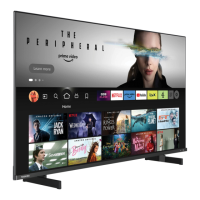
This document is a Quick Start Guide for a Toshiba QLED TV, model 55QA5D63DB, featuring Dolby Vision and Dolby Atmos. It provides essential information for setting up, connecting, and using the TV, along with important safety instructions and feature overviews.
The Toshiba QLED TV is a smart television designed for home entertainment, offering a range of features for viewing digital content, connecting to external devices, and accessing internet-based services. It supports high-definition video and advanced audio technologies like Dolby Vision and Dolby Atmos for an immersive viewing experience. The TV is equipped with a multi-media player, common interface for encrypted channels, USB recording capability, and an Electronic Programme Guide. It also integrates Google Cast for streaming content from mobile devices and Bluetooth® for wireless connections.
Building and Fitting Stand: The TV comes with a stand that needs to be assembled and fitted. The guide provides visual instructions for attaching the stand to the TV. For stability and safety, it is recommended to secure the TV to a wall or an immovable structure using a sturdy strap and P clips, ensuring the strap is secure and parallel to the floor.
Inserting Batteries into the Remote: The remote control requires two 1.5V AAA batteries. Users should remove the battery compartment cover, insert the batteries observing correct polarity (+ and - signs), and then replace the cover. Some remotes may have a screw securing the cover, which needs to be removed and re-secured. It's important not to mix old and new batteries and to replace them with the same or equivalent type.
Connections: The TV supports various connections:
Switching on the TV: To turn on the TV from standby mode, press the Standby button on the remote control or the control button on the TV itself.
Internet Connection: The TV can connect to the internet via a local area network (LAN) using either a wired or wireless connection. Detailed instructions for this are available in the full user manual.
Remote Control Functions: The remote control provides comprehensive control over the TV's functions, including:
Initial Setup Wizard: Upon first power-on, a welcome screen will appear, prompting the user to select a language and press OK. The on-screen instructions will guide through setting up the TV and installing channels. This initial setup can also be performed later via the Factory reset option in the Settings>Device Preferences>About menu, accessible from the Home Screen or the TV options menu in Live TV mode.
Accessing the Full User Manual: The complete user manual can be reviewed online or downloaded by scanning a QR code or visiting the provided website (https://toshiba-tv.com). The website also allows users to register their Toshiba TV.
Feature Overview:
Safety Information: The guide emphasizes several safety precautions:
Disposal Information: The guide provides instructions for the proper disposal of the product and batteries in accordance with EU regulations. The crossed-out wheeled dust bin symbol indicates that products and batteries must be collected and disposed of separately from household waste. Chemical symbols (Pb, Hg, Cd) indicate the presence of lead, mercury, or cadmium in batteries. Participating in separate collection helps prevent negative environmental and health consequences.
Conformity Statement: The product carries CE and UKCA marks, indicating compliance with relevant European and UK Directives, including RoHS and Ecodesign regulations. The full EU declaration of conformity is available online.
 General
| Screen Size | 55 inches |
|---|---|
| Display Technology | LED |
| Resolution | 4K Ultra HD (3840 x 2160) |
| Smart TV | Yes |
| HDMI Ports | 4 |
| USB Ports | 2 |
| Audio Output | 20W |
| Operating System | Android TV |
| Processor | Quad-core |
| RAM | 2 GB |
| Bluetooth | Yes |
| Ethernet | Yes |
| Dimensions (W x H x D) | 1230 x 710 x 80 mm |
| HDR Support | HDR10, Dolby Vision |
| Wi-Fi | Yes |


 To Next Page