
 Need help?
Do you have a question about the Toshiba CAMILEO S30 and is the answer not in the manual?
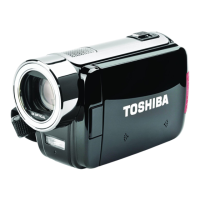
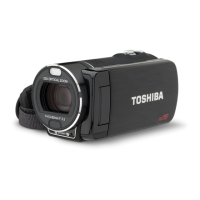
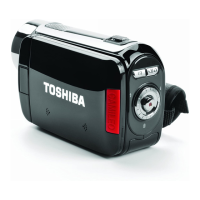
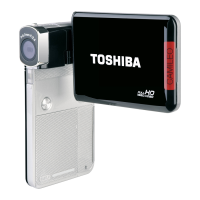
Camcorder overview, features, and functionality. High-quality images and HD recording.
List of standard accessories included in the package for the camcorder.
Instructions for inserting the Lithium-ion rechargeable battery into the camcorder.
Guide on how to insert and remove SD/SDHC/SDXC memory cards for expanded storage.
Explanation of the functions of various buttons on the camcorder for recording.
Options to adjust the camcorder's light for brighter video recording.
Options to adjust the camcorder's light for brighter photo capture.
Options to select scene modes for optimal photo or video capture.
Procedure for deleting recorded video files from the camcorder's storage.
Procedure for deleting captured photo files from the camcorder's storage.
Explanation of button functions specific to playback operations on the camcorder.
Overview of the camcorder's setup menu options for configuration.
Options to enable or disable keypad tones and operation sounds.
Settings to select the appropriate TV standard (NTSC or PAL) for image output.
Guide to connect the camcorder to a HDTV using an HDMI cable for viewing.
Guide to connect the camcorder to a standard TV using an AV cable for viewing.
Instructions for installing the ArcSoft Medialmpression and Adobe Reader software.
Steps to connect the camcorder to a PC and transfer media files via USB.
Guide on using the built-in application to upload files to social websites.
Information on how to get help, drivers, manuals, and warranty support.
Recommended temperature and humidity ranges for operating the camcorder.
Details on CE compliance and electromagnetic compatibility verification.
 General
| Digital zoom | 16 x |
|---|---|
| Optical zoom | 0 x |
| Image stabilizer | Yes |
| Interchangeable lens | No |
| Image stabilizer type | Electronic Image Stabilization (EIS) |
| Sensor type | CMOS |
| Total megapixels | 8 MP |
| Interface | USB 2.0 |
| Minimum RAM | 512 MB |
| Internal memory | 128 MB |
| Minimum processor | Pentium 4, 2.4GHz |
| Minimum storage drive space | 1024 MB |
| Minimum system requirements | 4x CD-ROM USB |
| Compatible operating systems | Windows XP, Vista, 7 |
| Display diagonal | 3 \ |
| Macro focusing range | 0.21 m |
| Normal focusing range | 2 - ∞ m |
| Maximum frame rate | 60 fps |
| Video formats supported | MP4 |
| Maximum video resolution | 1920 x 1080 pixels |
| Analog signal format system | NTSC, PAL |
| Image formats supported | JPG |
| Maximum image resolution | 4608 x 3456 pixels |
| Still image resolution(s) | 2048 x 1536, 3264 x 2448, 4608 x 3456 |
| Camcorder type | Handheld camcorder |
| Self-timer delay | 10 s |
| USB 2.0 ports quantity | 1 |
| Component video (YPbPr/YCbCr) out | 0 |
| Camcorder media type | Memory card, NAND |
| Compatible memory cards | SD, SDHC, SDXC |
| Maximum memory card size | 1 GB |
| Internal storage capacity | 0.128 GB |
| Product color | Black |
| Battery capacity | - mAh |
| Battery life (max) | - h |
| Viewfinder type | Not available |
 Weight and Dimensions
| Depth | 19 mm |
|---|---|
| Width | 59 mm |
| Height | 106 mm |
| Weight | 118 g |






 To Next Page

