EasyManua.ls Logo

Toshiba D-VR6KC - User Manual

Toshiba D-VR6KC
92 pages
Print Icon
To Next Page IconTo Next Page
Loading...
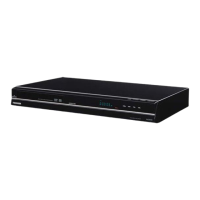
Hi-Fi VCR & DVD VIDEO RECORDER
D-VR6KC
OWNER’S MANUAL
2
24
34
49
53
63
Introduction
Various settings
Disc playback
Tape playback
Recording
Editing the disc
©2007 Toshiba Corporation
78
82
Dubbing
Additional information
This device does not tape-record copy protected DVD Video Discs.
DIGITAL VIDEO
2J41101B_E Cover 5/28/07, 12:02 PM1

Table of Contents

Questions and Answers

  • C
    Caroline SandovalAug 14, 2025
    How to fix no Cable TV reception on Toshiba D-VR6KC DVD Recorder?
    • K
      Kathy HodgesAug 14, 2025
      If you're not getting Cable TV reception on your Toshiba DVD Recorder, start by checking all Cable TV connections to ensure they are secure. If the connections are good, the problem might be with the station or Cable TV system itself; try tuning to another station to see if the issue persists.
  • B
    Brittany SanchezAug 17, 2025
    Why playback does not start on Toshiba D-VR6KC DVD Recorder?
    • D
      Douglas ShawAug 17, 2025
      If playback doesn't start on your Toshiba DVD Recorder, make sure a disc is inserted. If a disc is already inserted, it may be dirty, so clean the disc. Also, the unit cannot play DVD-ROMs, etc.
  • G
    Gina SinghAug 20, 2025
    Why a disc recorded on my Toshiba DVD Recorder won't play on other players?
    • S
      Stephen MillerAug 20, 2025
      If a disc recorded on your Toshiba DVD Recorder cannot be played back on other players, first check that the disc is finalized. Note that some DVD players may not play the disc even if it has been finalized. Also, if the disc was recorded in VR mode, the other player must be RW compatible in order to play the disc.
  • D
    Debra PotterAug 25, 2025
    Why is my Toshiba D-VR6KC remote control not working?
    • K
      kathryn07Aug 25, 2025
      If the remote control for your Toshiba DVD Recorder isn't working, try these steps: First, aim the remote directly at the remote sensor on the unit. Ensure you are within approximately 7 meters of the unit and reduce any strong light in the room. Make sure there are no obstructions blocking the path of the beam between the remote and the unit. Also, the batteries might be weak or inserted incorrectly, so replace them with fresh ones and double-check their orientation.
  • C
    Calvin EstradaAug 27, 2025
    What to do if Toshiba DVD/VCR does not operate?
    • J
      Jacqueline LoveAug 27, 2025
      If your Toshiba DVD/VCR is not operating, ensure the power cord is securely plugged in. Try using a different AC outlet to rule out power issues. Check your fuse or circuit breaker to ensure power is being supplied. You can also try unplugging the unit, waiting a few seconds, and then plugging it back in. Finally, make sure you have selected the correct mode (DVD or VCR) before attempting to operate the device.
  • K
    Krystal WrightAug 31, 2025
    Why is there no picture on my Toshiba DVD Recorder?
    • D
      Dennis CollinsAug 31, 2025
      If you're not getting a picture from your Toshiba DVD Recorder, first check that the antenna connection is correct and the antenna cable is properly connected. Make sure the video channel is correctly set, and your TV is set to video channel 3 or 4, if applicable. Also, ensure the video input selector on your TV is set to VIDEO (or the equivalent setting). Finally, check that the channel is not set to the external mode.
  • L
    Lynn JonesSep 3, 2025
    What to do if my Toshiba D-VR6KC DVD Recorder recording does not work?
    • C
      Chloe IbarraSep 3, 2025
      If your Toshiba DVD Recorder is not recording, first check the disc space using the disc information. Make sure the disc is not protected and that the video you are trying to record is not 'copy-guarded'. Also, verify that the number of recorded titles is 99 or less and the total number of chapters for the recorded titles is 999 or less, using the disc information. If you're using a DVD-RW of Ver.1.0, recording in Video mode may not work, so check the disc type.
  • A
    Adam WadeSep 6, 2025
    Why is there no sound from my Toshiba D-VR6KC?
    • B
      Benjamin PatrickSep 6, 2025
      If you're experiencing no sound from your Toshiba DVD Recorder, first check that the unit is connected correctly to your audio system. Ensure the input selector on your amplifier is set properly to receive the audio from the DVD recorder. Also, verify that the unit is not in a special playback mode, which might affect the audio output.
  • E
    Elizabeth AndersonSep 9, 2025
    How to change the language on Toshiba D-VR6KC display?
    • B
      baxterdavidSep 10, 2025
      If the display on your Toshiba DVD Recorder is not shown in your preferred language, select the proper language in the SETUP MENU.

Summary

SAFETY PRECAUTIONS

IMPORTANT SAFEGUARDS

Features

Recording Functions

Details timer recording and one-touch timer recording (OTR) for scheduled program capture.

Edit Functions

Covers playlist creation, chapter marking, scene erasure, and title combining for recorded content.

Dubbing Functions

Enables dubbing between video tapes, discs, and other equipment.

Disc Operations

Recording Formats and Media

Details discs for video recording, recording formats (VR/Video mode), and format modes for discs.

Parts and Functions

Remote Control Functions

Lists remote control buttons and their corresponding operations and page references for quick access.

TV and Audio Component Connections

HDMI Output Connection

Instructions for connecting to TVs via HDMI for digital audio and video.

Various Settings

Parental Control Settings

Enables setting parental control levels and temporarily cancelling them for disc playback.

Disc Settings

Disc Playback

Playback Procedure

Step-by-step guide for inserting, playing, stopping, and removing discs from the unit.

Selecting Titles for Playback

How to display the title menu and choose a specific title for playback.

Checking Media Information

Displays information about the loaded disc, including media type, titles, and recording status.

Instant Skip and Scene Location

Allows skipping sections and searching for specific scenes by time, chapter, or title.

Repeat Playback Options

Features instant replay, A-B repeat, and title/chapter repeat playback for continuous viewing.

Title and DVD Menu Selection

Selects specific titles for playback and accesses the DVD's menu for language and subtitle options.

Angle, Zoom, and Karaoke Playback

Allows changing viewing angles, zooming frames, and controlling vocals during karaoke playback.

Audio and Subtitle Language Control

Selects soundtrack language and controls subtitles (on/off, language) for multilingual discs.

Special Playback Features

Multi-Format Disc Playback

MP3 and WMA File Playback

Instructions for playing MP3 and WMA audio files from CDs, including requirements.

JPEG File Playback

Instructions for displaying JPEG image files and viewing them as a slide show.

DivX Video File Playback

Instructions for playing DivX video files, including DRM and authorization details.

Tape Playback

Cassette Tape Handling

Guides on inserting, ejecting, and handling VHS/S-VHS tapes, including erase prevention.

Cassette Tape Playback Operations

Instructions for playing, stopping, rewinding, fast forwarding, and picture searching VHS tapes.

Tape Positioning Functions

Covers the ZERO RETURN function and Video index search system for tape positioning.

Special Tape Playback Features

Recording

Recording Preparation and Disc Types

Information needed before recording, including disc types, recording modes, and remaining time.

Images with Recording Restrictions

Details copy-restriction signals (Copy Free, Never, Once) and their effect on recording capability.

Recording TV Programs

Recording TV Programs via Tuner

Step-by-step guide for recording television programs using the unit's tuner.

One-Touch Timer Recording (OTR)

OTR Operation Guide

Provides a simple method to make a timed recording by pressing a single button.

Timer Recording

Setting Timer Recordings

Procedure to set date, time, channel, recording mode, and destination for timer recordings.

Chase Playback

Chase Playback Operation

Allows playback of a program while it is still being recorded, useful for long recordings.

Stereo Recording and Playback

VHS Hi-Fi Stereo Operations

Covers recording and playback of VHS Hi-Fi stereo audio and output selection.

Editing the Disc

Playlist Creation and Management

Guides on creating and managing playlists from original titles for custom viewing.

Renaming Titles in Playlists

How to rename titles within a playlist using the on-screen keyboard interface.

Erasing Scenes from Playlists

How to erase specific scenes from a playlist or original title to manage content.

Editing Original Titles

Problems and Troubleshooting

Video Head Cleaning

Error and Warning Messages

Toshiba D-VR6KC Specifications

General IconGeneral
TypeDVD Recorder
Tuner TypeAnalog
Number of Discs1
TV TunerYes
Progressive ScanYes
Remote ControlYes
Hard DriveNo
Video Recording FormatMPEG2
Audio Recording FormatDolby Digital
Recording FormatsDVD-R, DVD-RW
Playback FormatsDVD, CD, CD-R, CD-RW
Video OutputComposite, S-Video, Component
Audio OutputStereo
Video Upconversion1080p
InputsComposite, S-Video
OutputsComposite, S-Video, Component

Related product manuals