188
Checking and Printing the Stored Job
1
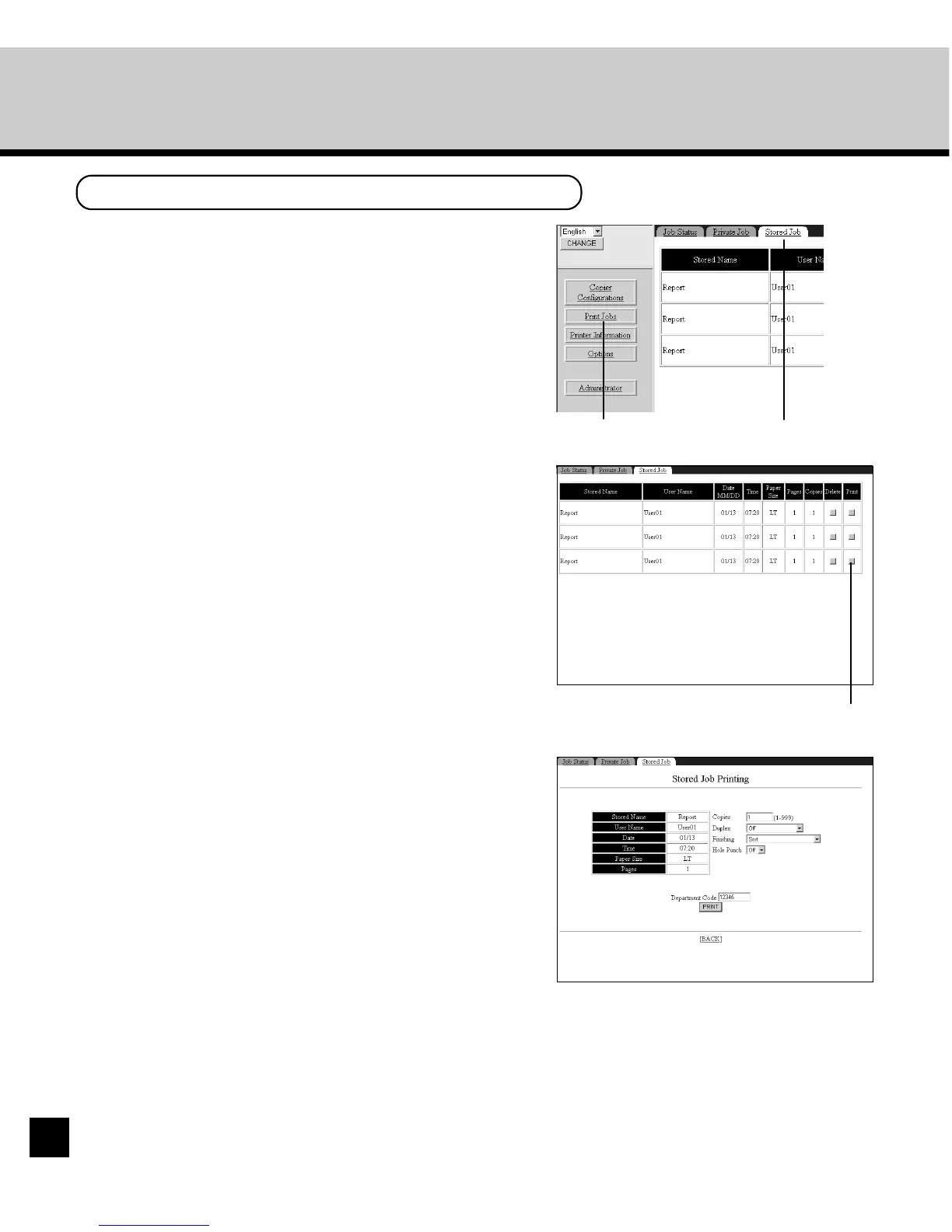
Click the Print Jobs menu and Stored Job tab.
• The Stored Job page is displayed. You can check
the Stored Jobs currently saved.
• When you want to print a Stored Job in the list,
proceed to the next step.
2
Click the button in the Print column for the job
that you want to print.
Print button
3
Modify the print settings and enter the
department code in the Department field if
required. Then click on [Print].
Print Jobs menu Stored Job tab




 To Next Page