3.USEFUL FUNCTIONS
Specifying E-mail Addresses 71
3 USEFUL FUNCTIONS
Searching the LDAP server with search strings
To search an LDAP server for e-mail addresses, the network administrator must register the directory
service on TopAccess.
1
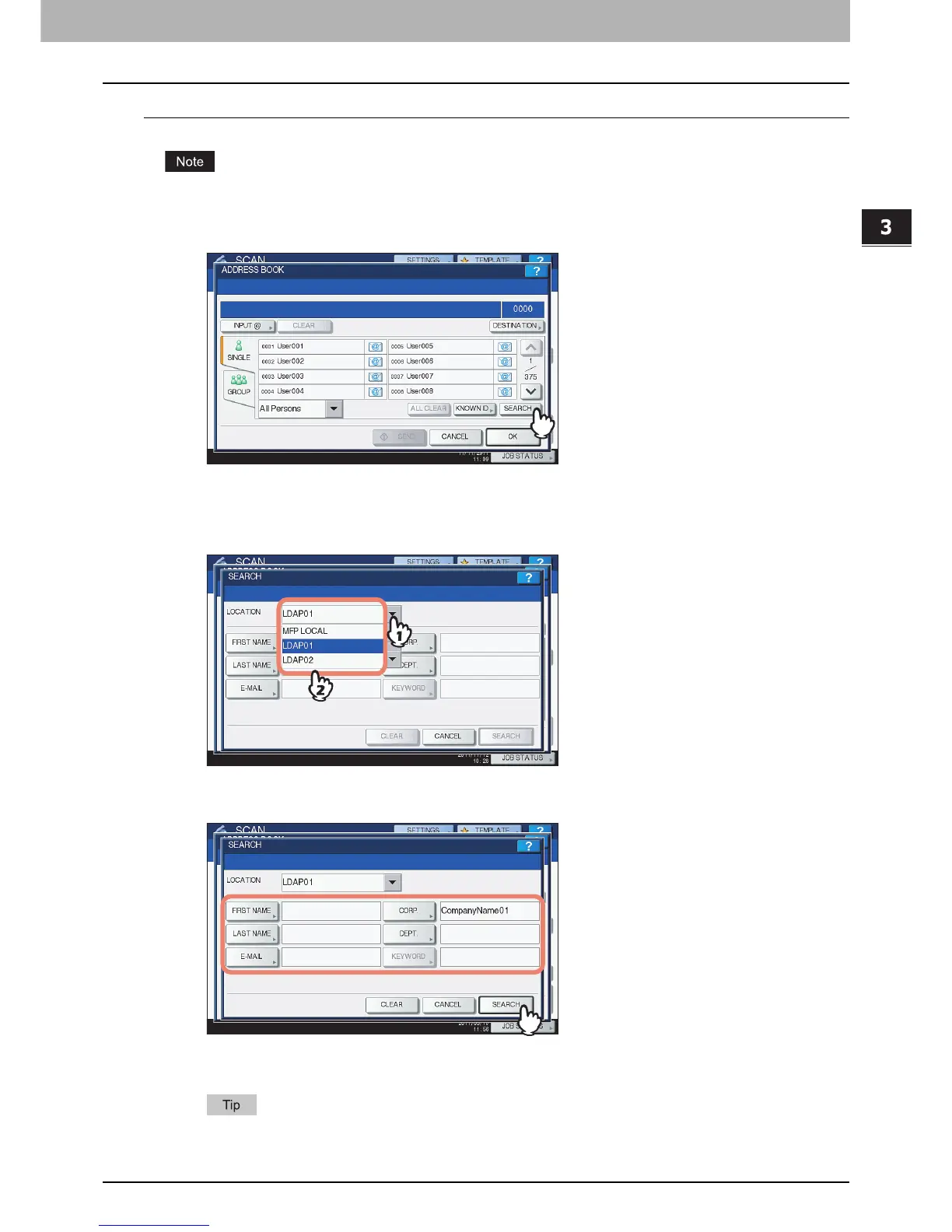
Press [SEARCH].
The ADDRESS SEARCH screen appears.
2
Select the directory service name that you want to search in the LOCATION.
1) Click the pull-down menu.
2) Select the directory service name that you want to search.
3
Press the corresponding button(s) for the desired search category and enter the
search string. Finally, press [SEARCH].
Pressing each button displays an on-screen keyboard. Enter a search string using the keyboard and
digital keys, and then press [OK] to set the entry.
The contacts are searched for based on the entered search string(s).



 To Next Page
 Loading...











