III. OPERATION INSTRUCTIONS
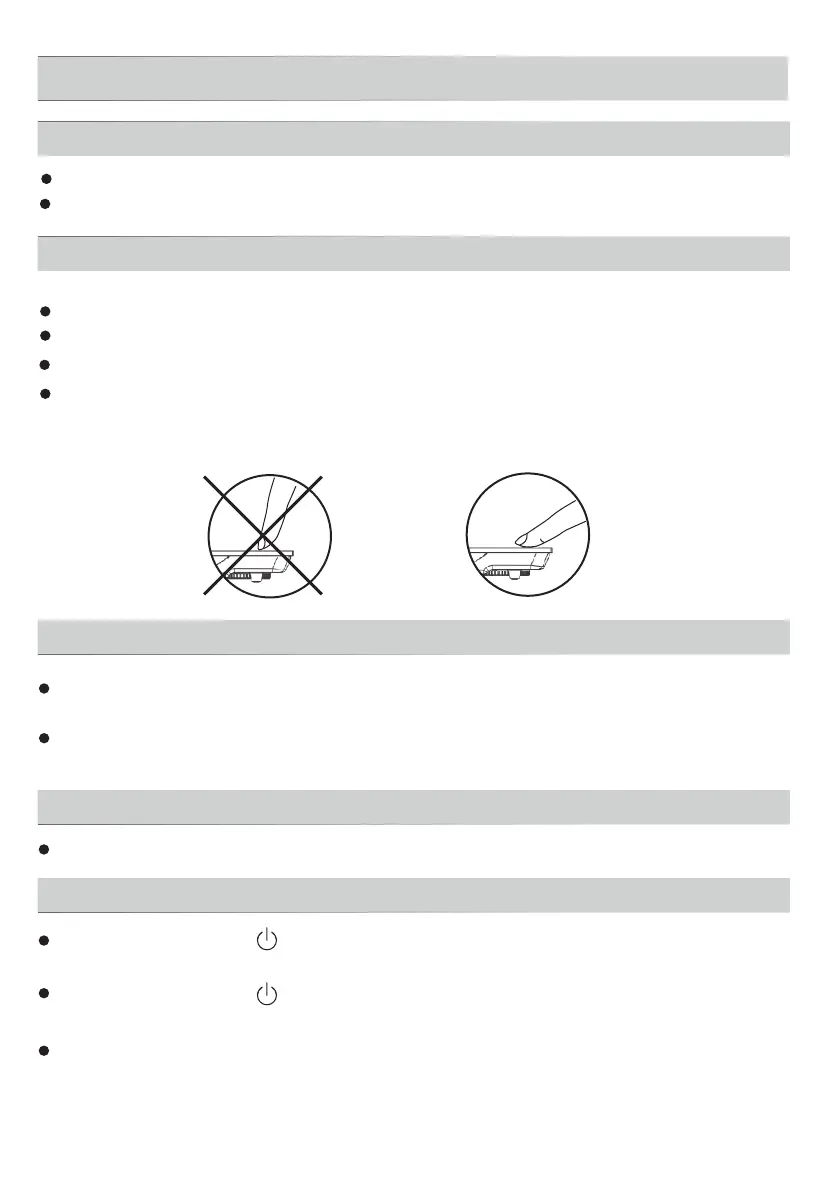
The controls respond to touch, so you don't need to apply any pressure.
Plug in
After the power supply is connect, a beep will be heard.
Switch on
After pressing the " " button, the induction cooker is ready for working.
Press the function button to start heating.
After pressing the " " button, if no function button is pressed for 10
seconds, the induction cooker will switch off automatically.
Under the working mode, if there is no proper pot on the ceramic plate, the
induction cooker will not heat up and the alarm will sound to indicate that a pot
is required. One minute later, it will switch off automatically.
Read this guide, taking special note of the "Safety Warnings” section.
Before using New Induction cooker
Remove any protective film that may still be on your ceramic plate.
Using the Touch Controls
Use the ball of your finger, not its tip
You will hear a beep each time a touch is registered.
Make sure the controls are always clean, dry, and that there is no object
(e.g. a utensil or a cloth) covering them.Even a thin film of water may make
the controls difficult to operate.
Make sure the air vents are not blocked and keep utensils away from the
immediate surrounds of the ceramic plate.
Make sure the cookware which has food or liquid is placed in the center of
ceramic plate.
Put the pot on the ceramic plate
7



 To Next Page