EasyManua.ls Logo

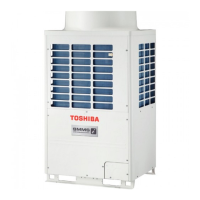
Toshiba MMY-MAP1004HT5P - User Manual

Toshiba MMY-MAP1004HT5P
68 pages
Print Icon
To Next Page IconTo Next Page
Loading...
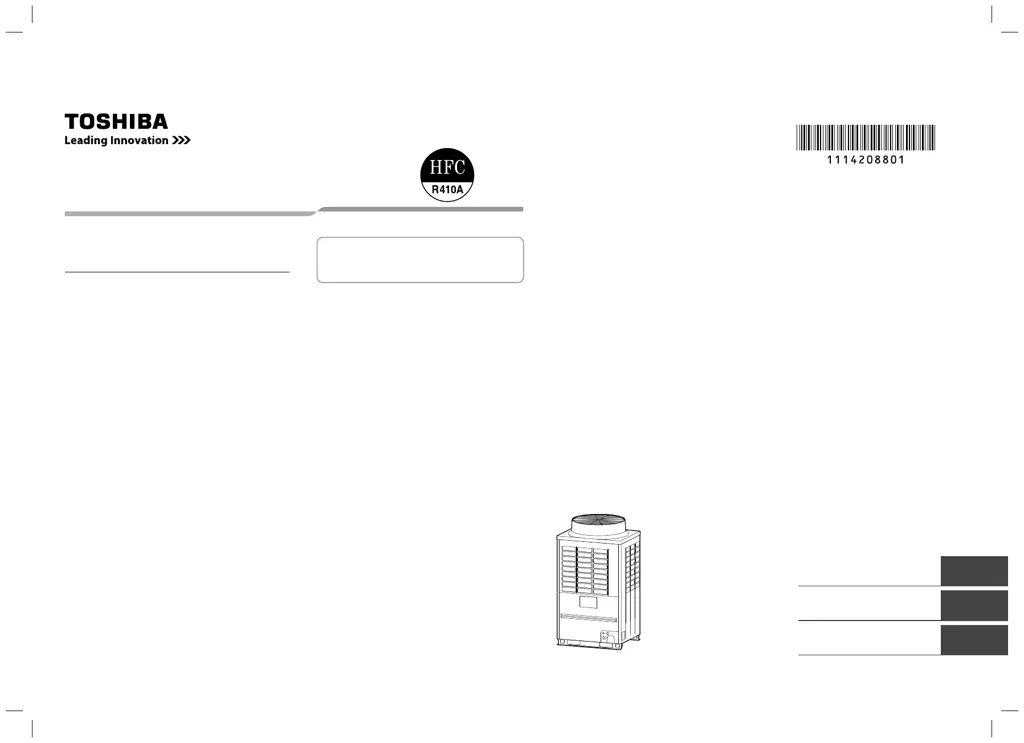
AIR CONDITIONER (MULTI TYPE)
Owner’s Manual
For commercial use
Para utilização comercial
Para uso comercial
Outdoor Unit
Model name:
<Heat Pump Model>
MMY-MAP0804HT5P
MMY-MAP1004HT5P
MMY-MAP1204HT5P
MMY-MAP1404HT5P
MMY-MAP1604HT5P
MMY-MAP0804HT5JP
MMY-MAP1004HT5JP
MMY-MAP1204HT5JP
MMY-MAP1404HT5JP
MMY-MAP1604HT5JP
English
Español
Português
Manual del propietario 43
Owner’s manual 1
Manual do Proprietário 22
1114208801.indd cover11114208801.indd cover1 3/6/13 10:53 AM3/6/13 10:53 AM

Other manuals for Toshiba MMY-MAP1004HT5P

Questions and Answers

  • D
    Dr. Susan EllisAug 20, 2025
    Why is my Toshiba MMY-MAP1004HT5P not cooling enough?
    • C
      Christopher GonzalezAug 20, 2025
      Your Toshiba Air Conditioner might not be cooling sufficiently due to several reasons. Check if the air intake or discharge of the outdoor unit is obstructed and remove any obstructions. Ensure that all doors and windows are closed. A clogged air filter can also reduce cooling efficiency, so clean or replace it. Make sure the discharge louver of the indoor unit is set to the correct position. Also, check that the air selection and operation mode are appropriately set, and the set temperature is correct. Avoid selecting both COOL and HEAT simultaneously and verify that the outdoor temperature is within the operational range.
  • W
    Wanda WoodsAug 22, 2025
    What to do if my Toshiba MMY-MAP1004HT5P does not operate?
    • A
      Aaron JonesAug 22, 2025
      If your Toshiba Air Conditioner isn't operating, start by checking the power supply and ensuring the power switch is turned on. Inspect the power fuse or breaker and replace it if blown or reset if tripped. If the operation lamp is on, a protective device may have activated; investigate and resolve the cause. Also, check the timer settings to ensure it's not set to 'ON'. Make sure you're not trying to run COOL and HEAT simultaneously. Finally, confirm that the outdoor temperature is within the operational range.
  • L
    Larry SheaAug 25, 2025
    What to do if my Toshiba MMY-MAP1004HT5P displays error E23?
    • P
      perrycynthiaAug 25, 2025
      If your Toshiba Air Conditioner shows error code E23, it indicates a communication problem between the outdoor units. First, check the number of connected outdoor units. Also, ensure that the power to all outdoor units is switched on.
  • L
    linda10Aug 26, 2025
    What does E06 error mean on a Toshiba MMY-MAP1004HT5P and how to fix it?
    • C
      Christine MooreAug 26, 2025
      If your Toshiba Air Conditioner displays error E06, it means that communication from all indoor units is interrupted after address setup, assuming normal operation is possible. Check for any disconnections in the indoor/outdoor communication line, specifically the line between the header unit and the leading indoor unit. Also, check for any communication noise that might be interfering with the signal.
  • J
    Jade WallaceAug 27, 2025
    How to fix E16 error on my Toshiba MMY-MAP1004HT5P?
    • T
      Tracy EvansAug 28, 2025
      The E16 error on your Toshiba Air Conditioner means that you have exceeded the number or capacity of connected indoor units. To resolve this, adjust the number or capacity of the connected indoor units to be within the specified limits.
  • A
    Amy HunterAug 29, 2025
    What does L08 error mean on a Toshiba Air Conditioner?
    • J
      Jamie PowellAug 30, 2025
      L08 error on your Toshiba Air Conditioner indicates an address setup error. This can occur because only the line addresses of the connected indoor units are undefined, or the outdoor line address and the line addresses of all the indoor units do not match, or the indoor addresses are duplicated (excluding units displaying E04), or a header unit is not set up in group control (except groups displaying E04). To fix this, set up the address again.
  • B
    bburgessAug 31, 2025
    Why does my Toshiba Air Conditioner show error E07?
    • A
      Alexis Kidd PhDSep 1, 2025
      Error E07 on your Toshiba Air Conditioner can occur due to a couple of reasons. First, it may indicate that there is no outdoor terminal resistance, or there are two or more resistances (after address setup, when terminal resistance setup is changed after powering on). Check SW30 bit 2 of the header unit: if there is no connection between multiple refrigerant lines, SW30 bit 2 should be off; if there is a connection, SW30 bit 2 of the connected header unit should be turned on only for one line. Second, it could indicate a transmission circuit error at the interface side (PC board failure), in which case you should replace the interface PC board.
  • J
    John Carroll DVMSep 3, 2025
    What to do if my Toshiba MMY-MAP1004HT5P displays error E04?
    • S
      Shannon CombsSep 3, 2025
      If your Toshiba Air Conditioner displays the error code E04, it indicates that the outdoor power is off. Check that the header outdoor unit power is on.
  • C
    Colleen BrownSep 5, 2025
    What does E08 error mean on a Toshiba Air Conditioner?
    • D
      Douglas ArmstrongSep 5, 2025
      The E08 error on your Toshiba Air Conditioner signifies a duplication of indoor addresses, where the address numbers in the subcode of the check code are duplicated. The suggested solution is to set up the address again. Ensure each indoor unit has a unique address to resolve this issue. Set up the address again. Modify the setup.
  • V
    Victoria FordSep 7, 2025
    How to resolve L04 error on Toshiba MMY-MAP1004HT5P?
    • P
      phillipthompsonSep 7, 2025
      The L04 error on your Toshiba Air Conditioner indicates a duplication of outdoor line addresses or a line address setup error, which may occur after connection between U1/U2 and U3/U4 connectors. To resolve this, modify the line address setup of the header unit between lines by setting up SW13 and SW14 on the interface PC board.

Summary

Air Conditioner Warning Indications

General Safety Warnings and Cautions

Critical warnings and cautions for safe operation and servicing of the unit.

1 Precautions for Safety

General, Transportation, and Storage Safety

Safety guidelines for general use, transport, and storage of the air conditioner.

Installation, Operation, Repair, and Relocation Safety

Safety precautions for installing, operating, repairing, and relocating the air conditioner.

Carton Handling and Storage Information

Safe Handling and Storage Symbols

Explains symbols and notices for safe handling and stacking of product cartons.

2 Part Names of Outdoor and Indoor Units

Outdoor Unit Components Identification

Identifies key external parts and connections of the outdoor air conditioning unit.

Indoor Unit Types: Cassette Models

Details components and features of 4-way and compact 4-way cassette indoor units.

2 Part Names of Outdoor and Indoor Units

Indoor Unit Types: Ducted and Other Cassettes

Describes 2-way, 1-way, and concealed duct indoor unit types and their parts.

2 Part Names of Outdoor and Indoor Units

Indoor Unit Types: Slim, Ceiling, and Floor Standing

Covers slim duct, ceiling, and various floor standing indoor unit types and their components.

3 Remote Controller Functions

Remote Controller Display Indicators

Explains icons and indicators shown on the remote controller's LCD screen.

Remote Controller Operation Buttons

Details the function and purpose of each button on the remote controller for operation.

4 Basic Operation

Initial Preparation and Basic Operation

Steps for initial setup, power on, and basic operation of the air conditioner.

Adjusting Fan Speed and Temperature

How to adjust fan speed and set desired room temperature using the remote controller.

Power Save Operation Mode

Instructions for activating and deactivating the energy-saving power save mode.

5 Timer Operations

Setting and Cancelling Timers

Guides on setting ON/OFF and Repeat-OFF timers, and how to cancel them.

6 Installation Guidelines

Location Selection and Sound Considerations

Recommendations for choosing a suitable location and managing operational sounds for the unit.

7 Notes on Operations and Performance

Pre-Operation Checks and Performance Tips

Essential checks before operation and advice for optimal cooling/heating performance.

Defrosting, Protection, and Failure Handling

Explains defrosting cycles, protection features, power failure recovery, and error indications.

8 Louver Direction Control

Setting Louver Direction for Cassette Types

How to adjust louver direction for 4-way, 2-way, 1-way cassette, and ceiling type indoor units.

Individual Louver Control and Swing Setup

Instructions for individual louver control, swing patterns, and starting/stopping swing.

8 Louver Direction Control

Setting Louver Swing Patterns

Options for setting standard, dual, or cyclic swing patterns for louvers.

Louver Lock and Direction Setting

How to lock louvers in a specific direction or prevent them from swinging.

8 Louver Direction Control

Releasing Louver Lock and Horizontal Adjustment

Steps to remove louver lock and detailed guide for horizontal louver angle adjustment.

8 Louver Direction Control

Vertical Louver Adjustment for Various Units

How to adjust vertical louvers for cooling and heating on cassette and floor standing indoor units.

8 Louver Direction Control

Changing Air Discharge Direction

Procedure for changing the direction of air discharge, especially for front discharge units.

9 Energy Saving and Comfort Tips

Filter Cleaning and Airflow Management

Advice on cleaning air filters and managing airflow for energy efficiency and comfort.

Room Sealing and Even Air Distribution

Recommendations for closing doors/windows and adjusting louvers for even room comfort.

10 Maintenance

Air Filter Cleaning and Reset

Steps for cleaning the air filter and resetting the indicator on the remote controller.

10 Maintenance

Indoor Unit and Remote Controller Cleaning

Guidance on cleaning indoor units and the remote controller, including specific model warnings.

Maintenance for Unused Units and Periodic Inspection

Procedures for preparing units for storage and importance of periodic inspections and seasonal checks.

11 Troubleshooting Guide

Common Symptoms, Causes, and Checks

Lists common operational symptoms, their causes, and initial troubleshooting checks.

Error Code Confirmation and Log Access

How to check error codes displayed on the remote controller and access the error log for diagnosis.

12 Specifications

Model Specifications: Sound and Weight

A table listing model numbers with their corresponding sound power levels (cooling/heating) and weight.

Toshiba MMY-MAP1004HT5P Specifications

General IconGeneral
Cooling Capacity10.0 kW
Heating Capacity11.2 kW
RefrigerantR32
Power Supply50 Hz
TypeSplit

Related product manuals