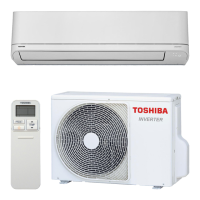
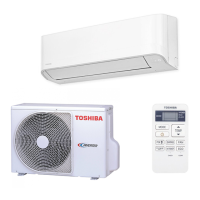
This document is an owner's manual for a Toshiba split-type air conditioner, models RAS-25, 35UFV-ND (indoor unit) and RAS-25, 35S3AVP-ND (outdoor unit), designed for general public use. It provides instructions and precautions for safe and effective operation, maintenance, and troubleshooting.
Function Description
The Toshiba split-type air conditioner offers various operating modes to ensure comfort and energy efficiency. The indoor unit features a display panel and operation buttons, while a remote control provides comprehensive control. Users can select from Auto, Cooling, Dry, and Heating modes.
- Auto Operation: The unit automatically selects between cooling and heating based on the room temperature.
- Cooling Operation: Provides cooling to the room.
- Dry Operation: Reduces humidity in the room.
- Heating Operation: Heats the room.
- Hi-POWER Operation: This mode automatically controls room temperature and airflow for faster cooling or heating (not available in Dry mode).
- FLOOR WARMING Operation: In this heating mode, air is blown downwards only, and the air outlet temperature will be higher than usual.
- ECO Operation: This energy-saving mode automatically controls room temperature (not available in Dry mode). In cooling, the set temperature increases by 1°C every 2 hours (up to 2°C total), while in heating, the set temperature decreases.
- TIMER Operation: Allows users to set ON and OFF timers for the air conditioner. A daily timer function enables setting both ON and OFF times for daily activation.
- PRESET Operation: Users can save their preferred operation settings (except airflow direction) for future use.
- 8°C Operation: This heating mode maintains a set temperature between 5°C and 13°C, useful for preventing freezing in unoccupied rooms. If the unit is in cooling or dry mode, it will switch to heating operation when 8°C mode is selected.
- COMFORT SLEEP Operation: Automatically controls airflow and turns off the unit for comfortable sleep (not available in Dry mode). In cooling, the set temperature increases by 1°C per hour for 2 hours (up to 2°C total), while in heating, the set temperature decreases.
- AUTO RESTART Operation: Automatically restarts the air conditioner after a power failure, resuming the previous settings. This feature can be enabled or disabled via the indoor unit's operation button.
- SELF CLEANING Operation: This function dries the inside of the air conditioner to reduce mold growth. It activates automatically after 10 minutes or more of cooling or dry operation and runs for 30 minutes. This feature is a default setting and can be activated or canceled via the MODE button on the operation panel.
Important Technical Specifications
The manual specifies the indoor unit models as RAS-25, 35UFV-ND and outdoor unit models as RAS-25, 35S3AVP-ND.
- Temperature Settings:
- Minimum set temperature: 17°C
- Maximum set temperature: 30°C
- 8°C heating operation range: 5°C to 13°C
- Operating Temperature Ranges:
- Heating: Outdoor -25°C to 24°C, Room Less than 28°C
- Cooling: Outdoor -10°C to 46°C, Room 21°C to 32°C
- Dry: Outdoor -10°C to 46°C, Room 21°C to 32°C
- Refrigerant: The manual states that the refrigerant used is safe and will not leak under normal operating conditions. However, if it leaks and contacts a heat source, it may cause a harmful reaction.
- Power Supply: The appliance requires an independent power outlet and fixed wiring with a disconnection means having a contact separation of at least 3 mm in all poles.
- Filter Indicator: The filter check indicator turns on after approximately 1000 hours of operation, signaling that the filter needs cleaning.
Usage Features
- Remote Control: The primary interface for controlling the unit, featuring buttons for power, mode selection, temperature adjustment, fan speed, swing louver, fixed louver, weekly timer, preset, 8°C heating, high power, economy, comfort sleep, floor warming, clock reset, check, reset, and filter reset.
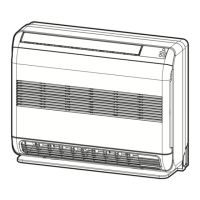
- Indoor Unit Display Panel: Shows current settings, indicators for various modes (Cool, Dry, Heat, Auto, Operation, Hi-Power, Floor, Timer, Filter Check, Temperature, Air Outlet), and allows basic operation and setting adjustments.
- Airflow Direction:
- Vertical: Adjustable using the FIX button on the remote control or automatically swung using the SWING button. Manual adjustment of vertical louvers is not recommended.
- Horizontal: Adjustable manually.
- The vertical louver's positioning may be automated in some operation modes. In heating, if "Lower" is selected for air outlet, the upper louver does not operate even if swing is set by remote. During FLOOR WARMING, air blows downward only, and swing operation cannot be ordered via remote control.
- Child Lock Function: Activatable by pressing the MODE button for 3 seconds on the indoor unit, preventing accidental changes. Remote control operation is still possible when child lock is active.
- Unit Display Panel Brightness Adjustment: The brightness of the indoor unit's display panel can be adjusted through 4 stages (Usual, Darkness, Turn off) using a combination of AIR OUTLET SELECT and TEMPERATURE buttons.
- Remote Control A-B Selection: Allows for separate control of two indoor units installed nearby by assigning different remote control IDs.
Maintenance Features
- Filter Cleaning: The air filters should be removed and cleaned when the FILTER CHECK indicator lights up. Attachment filters (if any) should also be maintained as per accessory sheet instructions.
- Air Inlet Grille Maintenance: The air inlet grille can be washed with water using a soft sponge or towel. Heavy dirt can be scoured with neutral detergent. It should be dried well in a shaded area.
- General Cleaning: The indoor unit and remote control can be cleaned with a wet cloth. Avoid using benzine, thinner, polishing powder, or chemically-treated dusters.
- Long-Term Storage: If the unit will not be used for a long time, turn off the main switch or circuit breaker.
- Outdoor Unit Inspection: At least once a year, check if the mounting table of the outdoor unit is damaged.
- Internal Cleaning: Internal cleaning of the air-conditioning unit should be requested from the supplying retail dealership to avoid damage or electrical shock.
Safety Precautions
The manual emphasizes several safety precautions:
- Installation: Must be performed by a specialist or professional installation vendors according to national wiring regulations. Disconnection from the supply with at least 3 mm contact separation in all poles must be incorporated.
- Self-Repair/Modification: Prohibited due to risks of fire, electric shock, or water leakage.
- Location: Avoid locations with flammable gas leaks, excessive water/humidity (e.g., bathrooms), or where the outdoor unit may be subjected to snow drifts or leaf accumulation.
- Power Cable: Do not damage, modify, place heavy objects on, expose to heat, or pull the power cable. Do not use multiple outlet extension cords.
- Electrical Hazards: Do not touch with wet hands. Always unplug when not in use. Do not turn ON/OFF the circuit breaker with wet hands.
- Foreign Objects: Do not insert any material (metal, paper, water, etc.) into the air outlet or air intake openings.
- Ventilation: Ensure adequate ventilation when using the unit in a closed room or with other combustion appliances.
- Refrigerant Leakage: If the unit does not cool or warm, consult the dealership for possible refrigerant leakage.
- Error Conditions: During an error (e.g., burning odor, no cooling/warming), stop operation, turn off the circuit breaker, and request service.
- Children: Children should be supervised to ensure they do not play with the appliance. The appliance is not intended for use by persons with reduced physical, sensory, or mental capabilities without supervision.
- Lightning: Stop operation and disconnect the circuit breaker during thunder and lightning strikes.
- Moving Panel: Do not hang laundry or other objects from the moving panel to prevent injury.

 Need help?
 General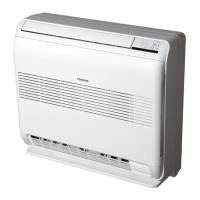




 To Next Page