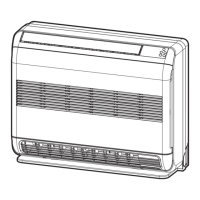
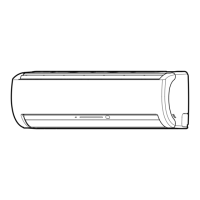
This document is an owner's manual for a Toshiba R32 Inverter Air Conditioner (Split Type), intended for general public use. It covers both indoor units (RAS-B07, 10, 13, 16J2KVSG-E) and outdoor units (RAS-07, 10, 13, 16J2AVSG-E). The manual provides essential information on safety, operation, and maintenance of the air conditioning system.
Precautions for Safety
The manual begins with crucial safety precautions, categorized as DANGER, WARNING, and CAUTION. Users are advised to read these carefully before operating the unit and keep the manual accessible.
DANGER
- Installation, repair, opening, or removal of the cover should only be performed by a dealer or specialist due to dangerous voltages.
- Turning off the power supply does not prevent electric shock.
- The appliance must be installed according to national wiring regulations, including a disconnection means with at least 3 mm contact separation in all poles within the fixed wiring.
- The appliance must be stored in a room free from continuous ignition sources (e.g., open flames, gas appliances, electric heaters).
- Do not operate the unit if harmful gases (flammable or corrosive) are detected nearby to prevent fire, explosion, or injury.
WARNING
- Avoid prolonged direct exposure to cool or warm air.
- Do not insert fingers or objects into the air inlet/outlet.
- In case of abnormality (e.g., burning smell), stop the air conditioner and disconnect the power supply or turn off the breaker.
- This appliance can be used by children aged 8 and above, and persons with reduced physical, sensory, or mental capabilities, or lack of experience and knowledge, if supervised or instructed on safe use and understanding of hazards. Children should not play with or clean the appliance without supervision.
- Installation, maintenance, repair, and removal must be carried out by a qualified installer or service person.
- Children must be supervised to ensure they do not play with the appliance.
- Only R32 refrigerant should be used for complement or replacement. Using a different refrigerant can lead to abnormally high pressure in the refrigeration cycle, potentially causing product failure, explosion, or injury.
CAUTION
- Do not use methods to accelerate defrosting or cleaning other than those recommended by the manufacturer.
- The appliance must be stored in a room without continuously operating ignition sources (e.g., open flames, gas appliances, electric heaters).
- Refrigerants may not have an odor.
- Do not pierce or burn the appliance as it is pressurized. Avoid exposing it to heat, flames, sparks, or other ignition sources, as this may cause explosion, injury, or death.
- Do not wash the unit with water to prevent electric shock.
- Do not use the air conditioner for purposes other than its intended use, such as preserving food or breeding animals.
- Do not step or place objects on the indoor/outdoor unit to prevent injury or damage.
- Avoid touching the aluminum fin to prevent injury.
- Before cleaning, turn off the main switch or circuit breaker.
- If the unit will not be used for an extended period, turn off the main switch or circuit breaker.
- Regular maintenance by a specialist is recommended for units operated for a long time.
- The manufacturer disclaims liability for damages resulting from non-observance of this manual's instructions.
Indoor Unit Display
The indoor unit features a display with indicators for:
- ECO (White)
- Wi-Fi access (White) (requires a Wireless LAN connecting adapter, available as an accessory)
- Hi-Power (White)
- Timer (White)
- Operation mode: Cool (Blue) and Heat (Orange)
The display brightness can be adjusted.
Preparation Before Use
Preparing Filters
- Open the air inlet grille and remove the air filters.
- Attach the filters as detailed in the accessory sheet.
Loading Batteries (for wireless operation)
- Remove the slide cover.
- Insert two new AAA batteries, observing the (+) and (-) positions.
Clock Setup
- Push the CLOCK button with a pencil tip. If the timer indication is flashing, proceed to step 2.
- Press the ▲/▼ buttons to adjust the time.
- Press SET to set the time.
Remote Control Reset
- Push the RESET button with a pencil tip, or remove and reinsert the batteries.
- Press the button.
- Insert the batteries.
Air Flow Direction
- Vertical Direction: Press the FIX button to move the louver in the desired vertical direction.
- Swing Function: Press the SWING button to automatically swing the air, and press again to stop.
- Horizontal Direction: Adjust manually.
- Note: Do not manually move the louver. The louver may automatically position itself in some operation modes.
Remote Control Features
The remote control includes various buttons for comprehensive control:
- Infrared signal emitter
- Memory and Preset button (PRESET)
- Start/Stop button
- Mode select button (MODE)
- Air flow button
- Fireplace/8°C button
- ECO button
- Comfort sleep button (COMFORT SLEEP)
- Weekly timer (ON/OFF)
- Temp for Weekly timer
- On timer button (ON)
- Set clock button (CLOCK)
- Check button (CHECK)
- Filter reset button (FILTER)
- Temperature button (TEMP)
- Swing louver button (SWING)
- Fan speed button (FAN)
- Set louver button (FIX)
- High power button (Hi-POWER)
- Power selection/Silent button (P-SEL/SILENT)
- Program P1 - P4
- Day/Edit button
- Setup button (SET)
- Off timer button (OFF)
- Clear button (CLR)
- Reset button (RESET)
- Note: The remote controller is a wireless type but can also be used as a wired control. Refer to the "How to Connect The Remote Controller for Wired Operation" in the installation instructions if wired control is desired. In wired operation, the remote controller will revert to initial conditions (PRESET, TIMER, CLOCK) upon power shutdown.
Cooling / Heating / Fan Only Operation
- Press MODE to select Cool, Heat, or Fan only.
- Press TEMP. ▲/▼ to set the desired temperature (Min. 17°C, Max. 30°C). Fan Only mode has no temperature indication.
- Press FAN to select AUTO, LOW, LOW+, MED, MED+, HIGH, or QUIET.
Automatic Operation
To automatically select cooling, heating, or fan only operation:
- Press MODE to select Auto.
- Press TEMP. ▲/▼ to set the desired temperature (Min. 17°C, Max. 30°C).
- Press FAN to select AUTO, LOW, LOW+, MED, MED+, HIGH, or QUIET.
Dry Operation
For dehumidification, a moderate cooling performance is automatically controlled.
- Press MODE to select Dry.
- Press TEMP. ▲/▼ to set the desired temperature (Min. 17°C, Max. 30°C).
- Note: DRY mode fan speed is set to Auto only.
Hi-Power Operation
To automatically control room temperature and airflow for faster cooling or heating operation (except in DRY and FAN ONLY mode):
- Press HI POWER to start and stop the operation.
ECO Operation
To automatically control room temperature to save energy (except in DRY and FAN ONLY mode):
- Press ECO to start and stop the operation.
- Note: In cooling operation, the set temperature will automatically increase by 1 degree/hour for 2 hours (maximum 2 degrees increase). For heating operation, the set temperature will decrease.
Fireplace and 8°C Heating Operation
Fireplace Operation
Keeps the indoor unit's fan blowing continuously during thermo-off periods to circulate heat from other sources. There are three settings: Default, Fireplace 1, and Fireplace 2.
- Fireplace 1: During thermo-off, the indoor unit's fan continues to run at the same speed previously selected by the user.
- Fireplace 2: During thermo-off, the indoor unit's fan continues to run at a super-low speed, programmed from the factory.
8°C Heating Operation (8°C)
Heat mode operation to maintain room temperature between 5-13°C with reduced energy usage.
- Note: While Fireplace operation is active in heating mode, the indoor unit fan always runs, and cold air breezing might occur. Fireplace and 8°C operations are only available in Heating mode.
Comfort Sleep Operation
For comfortable sleep, this function automatically controls airflow and turns off the unit (except in DRY mode).
- Press COMFORT SLEEP to select 1, 3, 5, or 9 hours for OFF timer operation.
- Press CLR to cancel the comfort sleep operation.
- Note: In cooling operation, the set temperature will automatically increase by 1 degree/hour for 2 hours (maximum 2 degrees increase). In heating operation, the set temperature will decrease.
HADA Care Flow Operation
HADA CARE FLOW directs airflow upward to the ceiling, providing indirect airflow to the body and homogenizing room temperature.
- Press AIRFLOW to start and stop HADA CARE FLOW.
- Note: During HADA CARE FLOW mode, FIX and SWING buttons cannot be activated.
Timer Operation
Setting the ON Timer
- Press ON to set the desired ON timer.
- Press SET to set the timer.
- Press CLR to cancel the timer.
Setting the OFF Timer
- Press OFF to set the desired OFF timer.
- Press SET to set the timer.
- Press CLR to cancel the timer.
- Note: Keep the remote control within transmission range of the indoor unit to avoid time lags of up to 15 minutes. The setting will be saved for the next similar operation.
Preset Operation
Set your preferred operation for future use. The setting will be memorized by the unit (except airflow direction).
- Select your preferred operation.
- Press and hold PRESET for 3 seconds to memorize the setting. The mark displays.
- Press PRESET to operate the preset operation.
Display Lamp Brightness Adjustment
To decrease the display lamp brightness or turn it off:
- Press and hold FAN for 3 seconds until the brightness level (d0, d1, d2, or d3) is shown on the remote control LCD, then release the button.
- Press TEMP. ▲/▼ to adjust brightness in 4 levels.
- d3: Lamp illuminates full brightness (100%)
- d2: Lamp illuminates 50% brightness (50%)
- d1: Lamp illuminates 50% brightness, and the operation lamp is turned off (50%)
- d0: All lamps are turned off (All turned off)
- Note: In examples d1 and d0, the lamp illuminates for 5 seconds before turning off.
Power-Selection and Silent Operation (Outdoor Unit)
Power-Selection (P-SEL)
This function limits the maximum current and power consumption to 100%, 75%, or 50%, useful when the circuit breaker is shared with other electrical appliances. Lower percentages result in higher savings and longer compressor lifetime.
- Note: When a level is selected, the POWER-SEL level flashes on the remote LCD for 3 seconds. For 75% and 50% levels, "75" or "50" also flashes for 2 seconds. Inadequate cooling or heating capacity may occur due to current limitation.
Silent Operation (())
Keeps the outdoor unit operating silently for a quiet nighttime environment. Heating capacity is optimized for this silent experience. There are three settings: Standard level, Silent 1, and Silent 2.
- Silent 1: Prioritizes heating (or cooling) capacity for sufficient indoor comfort while operating silently. This setting balances capacity and outdoor unit sound level.
- Silent 2: Compromises heating (or cooling) capacity to prioritize reducing the outdoor unit's sound level by 4 dB(A).
- Note: Inadequate heating (or cooling) capacity may occur when Silent operation is activated.
Auto Restart Operation
Automatically restarts the air conditioner after a power failure (if the unit's power is on).
Setting
- Press and hold the RESET button on the indoor unit for 3 seconds to set the operation (3 beeps, OPERATION lamp blinks 5 times/sec for 5 seconds).
- Press and hold the RESET button on the indoor unit for 3 seconds to cancel the operation (3 beeps, OPERATION lamp does not blink).
- Note: AUTO RESTART OPERATION does not activate if ON or OFF timers are set.
Self Cleaning Operation (Cool and Dry Operation Only)
To prevent bad smells caused by humidity in the indoor unit:
- If the button is pressed once during "Cool" or "Dry" mode, the fan will continue to run for 30 minutes, then turn off automatically. This reduces moisture in the indoor unit.
- To stop the unit immediately, press the button 2 more times within 30 seconds.
Temporary Operation
If the remote control is misplaced or discharged:
- Pressing the RESET button on the indoor unit can start or stop the unit.
- Operation mode is set to AUTOMATIC, preset temperature is 24°C, and fan operation is automatic speed.
Remote Control A-B Selection
To use separate remote controls for each indoor unit when two air conditioners are installed nearby:
Remote Control B Setup
- Press the RESET button on the indoor unit to turn the air conditioner ON.
- Point the remote control at the indoor unit.
- Push and hold the CHECK button on the remote control with a pencil tip. "00" will be shown on the display.
- Press MODE while holding CHECK. "B" will show on the display, "00" will disappear, and the air conditioner will turn OFF. Remote Control B is memorized.
- Note: Repeat the above steps to reset the remote control to A. Remote Control A does not display "A". The default setting for the remote control from the factory is A.
- Three-minute protection feature: Prevents the unit from activating for 3 minutes after sudden restart or switching to ON.
- Preheating operation: Warms up the unit for 5 minutes before heating operation starts.
- Warm air control: When room temperature reaches the set temperature, fan speed automatically reduces, and the outdoor unit stops.
- Automatic defrosting: Fans stop during defrost operation.
- Heating capacity: Heat is absorbed from outdoors and released into the room. If outdoor temperature is too low, use another recommended heating apparatus in combination with the air conditioner.
- Consideration for accumulated snow: Select an outdoor unit position that avoids snow drifts, leaf accumulation, or other seasonal debris.
- Minor cracking sound: Some minor cracking sounds may occur during unit operation due to expansion/contraction of plastic.
- Note: Items 2 to 6 apply to Heating models.
Air Conditioner Operating Conditions
The manual provides a table outlining the optimal outdoor and room temperature ranges for Heating, Cooling, and Dry operations.
Maintenance
- Firstly, turn off the circuit breaker.
Indoor Unit and Remote Control
- Clean the indoor unit and remote control with a wet cloth as needed.
- Do not use benzine, thinner, polishing powder, or chemically-treated duster.
Air Filters
Clean every 2 weeks:
- Open the air inlet grille.
- Remove the air filters.
- Vacuum or wash and then dry them.
- Reinstall the air filters and close the air inlet grille.
Troubleshooting (Check Point)
The unit does not operate:
- Power main switch is turned off.
- Circuit breaker is activated.
- Stoppage of electric current.
- ON timer is set.
Cooling or Heating is abnormally low:
- Filters are blocked with dust.
- Temperature has been set improperly.
- Windows or doors are opened.
- Air inlet or outlet of the outdoor unit is blocked.
- Fan speed is too low.
- Operation mode is FAN or DRY.
- POWER SELECTION function is set to 75% or 50% (depending on remote controller).
Weekly Timer Operation
How to set WEEKLY TIMER
- Press DAY/EDIT to enter WEEKLY TIMER setting. The icon blinks.
- Press DAY/EDIT to select the desired day in sequence. The day symbol sequence appears on the LCD.
- Press PROGRAM to select the program number (PG-1 to PG-4). PG-1 is ready for setting when DAY/EDIT is pressed.
- Press ▲/▼ to select the desired time (0:00 to 23:50 in 10-minute intervals, or hold for 1 hour changes). Only one of ON or OFF timer can be set per program.
- Press MODE to select desired operation.
- Press TEMP. ▲/▼ to select desired temperature (17°C to 30°C).
- Press FAN to select desired fan speed.
- Add operations if required:
- Press 8°C for 8°C operation (Fireplace cannot be selected).
- Press ECO for ECO operation.
- Press HI POWER for Hi-POWER operation.
- Press SILENT for Silent operation.
To delete programs
Individual program:
- Press DAY/EDIT. The day of the week and program number are displayed. Select the day to delete.
- Press PROGRAM to select the program number to be deleted.
- Press CLR. ON or OFF timer will be cleared, and the LCD will blink.
- Press SET to delete the program. Press SET while the LCD is blinking.
All programs:
- Press DAY/EDIT. The day of the week and program number are displayed.
- Press and hold CLR for 3 seconds. All programs will be deleted, and the LCD displays current operation.
- Note: Ensure the remote control receiving module on the air conditioner receives the signal.
Edit Weekly timer program
To edit after confirming the weekly timer setting:
- Press DAY/EDIT. The day of the week and program number of the current day will be displayed.
- Press DAY/EDIT to select the day of the week and press PROGRAM to select the program number to be confirmed.
- Press SET to exit confirming mode.
Deactivating WEEKLY TIMER operation
Press WEEKLY while "WEEKLY" is displayed on the LCD. The "WEEKLY" indicator will disappear from the LCD. The program remains in the remote control. The TIMER lamp goes off. To reactivate, press WEEKLY again. The program, after reactivation, is related to the clock time.

 Need help?
 General

 To Next Page

