Installation Manual
‒ 31 ‒
31-EN
2
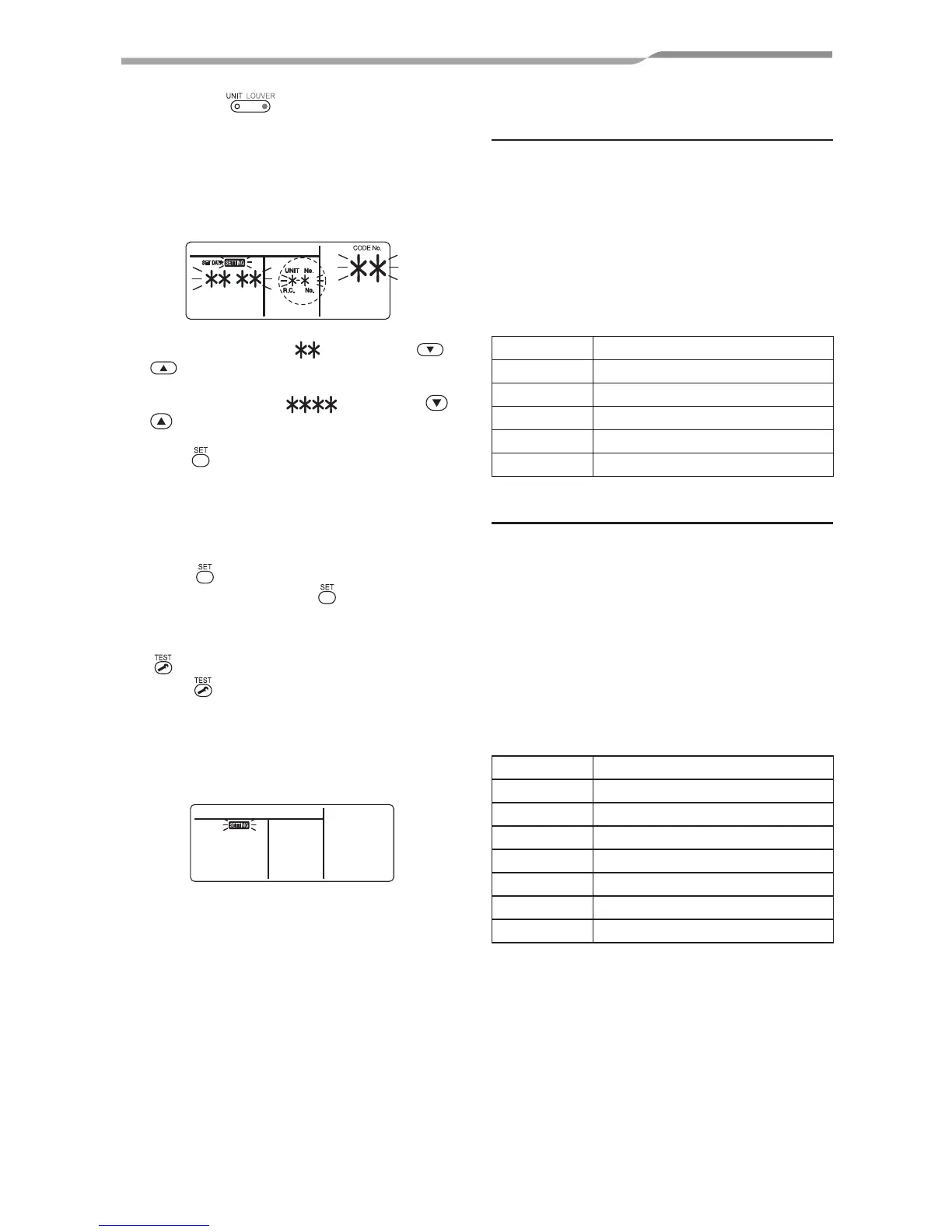
Each time button is pushed, indoor
unit numbers in the control group change
cyclically. Select the indoor unit to change
settings for.
The fan of the selected unit runs. The indoor
unit can be confirmed for which to change
settings.
3
Specify CODE No. [ ] with TEMP. /
buttons.
4
Select SET DATA [ ] with TIME /
buttons.
5
Push button. When the display changes
from flashing to lit, the setup is completed.
• To change settings of another indoor unit,
repeat from Procedure
2.
• To change other settings of the selected
indoor unit, repeat from Procedure
3.
Use
button to clear the settings.
To make settings after
button was
pushed, repeat from Procedure
2.
6
When settings have been completed, push
button to determine the settings.
When
button is pushed, “SETTING”
flashes and then the display content
disappears and the air conditioner enters the
normal stop mode.
(While “SETTING” is flashing, no operation of
the remote controller is accepted.)
Change of lighting time of filter
sign
According to the installation condition, the lighting
time of the filter sign (Notification of filter cleaning)
can be changed.
Follow to the basic operation procedure
(
1
→
2
→
3
→
4
→
5
→
6).
• For the CODE No.. in Procedure
3, specify [01].
• For the [SET DATA] in Procedure
4, select the
SET DATA of filter sign lighting time from the
following table.
SET DATA Filter sign lighting time
0000 None
0001 150H (Factory setting)
0002 2500H
0003 5000H
0004 10000H
To secure better effect of heating
When it is difficult to obtain satisfactory heating
due to installation place of the indoor unit or
structure of the room, the detection temperature of
heating can be raised. Also use a circulator, etc. to
circulate heat air near the ceiling.
Follow to the basic operation procedure
(
1
→
2
→
3
→
4
→
5
→
6).
• For the CODE No.. in Procedure
3, specify [06].
• For the SET DATA in Procedure
4, select
the SET DATA of shift value of detection
temperature to be set up from the table below.
SET DATA Detection temp shift value
0000 No shift
0001 +1°C
0002 +2°C (Factory setting)
0003 +3°C
0004 +4°C
0005 +5°C
0006 +6°C



 To Next Page