– 9 –
Compact 4-way Type
Owner’s Manual
Compact 4-way Type
Owner’s Manual
Display when stopping the swing
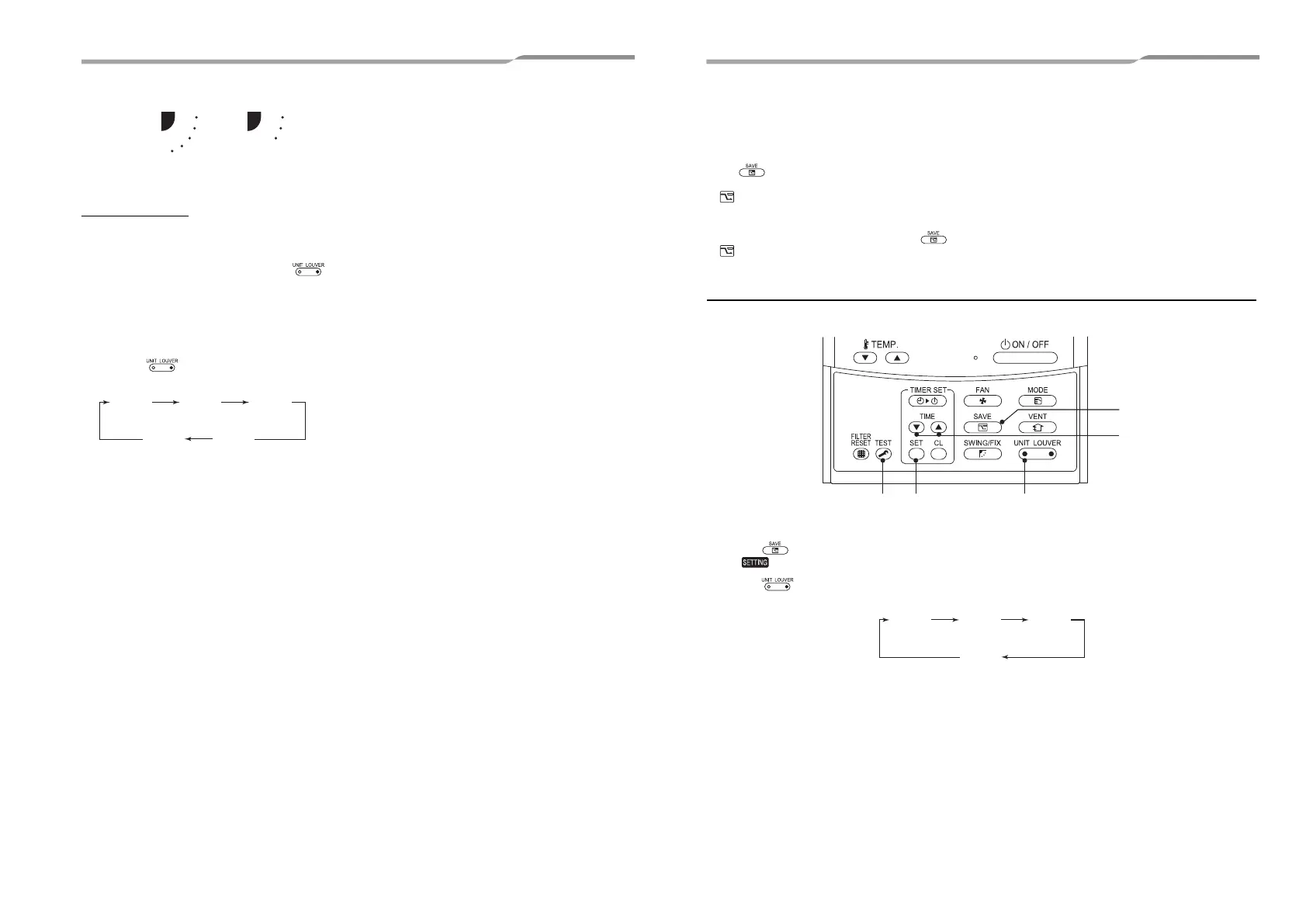
Unit select button
• When multiple indoor units are controlled with one
remote controller, louver direction can be set for
each indoor unit by selecting individually.
• To set louver direction individually, push
button to display an indoor unit number in the control
group. Then set the wind direction of the displayed
indoor unit.
• When no indoor unit number is displayed, all indoor
units in the control group can be controlled
simultaneously.
• Each time button is pushed, the display
changes as follows:
Fan / Heat
operation
Cool / Dry
operation
Not
display
UNIT No.
1-1
UNIT No.
1-2
UNIT No.
1-3
UNIT No.
1-4
7 Power Saving Mode
The power saving mode saves energy by limiting the maximum current which will effect heating or cooling capacity that the unit
can generate.
Push button during operation.
• The air conditioner enters power saving mode.
• appears on the display.
Power saving mode will stay in effect until it is cancelled.
To cancel the power saving mode, push button again.
• disappears.
To configure the power saving mode settings
When RAV-SP***2AT / RAV-SM***3AT or older is used, the displayed setting changes, but the actual power level is always “75
%”.
1 Push button for at least four seconds when the air conditioner is not working.
• , symbol, and numbers flash.
2 Push (left side of the button) to select an indoor unit to be set.
• Each time the button is pushed, UNIT No. change as follows:
The fan of the selected unit runs.
UNIT No.
1-1
UNIT No.
1-2
UNIT No.
1-3
UNIT No.
1-4
17-EN 18-EN
+00EH99937799_01EN.book Page 9 Thursday, March 31, 2011 10:00 PM



 To Next Page