EasyManua.ls Logo

Toshiba SD-2815 - User Manual

Toshiba SD-2815
180 pages
Print Icon
To Next Page IconTo Next Page
Loading...
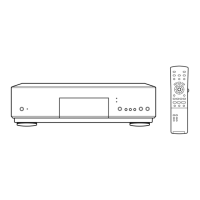
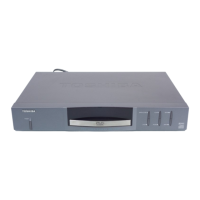
SERVICE MANUAL
DVD VIDEO PLAYER
FILE NO. 810-200223
SD-2815
SD-K625
SD-3815
DOCUMENT CREATED IN JAPAN, Sept., 2002

Table of Contents

Questions and Answers

  • J
    Jose ChangAug 10, 2025
    Why is there no picture on my Toshiba DVD Player?
    • T
      Tony KellyAug 10, 2025
      If there's no picture from your Toshiba DVD player, here are a few things to check: * Ensure your TV is set to the correct video input mode to receive the DVD signal. * Make sure the video cable is securely connected to the jacks. * Verify that your TV is turned on.
  • U
    umontoyaAug 15, 2025
    How to fix Toshiba DVD Player that doesn't start playback?
    • S
      Shari GrantAug 15, 2025
      If your Toshiba DVD player isn't starting playback, try these steps: 1. Insert a disc, ensuring the DVD or audio CD indicator is lit. 2. Make sure you're using a playable disc, checking the disc type, color system, and regional code. 3. Place the disc with the playback side down. 4. Ensure the disc is correctly placed within the guide on the disc tray. 5. Clean the disc if it's dirty. 6. Cancel the Rating function or change the rating level if it is set.
  • A
    Adam HillAug 20, 2025
    Why Toshiba SD-2815 DVD Player remote control does not work?
    • W
      wendysmithAug 20, 2025
      If the remote control for your Toshiba DVD player isn't working properly, try the following: * Point the remote control directly at the remote sensor on the DVD player. * Ensure you're operating the remote within approximately 23 ft (7 m). * Remove any obstacles blocking the path between the remote and the DVD player. * Replace the batteries in the remote with new ones.
  • D
    Deanna RojasAug 25, 2025
    How to fix Toshiba DVD Player when there is no power?
    • T
      Terry StevensAug 26, 2025
      If your Toshiba DVD player has no power, ensure the power cord is securely plugged into the wall outlet.
  • J
    Jeffrey RossAug 31, 2025
    What to do if my Toshiba DVD Player has no sound?
    • A
      Amy GregoryAug 31, 2025
      If you're experiencing a lack of sound with your Toshiba DVD player, consider the following: * Ensure the equipment connected with the audio cable is set to receive the DVD signal output by selecting the correct input mode on your audio receiver. * Check that the audio cables are securely connected. * Confirm that the equipment connected with the audio cable is powered on. * Verify that the Digital Audio Output is set to the correct position, then turn on the DVD player again by pressing POWER.
  • J
    Jennifer DeanSep 4, 2025
    How to fix poor playback picture on Toshiba SD-2815 DVD Player?
    • B
      banksjohnSep 5, 2025
      If the playback picture on your Toshiba DVD player is poor, the disc may be dirty. Clean the disc to resolve this issue.

Toshiba SD-2815 Specifications

General IconGeneral
TypeDVD Player
Video OutputComposite, S-Video, Component
Progressive ScanYes
Remote ControlYes
Disc FormatsDVD-R, DVD-RW, CD, CD-R, CD-RW
Audio OutputDigital Audio Coaxial
Power Consumption15 Watts

Related product manuals