User’s Manual EN-39
STOR.E TV+
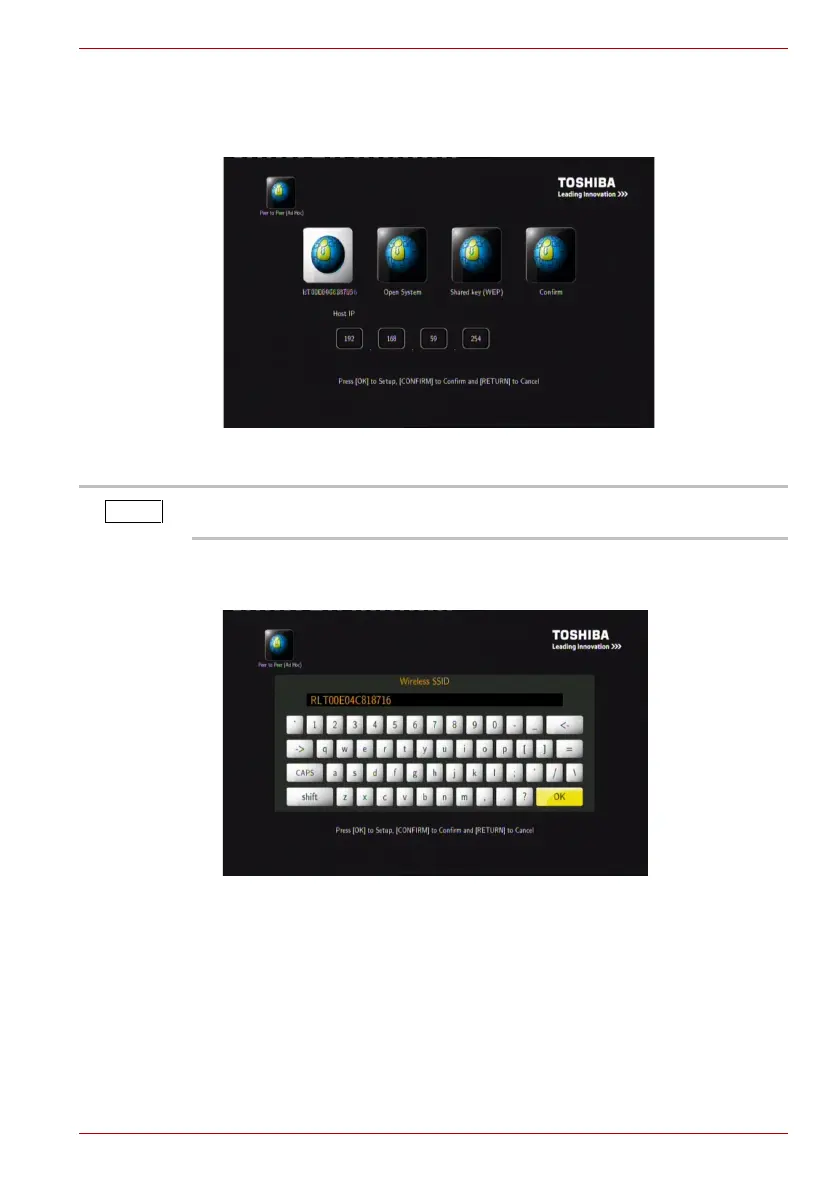
1. Ad Hoc Setup
Sets Wireless SSID, Wireless Security, and Host IP for the Ad Hoc
connection.
(Sample Image) Ad-Hoc Setup
2. Select wireless ID and press OK. You can rename the wireless ID using
the keyboard.
(Sample Image) Wireless ID Setup
Both STOR.E TV+ and computer must be in Ad Hoc mode, share a
common SSID, and be within the same IP range.



 To Next Page