Creating a Folder onto the Home Screen 11
REGISTERING JOB SETTINGS ONTO THE HOME SCREEN
0.Creating a Folder onto the Home Screen
You can specify the registration location of the template by creating a folder on the home screen.
1
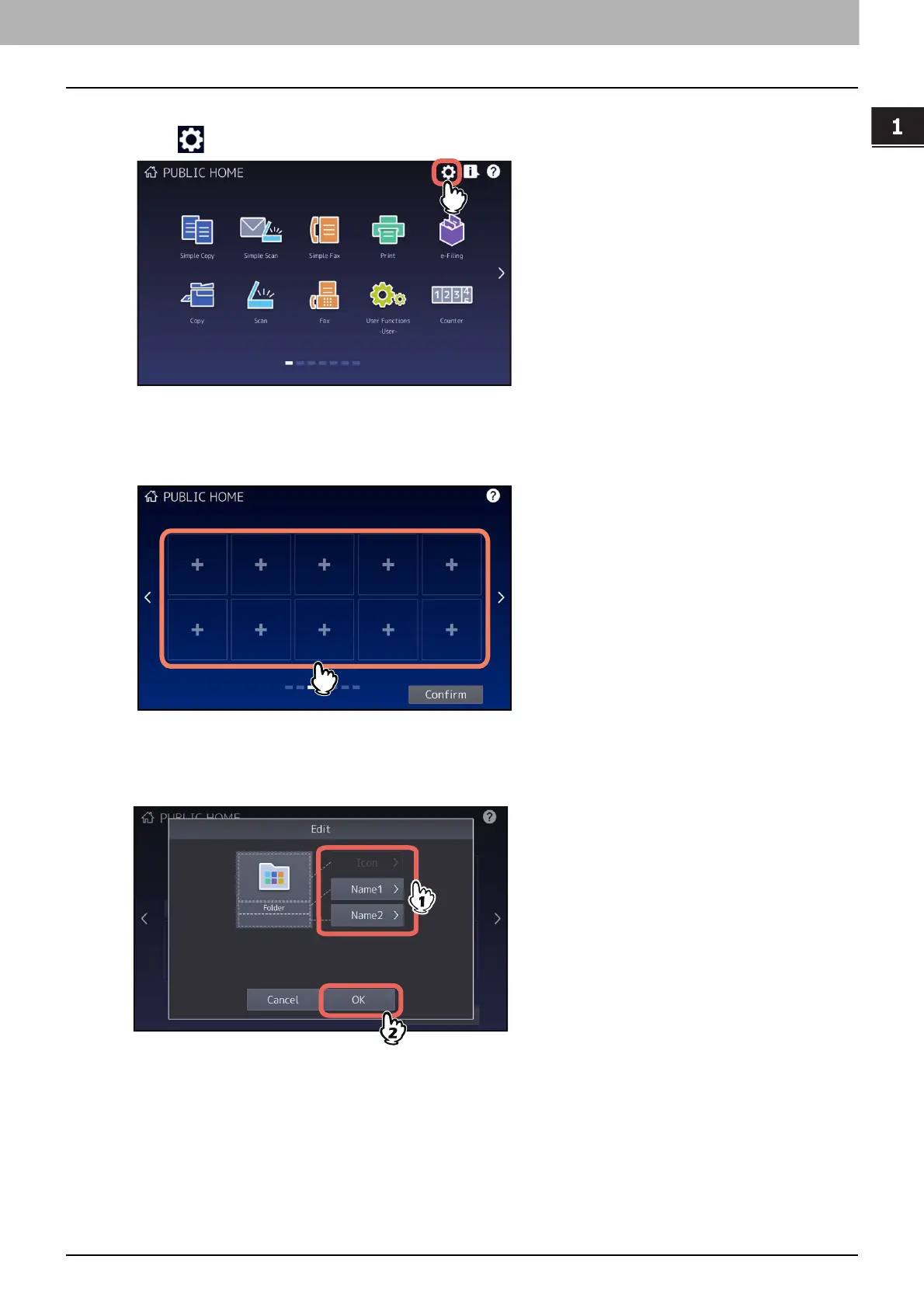
Press (Home Setting button) on the home screen.
2
Press [Button Contents].
3
Select a place (unregistered button) to register the icon onto the home screen.
4
Press [Create Folder].
5
Enter the folder name and then tap [OK].




 To Next Page