18 Changing Data
0.Changing Data
You can change the registered folder name, template name and setting of the automatic start function.
Changing the folder data
1
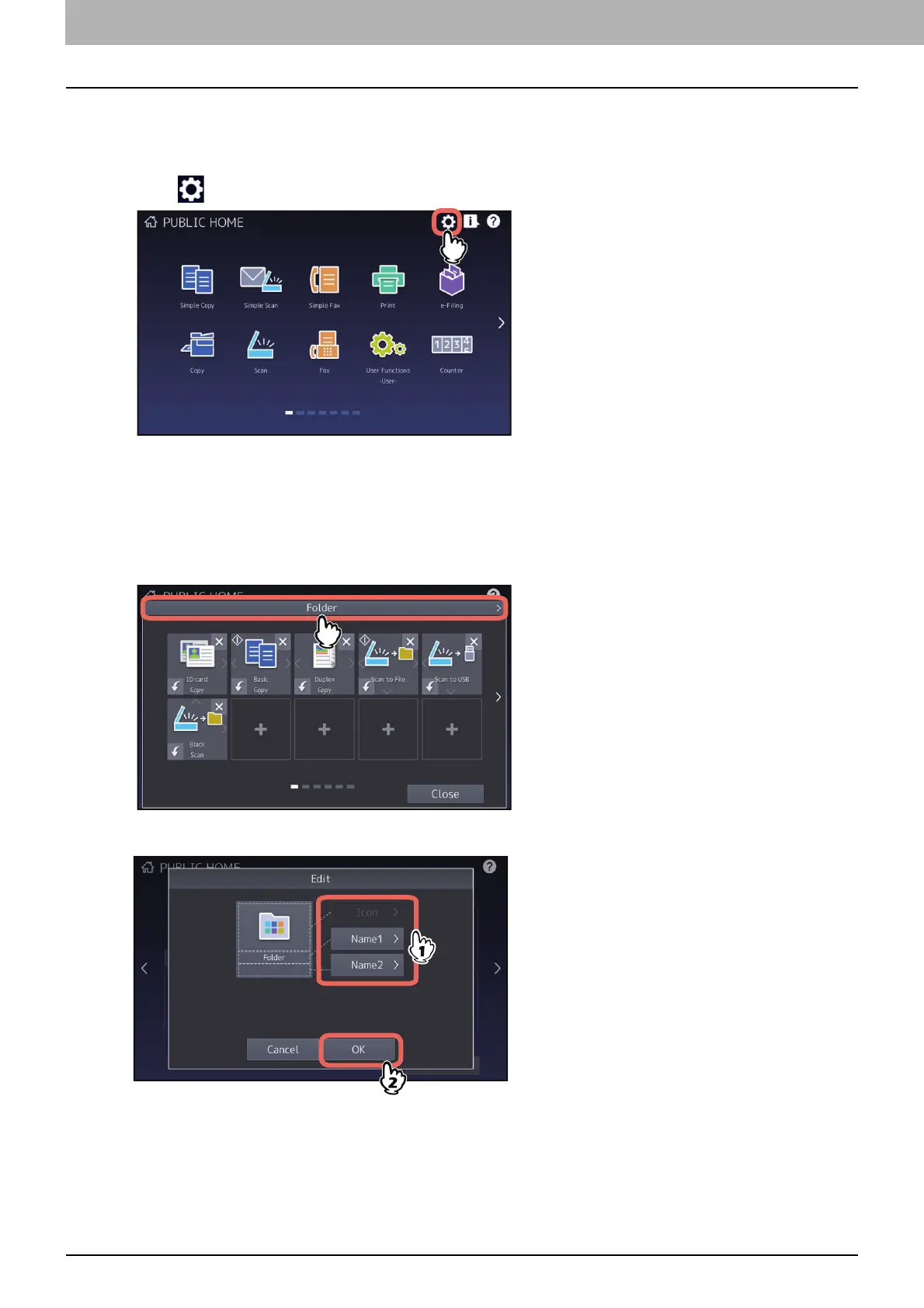
Press (Home Setting button) on the home screen.
2
Press [Button Contents].
3
Press the folder to be edited on the home screen.
4
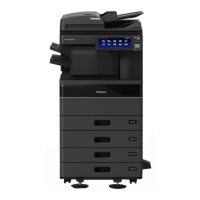
Press the folder name displayed on the upper side of the screen.
5
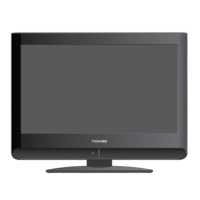
Change the folder name on the Edit menu.





 To Next Page