GB
36
The Auto Power Off feature automatically turns off your VCR if no
signal is received and you do not press any button for the selected
time.
1
Press MENU on the remote control.
Result
: The programming menu is displayed.
2
Press the corresponding
,
or
¥
,
buttons to select the
EASY OPERATION
option.
3
Press the OK button to select this option.
Result
: The
EASY OPERATION
menu is displayed.
4
Press the corresponding
or
buttons, until the
AUTO POWER OFF
option is selected.
5
Press the
button, until you select the time of Auto Power off
interval.
OFF 2HOUR 3HOUR
6
On completion, press MENU twice to exit the menu.
Auto Power Off
EASY OPERATION
GB
35
With the Audio Dubbing function, you erase the previously
recorded sound and replace it with a new soundtrack from:
◆ A CD player
◆ A microphone connected to a sound system
◆ A cassette player
Restriction
:
Audio dubbing is applicable only to the longitudinal audio track
(normal audio).
1
Connect an RCA audio cable to the appropriate output on your
sound system (CD/cassette player for example).
2
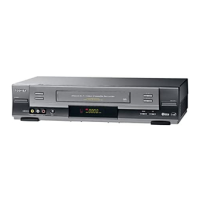
Connect the other end of the RCA audio cable to the audio input
connectors (L, R) on the front of your VCR.
3
Insert the pre-recorded cassette on which the audio track is to be
replaced, and press the PLAY (
) to start playback.
4
Find the scene that you want to over-dub and press PAUSE/STILL
(
ll
) on the remote control.
5
Press A.DUB.
Result
: Your VCR is now in the Audio dubbing Pause mode.
6
On the sound system, locate the point on the CD or cassette at
which you wish to start playback.
Example
: The track that you wish to record on the cassette.
7
When you are ready:
◆ Start playback on the sound system
◆ Press PAUSE/STILL (
ll
) on the remote control.
Result
:
The soundtrack is replaced on the pre-recorded cassette.
Audio Dubbing a Pre-recorded Cassette



 To Next Page