After you turn on the power for the first time, do not turn it off until you
have set up the operating system.
Volume cannot be adjusted during Windows Setup.
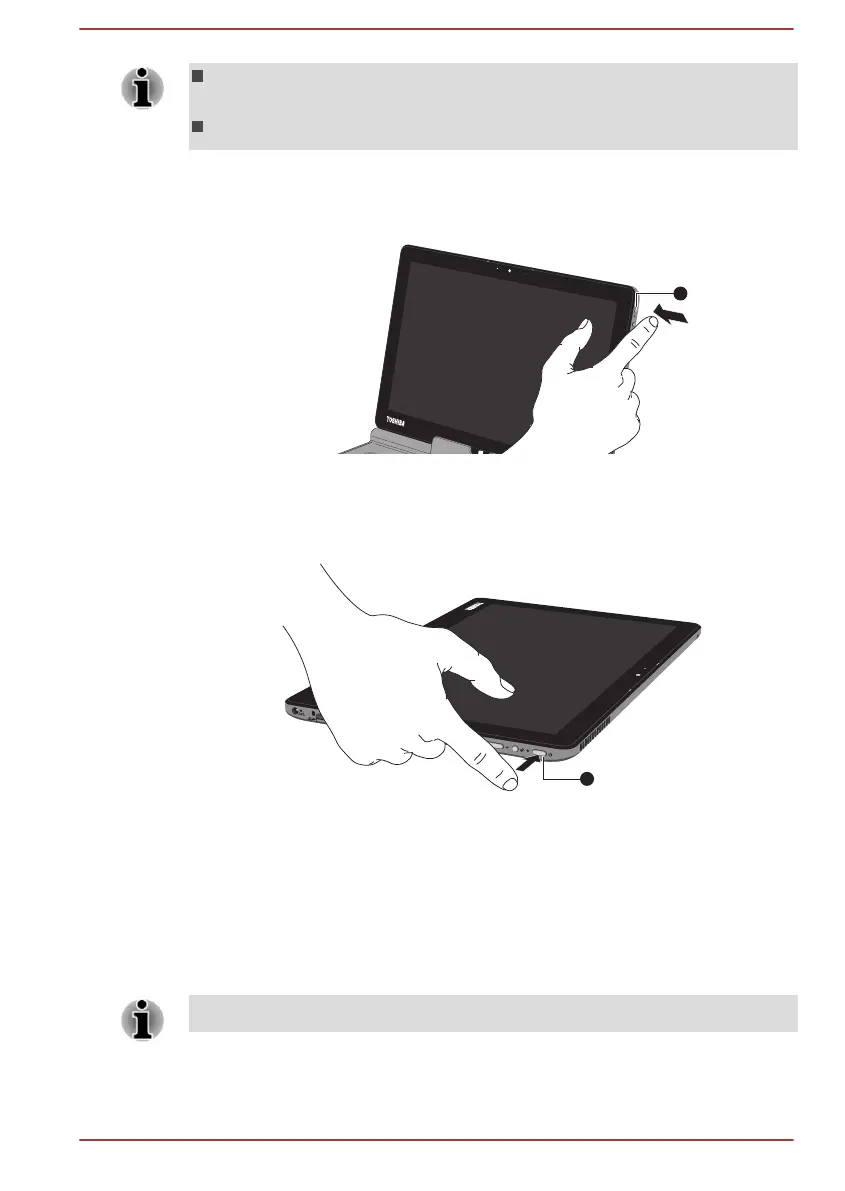
1. Press the computer's power button.
Figure 2-8 Turning on the power (laptop mode)
1. Power button
Computer appearance depends on the model you purchased.
Figure 2-9 Turning on the power (tablet mode)
1. Power button
Computer appearance depends on the model you purchased.
Initial setup
The Windows Startup Screen will be the first screen displayed when you
turn on the power. Follow the on-screen instructions on each screen in
order to properly install the operating system.
When it is displayed, be sure to read the License Terms carefully.
User's Manual 2-9







 To Next Page