Please note that it is not possible to confirm the operation of all functions of
all USB devices that are available. Some functions associated with a
specific device might not operate properly.
Keep foreign metal objects, such as screws, staples and paper clips, out of
the USB port. Foreign metal objects can create a short circuit, which can
cause damage and fire, possibly resulting in serious injury.
The Computer (laptop mode)
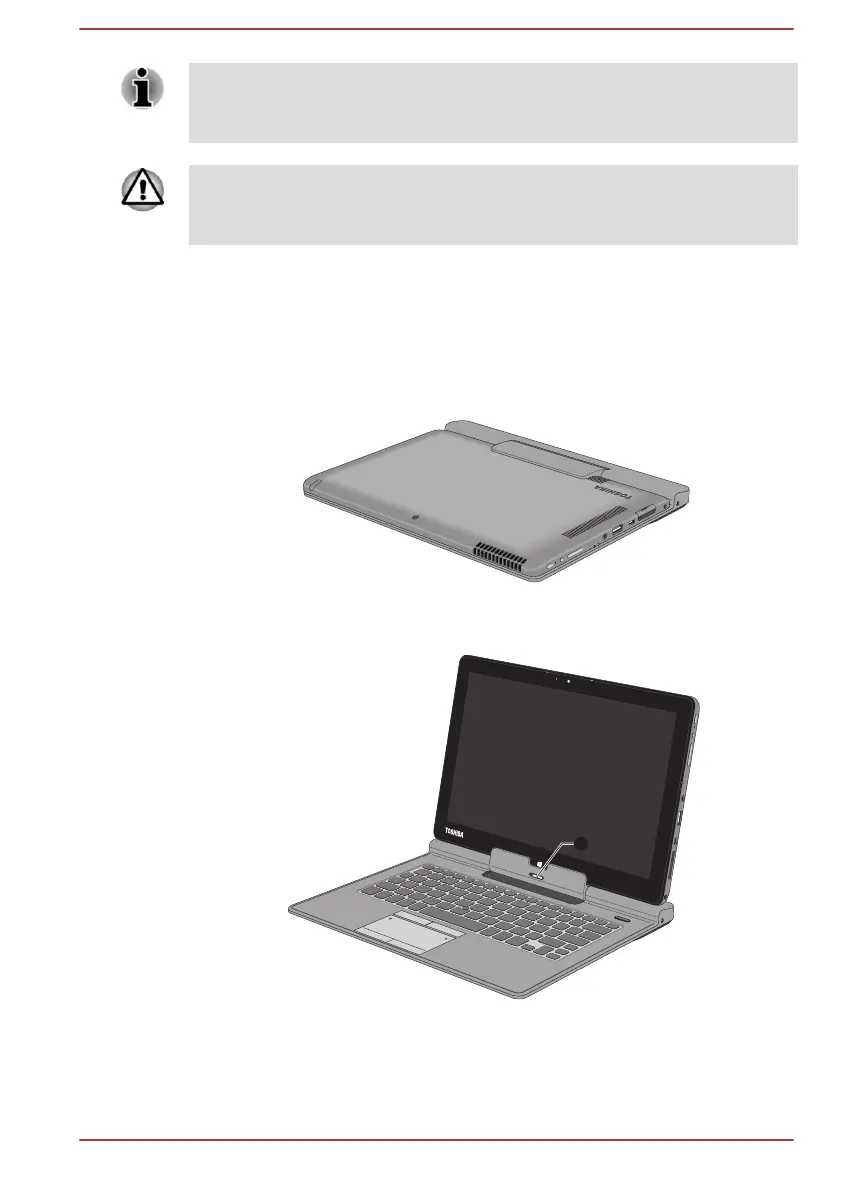
The following figure shows the front of the computer when TOSHIBA
Keyboard Dock is connected.
Figure 3-5 Front view of the computer (display panel closed)
Product appearance depends on the model you purchased.
Figure 3-6 Front view of the computer (display panel open)
1. Release latch
Product appearance depends on the model you purchased.
User's Manual
3-10







 To Next Page