9
Set up
Functioning
Always make sure the tool is turned off and the battery cartridge is removed before
adjusting or checking the function on the tool.
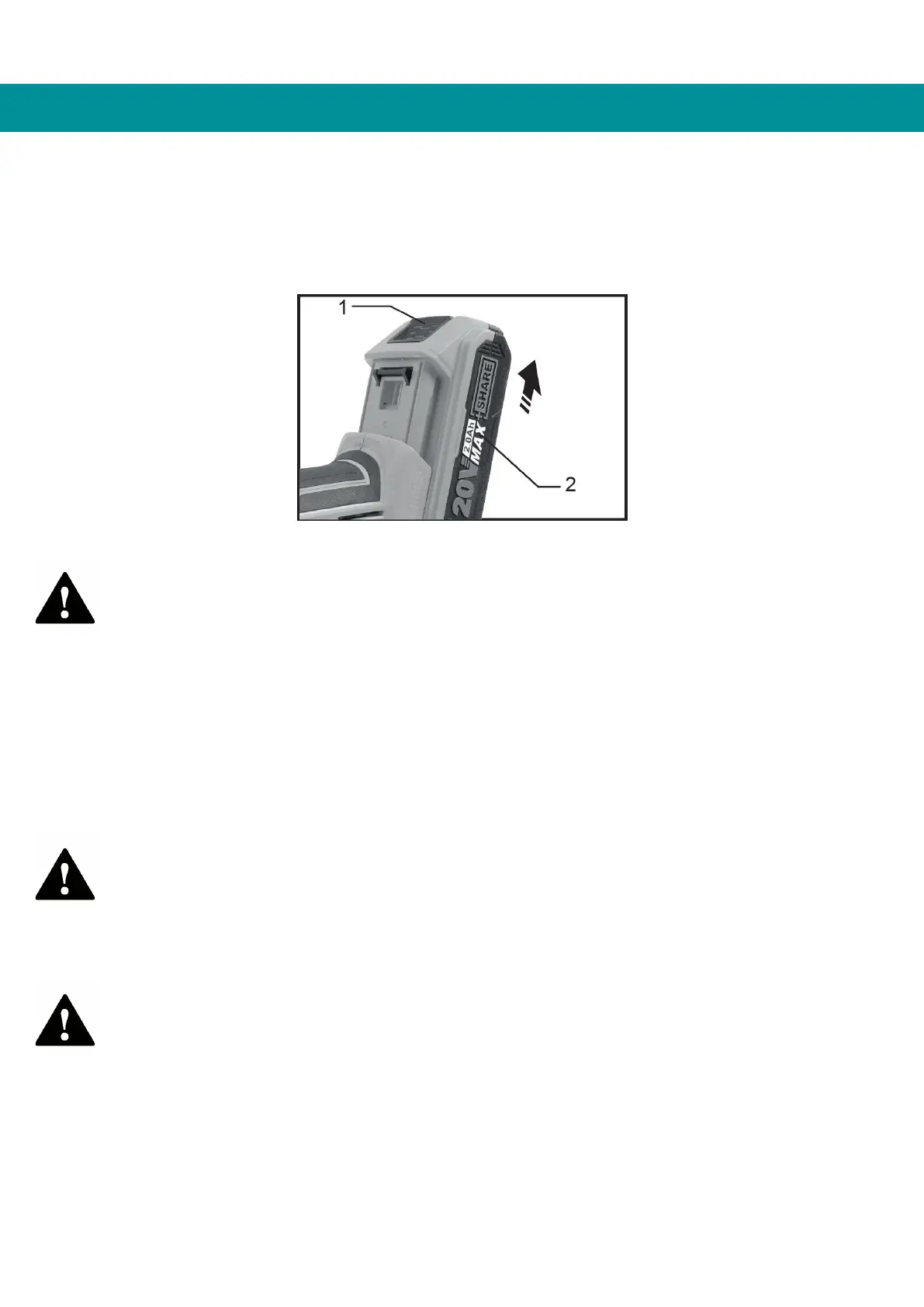
Installing or removing the battery cartridge
1. Button 2. Battery cartridge
Attention
• Always turn off the tool before installing or removing the battery cartridge.
• Hold the tool and battery cartridge firmly when installing or removing the battery
cartridge. Failure to hold the tool and battery cartridge firmly can cause them to
slip out of your hands, resulting in damage to the tool and battery cartridge and
personal injury.
To remove the battery cartridge, slide it out of the tool while sliding the button on the
front of the cartridge.
To install the battery cartridge, align the tab on the battery cartridge with the slot in the
casing and slide it into place. Insert it all the way until it clicks into place with a small
click. If you can see the red indicator at the top of the button, it's not completely locked.
Attention
• Always install the battery cartridge completely until the red indicator cannot be
seen. Otherwise, it may accidentally fall off the tool and injure you or someone
around you.
• Do not install the battery cartridge forcibly. If the cartridge does not slide in
easily, it is not being inserted correctly.
Attention
• Before installing the battery cartridge into the tool, always check that the slide
switch actuates properly and returns to the "OFF" position when the rear of the
slide switch is pressed.
• The switch can be locked in the "ON" position to facilitate operator comfort
during extended use. Take care when locking the tool in the "ON" position and
hold the tool firmly.


 To Next Page