10
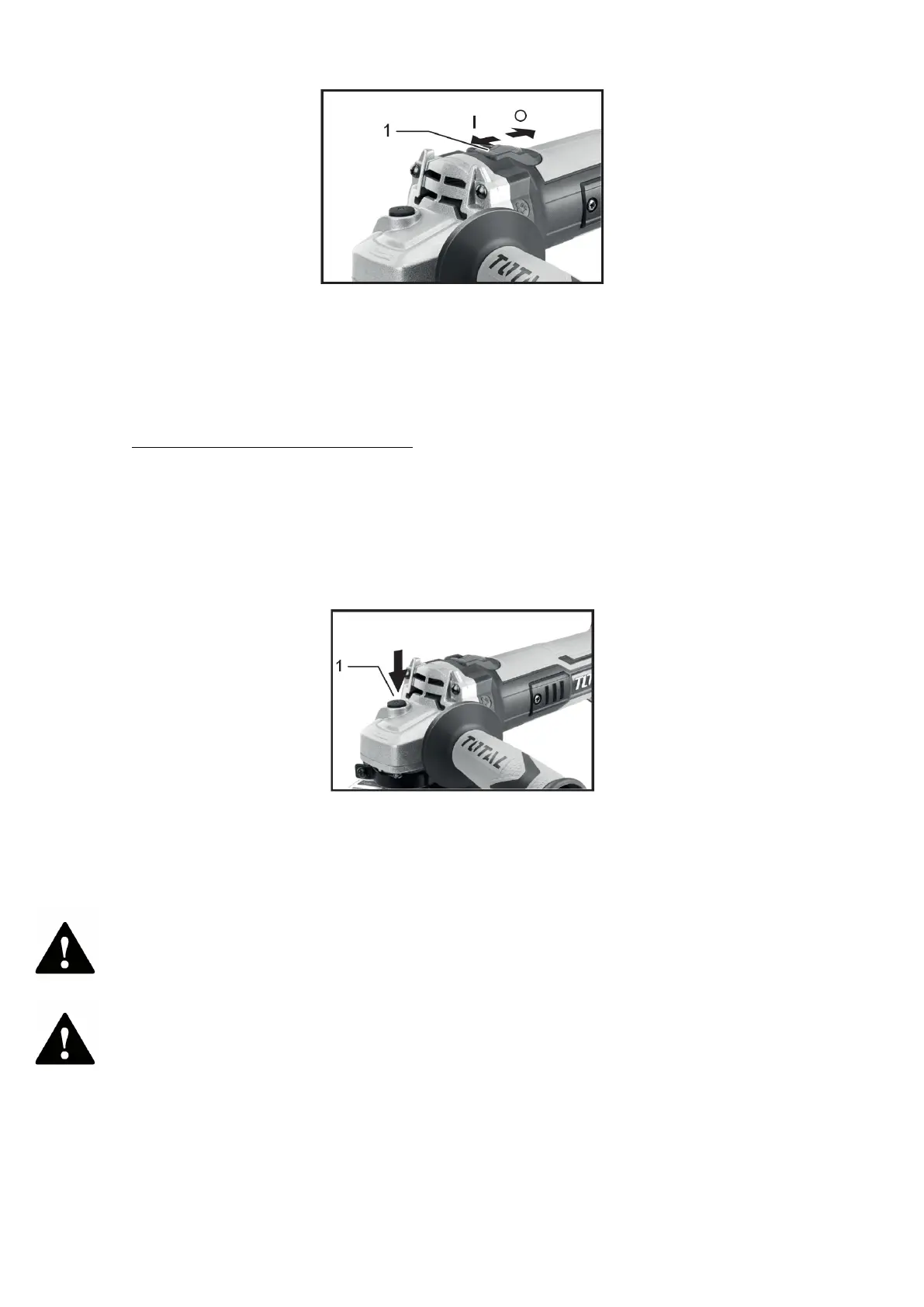
1. Slide switch
To start the tool, slide the slide switch to the “I” (ON) position by pressing the back of
the slide switch. For continuous operation, press the front of the slide switch to lock it.
To stop the tool, press the rear of the slide switch and then slide it to the “O” (OFF)
position.
Accidental restart prevention function
Even if the battery cartridge is installed in the tool with the slide switch in the “I” (ON)
position, the tool will not start. To start the tool, first slide the slide switch to the “O”
(OFF) position and then slide it to the “I” (ON) position.
spindle lock
Never engage the spindle lock when the spindle is moving. The tool may be damaged.
1. Spindle lock
Press the spindle lock to prevent spindle rotation when installing or removing
accessories.
Mounting
Attention
Always make sure the tool is switched off and the battery cartridge is removed before
carrying out any work on the tool.
Installation of the auxiliary handle
Attention
Always make sure the side handle is securely installed before operation.


 To Next Page