Need help?
Do you have a question about the Toto Link N200RE and is the answer not in the manual?
Explains how to navigate the user manual's sections and their content.
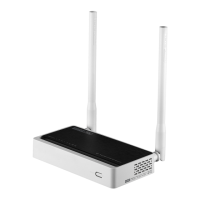
Introduces the N200RE router and its capabilities.
Lists the key features and specifications of the router.
Describes the router's front and rear panel layouts.
Details the physical connection of cables and power to the router.
Explains how to check the installation status using router LEDs.
Guides on configuring PC network settings and IP addresses for connectivity.
Describes how to access the router's web management page via a browser.
Explains how to change the administrator password for security.
Guides users through a simplified setup process for internet connection.
Displays current status of LAN, WAN, and Wireless interfaces.
Covers WAN and LAN status, setup, and DHCP server configuration.
Details wireless status, basic settings, WEP, WPA/WPA2, and advanced setup.
Configures Network Address Translation and Quality of Service rules.
Explains IP/Port, MAC, URL filtering, and Internet Access Control.
Covers System Log, DDNS, Time Zone, Firmware Upgrade, and Password.
 General
| Frequency Band | 2.4 GHz |
|---|---|
| Max Wireless Speed | 300 Mbps |
| Power Supply | DC 5V/1A |
| Wireless Standards | IEEE 802.11b/g/n |
| Security | WPA/WPA2 |
| Button Features | WPS |
| LED Indicator | Power |
| Operating Mode | WISP |
| Operating Temperature | 0 to 40 °C |
| Storage Temperature | -40 to 70 °C |
| Operating Humidity | 10%~90% non-condensing |
| Storage Humidity | 5% to 90% (non-condensing) |
| Ethernet Ports | 4 x 10/100Mbps |
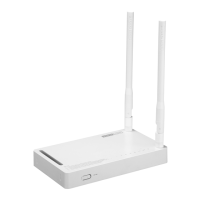
| Antennas | 2 x External Antennas |

 To Next Page