14
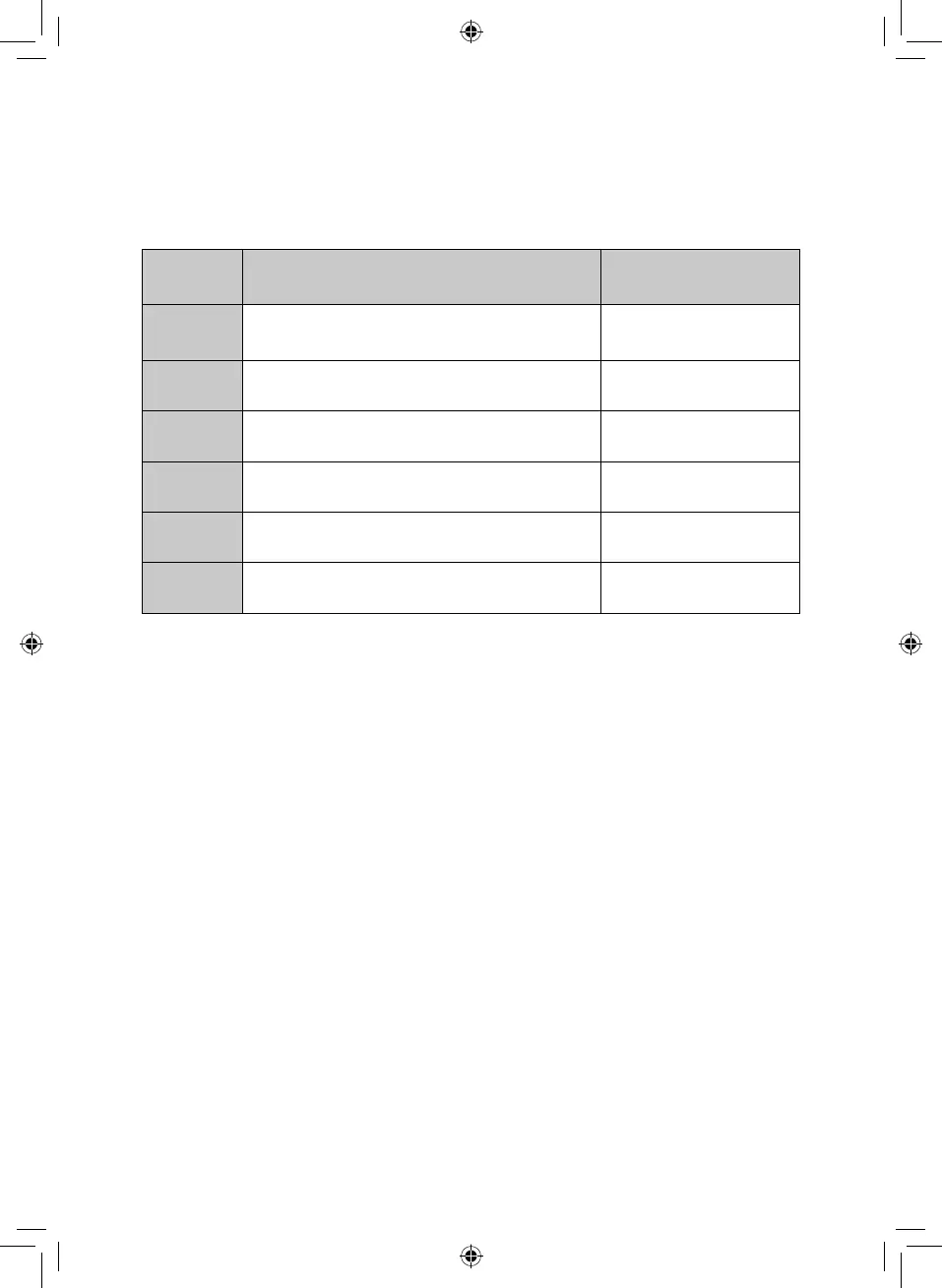
Setting Power Press the power button
1st
100% microwave power. Applicable for
quick and thorough cooking
Once
2nd
80% microwave power. Applicable for
medium express cooking
Twice
3rd
60% microwave power. Applicable for
steaming food
Three Times
4th
40% microwave power. Applicable for
defrosting food
Four Times
5th
20% microwave power. Applicable for
keeping warm
Five Times
6th
0% microwave power. Applicable for
keeping warm
Six Times
Microwave Cooking
Power:
Press the Power button multiple times to reach the required power setting.
There are six power settings, as follows:
Note: The 6th power setting is a ventilating function and will turn on the fans
and inner light of the microwave. You cannot cook on this setting.
CAUTION:
• Never operate the oven when empty.
• If you turn the food during cooking, pressing the start button once will resume
the current preset cooking program.
• If you intend to remove the food before the preset time, you must press the
STOP/CANCEL button once to clear the preset program and prevent the oven
from resuming the current preset program when next used.
Quick Start:
• The Quick Start feature allows you to begin cooking quickly.
• In Standby mode, press the Start/Quick Start button a number of times to set
the cooking time, in increments of 30 seconds.
• Once you have set the time, the microwave will begin cooking at full power.
Timer:
To set the timer:
1. Press the ‘Kitchen Timer’ button once.
2. Use the Menu/Time dial to select the required time.
3. Press the Start/Quick Start button once.
Note: Press the ‘Timer’ button to check the time while cooking.


 To Next Page