10
Stainless Steel Pressure Cooker
2. USING YOUR PRESSURE COOKER – STEP BY STEP GUIDE
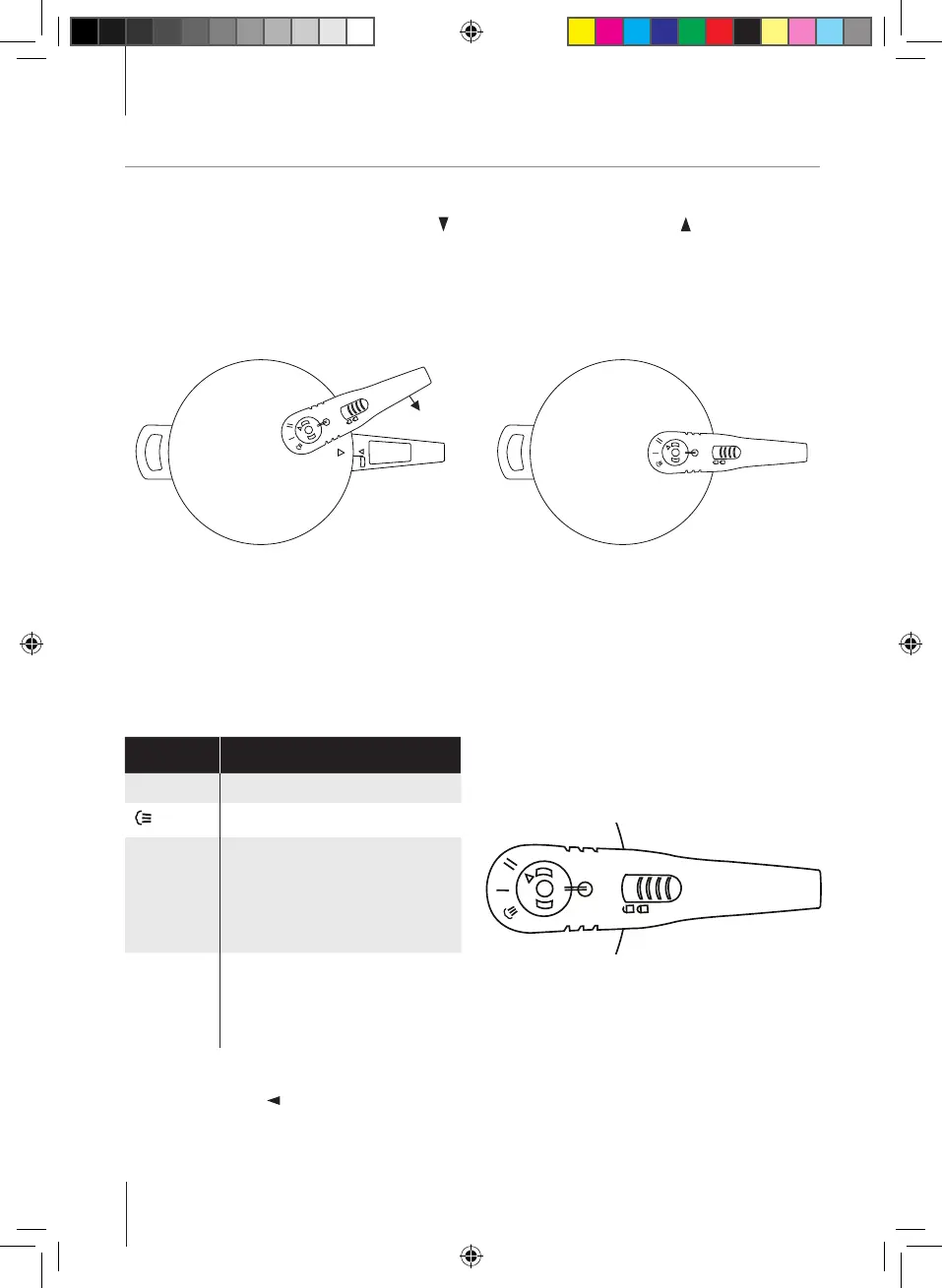
Lid handle details
2.4 Selecting the cooking pressure
This pressure cooker has one pressure regulator with four positions:
Icon Feature
Ø Fitting or removing position
Steam release position
I Lower pressure
(70kPa/10.1psi/0.7bar) for
steaming and gentle
cooking of delicate foods such
as fish and vegetables.
II High pressure
(100kPa/14.5psi/1.0bar) for
most foods including
meat and poultry
To select a position, push down the regulator gently, twist and turn to the required setting, and line
up the position with ▲ on the pressure regulator.
2.3 Closing the pressure cooker
When closing the lid, align the triangle mark ▲ on the lid with the triangle mark ▲ on the lower
handle of the pressure cooker. Hold the lower handle with your left hand and move the lid handle with
your right hand clockwise. A ‘click’ sound indicates the lid is correctly closed and in position. Make
sure the lock/unlock button returns to the lock position when the lid is closed.
Align the two handles Lid closed
Ø
Ø
Ø
Register online at www.towerhousewares.co.uk for your FREE extended guarantee.
T80244 Tower Pressure Cooker Manual New.indd 10 05/07/2016 08:45


 To Next Page