317
4-5. Using the driving support systems
4
Driving
4RUNNER (U)
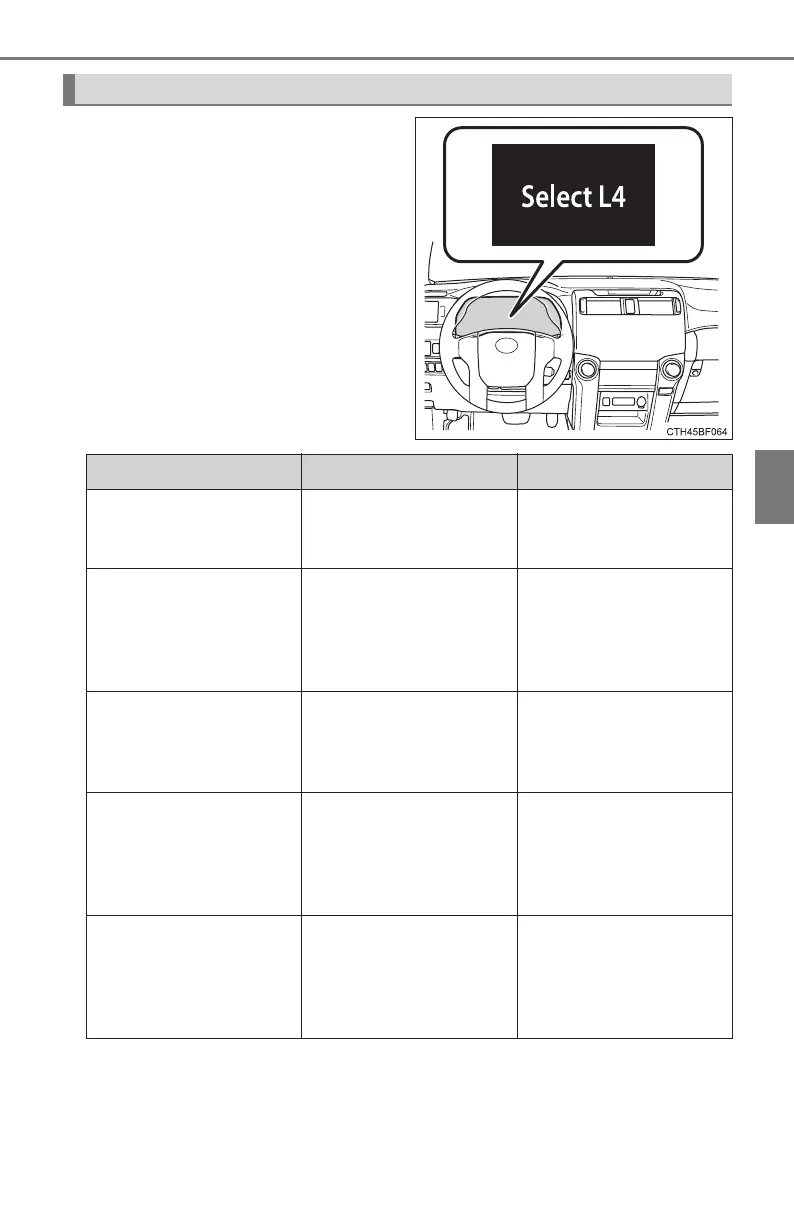
Depending on switch operation,
one of the following messages
may appear on the multi-informa-
tion display to provide guidance
on transfer mode selection etc:
Messages displayed on the multi-information display
Message Details Procedure
“Select 4WD”
(When selecting MUD
& SAND mode)
Indicates that the trans-
fer mode needs to be
changed to H4 or L4.
Shift the front-wheel
drive control lever to H4
or L4.
“Select L4”
(When selecting
LOOSE ROCK,
MOGUL or ROCK
mode)
Indicates that the trans-
fer mode needs to be
changed to L4.
Shift the front-wheel
drive control lever to
L4.
“Stop the Vehicle. Shift
to N”
(When selecting any
mode)
Indicates that the trans-
fer mode cannot be
changed to H4 or L4.
Stop the vehicle com-
pletely and/or shift the
shift lever to N.
“Accelerate or Deceler-
ate”
(When shifting the
front-wheel control
lever to H4 or H2)
Indicates that the trans-
fer mode may not suc-
cessfully change.
Drive straight ahead
while accelerating or
decelerating, or drive in
reverse.
“Drive the Vehicle a
Short Distance”
(When pressing the
rear differential lock
switch)
Indicates that the rear
differential is not
locked.
Drive the vehicle for-
ward or backward a
short distance.







 To Next Page