This document is a Quick Reference Guide for the 2020 GR Supra, providing a summary of basic vehicle operations, features, and safety information. It is not a substitute for the Owner's Manual.
Overview
The guide covers the instrument panel, steering wheel controls, and center console layout. Key components include:
- Steering Wheel Controls: Central locking system, power windows, exterior mirror operation, light switches (parking, daytime running, automatic headlight, instrument panel, roadside parking), turn signal, high beams, paddle shifters, cruise control/dynamic radar cruise control buttons, instrument cluster, audio volume/telephone switches, windshield wiper control, steering wheel adjustment, horn, hood release lever, and trunk lid release button.
- Center Console: Control Display, hazard warning, ventilation, glove compartment, radio/multimedia, automatic climate control, Toyota Supra Command rotary controller with buttons, switches (Sport mode, Supra Safety, Auto Start/Stop, Parking Sensors, Rearview camera, Rear crossing traffic warning, Vehicle Stability Control System), Electric Parking brake, automatic transmission selector lever, and Engine Start/Stop button.
Instrument Cluster Indicators
The instrument cluster displays various indicators for vehicle status, warnings, and information. These include:
- Red Lights: Airbag system, Brake system, Charging battery warning, Electric parking brake, High coolant temperature warning, Low engine oil pressure warning, Safety belt reminder.
- Yellow Lights: Anti-lock Braking System (ABS), Emissions, Low fuel level warning, Steering system, Tire Pressure Monitor (TPM), Vehicle Stability Control (VSC), Vehicle Stability Control (VSC) OFF.
- Green Lights: Automatic high-beams, Cruise control [green/gray indicator], Dynamic radar cruise control, Lane departure warning, Low beams, Parking lights, Parking sensor [white indicator], Turn signal.
- Blue Lights: High beams.
Keyless Entry and Smart Key System
Keyless Entry:
- Unlocking: Push the remote button once for the driver door, twice for all doors. Alternatively, grasp the driver door handle with the Smart Key remote present.
- Locking: Push the remote button or touch the driver's door handle with the Smart Key remote present.
- Unlocking Trunk Lid: Push and hold the remote button.
- Panic Button: Push and hold for at least 3 seconds, or briefly press three times in succession.
Smart Key System:
- Function Description: Enables starting the vehicle without inserting a key. The Smart Key must be present in the vehicle.
- Usage Features: With the selector lever in Park and the brake pedal depressed, push the "START STOP ENGINE" switch.
- States:
- Drive-ready state: All electrical components can be used.
- Standby state: Stationary – some electrical components can be used. Most functions are available, and settings can be adjusted. The drivetrain is off, and "OFF" is displayed in the instrument cluster.
- Idle state: All systems OFF.
Hood Release and Fuel Tank Door
Hood Release:
- Function Description: To open the hood, pull the release lever twice.
- Usage Features: When closing, do not push down. Hold the hood 12-18 inches above the close position and drop it to latch. Ensure both latches engage evenly.
Fuel Tank Door Release & Cap:
- Function Description: Press the rear edge of the fuel filler flap to open.
- Usage Features: Turn the fuel cap counterclockwise to remove. Place the cap in the bracket attached to the flap.
Engine Compartment
Key components include the windshield washer fluid tank, engine oil filler cap, and engine coolant reservoir.
Instrument Panel Light Control
- Function Description: Controls instrument lighting brightness.
- Usage Features: The light switch element is next to the steering wheel. Adjust brightness with the thumbwheel.
Toyota Supra Command
Function Description: Combines many switch functions, operable via the Controller and touchscreen (if equipped).
- Control Display ON/OFF:
- Automatic: Switches on automatically after unlocking. May switch off if no operation is performed for several minutes.
- Manual: Press the AUTO button, select "Turn off control display." Press the Controller or any button to switch back on.
- Controller Operation: Turn to switch menu items, press to select, tilt in four directions to switch displays.
- Buttons on Controller:
- MENU: Press once for main menu, twice for all menu items.
- COM: Open Communication menu.
- MEDIA: Open Media/Radio menu.
- NAV: Open destination input for navigation.
- MAP: Open navigation map.
- BACK: Press once for previous display, hold for last used menus.
- OPTION: Open Options menu.
Parking Sensors (if equipped)
Function Description: Assists with parking by detecting obstacles.
- Usage Features:
- Automatic: Switches on when reverse gear is engaged or when approaching obstacles at low speeds (below 2.5 mph/4 km/h).
- Manual: Press the P button (LED lights up when ON, off when OFF). Rearview camera image is displayed if reverse gear is engaged when pressing the button.
Automatic Transmission
Function Description: Controls gear selection.
- Usage Features:
- Drive Mode (D): Normal driving.
- Neutral (N): No gear engaged.
- Reverse (R): Backwards movement.
- Parking (P): Engages parking brake. Press button P to engage.
- Selector Lever Lock: Prevents shifting into R or from P to another position without pressing and holding to release the lever.
- Manual Mode: Press the selector lever left from D. Shift down by pressing forward, shift up by pulling rearwards. End manual mode by pushing the lever right.
Electric Parking Brake
Function Description: Electronically engages and releases the parking brake.
- Usage Features:
- Set: Pull the switch (LED lights up, red indicator in instrument cluster).
- Release Manually: Press the switch while the brake pedal is pressed or selector lever is in P.
- Release Automatically: Releases when driving away.
Power Windows
Function Description: Controls window operation.
- Usage Features: Push or pull the switch beyond the resistance point for automatic open/close. Push the switch again to stop midway.
Tilt & Telescoping Steering Wheel
Function Description: Adjusts steering wheel angle and length.
- Usage Features: Hold the wheel, push the lever down, set angle and length, then return the lever. Do not adjust while driving.
Auto Start/Stop Function OFF Switch
Function Description: Deactivates the engine Start/Stop function.
- Usage Features: Press the OFF button. The function is ready after each engine start and activates at speeds above 3 mph/5 km/h.
Sport Mode
Function Description: Adjusts vehicle tuning for higher agility.
- Usage Features: Press the SPORT button. The "SPORT" indicator illuminates in the instrument cluster.
- Customize Setting: Adjust via Toyota Supra Command: "My vehicle" > "Vehicle settings" > "Configure SPORT INDIVIDUAL." Reset to "SPORT STANDARD" if desired.
Vehicle Stability Control (VSC)/Traction Mode OFF Switch
Function Description: Deactivates VSC and Traction mode, reducing driving stability during acceleration and curves.
- Usage Features: Press and hold the OFF switch until "VSC OFF" is displayed in the instrument cluster and the VSC OFF/TRACTION indicator light illuminates.
Launch Control
Function Description: Optimizes acceleration from a standstill.
- Important Note: Causes premature component wear, not for break-in or public roads. Keep steering wheel straight.
- Usage Features:
- Switch on drive-ready state.
- Press the sport button.
- Press OFF button.
- Select D selector lever position.
- Firmly depress brake pedal with left foot.
- Fully depress and hold accelerator pedal at kickdown.
- Release brake pedal within 3 seconds.
Door Locks - Central Locking System
Function Description: Locks and unlocks all doors.
- Usage Features: Buttons for unlock and lock are present.
Cruise Control
Function Description: Maintains a desired speed.
- Usage Features:
- Buttons on Steering Wheel: Cruise control on/off, continue last setting/pause, store current speed, rocker switch to set speed.
- Setting Speed: Press rocker switch up or down once when interrupted.
- Changing Speed: Press rocker switch repeatedly (1 mph/1 km/h increments) or past resistance point (up to 5 mph/10 km/h increments).
Dynamic Radar Cruise Control (if equipped)
Function Description: Maintains desired speed and distance to a vehicle ahead, accelerating or braking automatically.
- Technical Specifications: Radar sensor in front bumper, camera near interior mirror.
- Usage Features:
- Buttons on Steering Wheel: Cruise control on/off, continue last setting/pause, store current speed, increase/reduce distance (switches distance control on/off), rocker switch to set speed.
- Setting Speed: Press rocker switch up or down once when interrupted.
- Changing Speed: Press rocker switch repeatedly to set desired speed.
Lights & Turn Signals
Function Description: Controls various lighting functions.
- Light Switches:
- OFF: Lights off, daytime running lights.
- DO: Parking lights.
- AUTO: Automatic headlight control.
- ED: Low beams.
- Instrument lighting: Controls dashboard illumination.
- P: Right roadside parking light.
- P: Left roadside parking light.
- High Beams, Headlight Flasher: Push lever forward for high beams (arrow 1, light up when low beams are on), pull backward for high beams off/headlight flasher (arrow 2).
- Turn Signals: Push lever up for right turn, down for left turn.
Seat Adjustments
Function Description: Electrically adjustable seats.
- Usage Features:
- Forward/backward, height, seat tilt.
- Driver's seat memory.
- Backrest tilt.
- Backrest width.
- Lumbar support.
Windshield Wipers
Function Description: Controls windshield wiping speed.
- Usage Features:
- 0: Resting position.
- 1: Rain sensor.
- 2: Normal speed.
- 3: Fast speed.
- Adjust Sensitivity: Turn thumbwheel for rain sensor.
- Switch Off: Press lever down to standard position.
- Brief Wipe: Press lever down from standard position.
Head-up Display (if equipped)
Function Description: Projects important information (e.g., speed, navigation) into the driver's field of vision.
- Usage Features: Turn on/off via Toyota Supra Command: "My vehicle" > "System settings" > "Displays" > "Head-up display."
- Information Displayed: Speed, navigation instructions, vehicle messages, selection list, driver assistance systems.
Air Conditioning/Heating
Function Description: Controls cabin temperature and airflow.
- Usage Features:
- Temperature selectors for driver and passenger sides.
- Defrost and defog windshield, rear window defroster.
- Increase/decrease fan speed, climate control OFF (press and hold).
- Air conditioning ON/OFF.
- Maximum cooling.
- Recirculate-air mode.
- Air distribution control for driver and passenger sides.
- Automatic Climate Control: Adjust temperature, and airflow vents/fan adjust automatically.
Seat Heaters (if equipped)
Function Description: Heats seats.
- Usage Features: Press the seat heater switch once for each temperature level (ON). Press and hold to turn OFF.
Audio
Function Description: Controls entertainment system.
- Usage Features:
- Changing entertainment source.
- Sound output on/off, volume.
- Programmable memory buttons.
- Change station/track.
- Waveband/satellite radio.
Clock
Function Description: Sets vehicle time.
- Usage Features: Set via Toyota Supra Command: "My Vehicle" > "System settings" > "Date and time" > "Time." Turn Controller to set hours, press, then turn to set minutes, press.
Function Description: Provides USB connectivity.
- Technical Specifications: Type A port, located in center console.
- Usage Features: For charging external devices (max 1.5A without wireless charger, max 2.1A with wireless charger) and data transfer.
Power Outlet - 12V
Function Description: Provides 12V power.
- Technical Specifications: Total load of all sockets must not exceed 140 watts at 12 volts.
- Usage Features: Lighter socket can be used for electrical equipment when standby and drive-ready states are on.
Qi-compatible Wireless Charger (if equipped)
Function Description: Wirelessly charges compatible devices.
Rearview Camera
Function Description: Displays an image of the rear area of the vehicle. Camera located near the license plate.
- Usage Features:
- Automatic: Switches on when reverse gear is engaged and engine is running. Switches off if a certain driving distance or speed is exceeded.
- Manual: Press P button to switch on/off.
- Via Toyota Supra Command: Tilt controller to side, select "Rear view camera."
Driving Stability Control Systems
Function Description: Standard and optional features to enhance driving stability.
- Anti-lock Braking System (ABS): Prevents wheel lock during braking, maintaining steering power. Operational every time engine starts.
- Brake Assist: Automatically produces greatest possible braking force during rapid braking, reducing stopping distance. Do not reduce pressure on brake pedal during emergency stop.
- Adaptive Brake Assist: In combination with Dynamic Radar Cruise Control, ensures faster brake response in critical situations.
- Drive-Off Assist: Supports driving off on uphill grades. Vehicle may roll back slightly depending on loading.
- Vehicle Stability Control System (VSC): Helps keep vehicle on steady course by reducing engine speed and braking individual wheels within physical limits.
- Traction Mode: Version of VSC optimizing forward momentum, ensuring maximum headway on special road conditions (e.g., snowy roads) with somewhat limited driving stability.
- Active Differential: Steplessly locks rear axle based on driving conditions, providing optimal power transfer and preventing wheel spin. Driver is responsible for adapting driving style.
Supra Safety
Function Description: Central operation for driver assistance systems to mitigate or prevent collisions.
- Systems Included: Pre-Collision System with Pedestrian Detection, Lane Departure Warning with Steering Assist, Automatic High Beams, Brake Assist, Blind Spot Monitor (if equipped).
- Switch Location: Safety System Switch.
- Switching ON/OFF:
- Automatic: Some systems active after every departure, others activate according to last setting.
- Indicators: Green (all systems on), Orange (some off/unavailable), No indicator (all off).
- Manual: Press and hold switch to turn off all systems.
Pre-Collision System with Pedestrian Detection
Function Description: Helps mitigate or prevent accidents with vehicles, pedestrians, and cyclists. Provides warnings and activates brakes independently.
- Technical Specifications: Camera in interior mirror, radar sensor in front bumper (if equipped). Camera detects bicyclists (daytime) and pedestrians (daytime/low-light).
- Driver Assist Package (if equipped): Adds forward-facing millimeter radar sensor and Full-Speed Dynamic Radar Cruise Control, enhancing detection and braking intervention speeds.
- Operational Speed Range (Alert): Vehicle Detection: 3-53 mph (camera), 3-130 mph (camera/radar). Pedestrian/Bicycle Detection: 3-53 mph (camera/radar).
- Operational Speed Range (Automatic Braking): Vehicle Detection: 3-53 mph (camera), 3-155 mph* (camera/radar). Pedestrian/Bicycle Detection: 3-40 mph (camera), 3-53 mph (camera/radar). (*Pre-Collision System may only apply brake pulse above 130 mph.)
- Warning with Braking Function: Warning symbol in instrument cluster/Head-up Display.
- Detected Vehicles: Red indicator (prewarning, brake, increase distance). Flashes red indicator, acoustic signal (acute warning, brake, evasive maneuver).
- Detected Pedestrians/Cyclists: Red symbol, signal sounds. Red warning triangle in instrument cluster (depending on equipment).
- Detection Range & Upper Speed Limit: Limited detection potential. System may not detect slow-moving vehicles at high approach speed, vehicles swerving, sharply decelerating, vehicles with unusual rear appearance, or two-wheeled vehicles ahead.
- Detection Area: Central area (directly in front, arrow 1), Expanded area (right/left of central area, arrow 2). Warning for pedestrians in expanded area only if moving towards central area.
- Setting Warning Time: Via Toyota Supra Command: "My Vehicle" > "Vehicle settings" > "Supra Safety" > "Front collision warning." Select "Early," "Medium," or "Late" (only acute warnings).
Lane Departure Warning with Steering Assist
Function Description: Alerts when vehicle runs off road or exits lane. Camera-based system warns via steering wheel vibration. Provides brief active steering intervention at speeds up to 155 mph/250 km/h if lane marking is crossed.
- Usage Features:
- Display in Instrument Cluster: Green indicator when lane marking detected on at least one side and warnings can be issued.
- Switching ON/OFF:
- Automatic: Active after every driving off if function was on during last trip.
- Manual: Press button.
- Setting Warning Time: Via Toyota Supra Command: "My Vehicle" > "Vehicle settings" > "Supra Safety" > "Lane Departure Warning." Select "Early," "Medium," "Reduced," or "Off."
- Setting Steering Wheel Vibration Force: Via Toyota Supra Command: "My Vehicle" > "Vehicle settings" > "Steering wheel vibration."
- Switching Steering Intervention ON/OFF: Via Toyota Supra Command: "My Vehicle" > "Vehicle settings" > "Supra Safety" > "Steering intervention."
Automatic High Beams (AHB)
Function Description: Detects other traffic and automatically switches high beams on/off based on traffic situation, oncoming traffic, and ambient lighting.
- Usage Features:
- Activating: Press AUTO button on light switch element, then press and hold button on turn signal lever.
- Indicators: Indicator light in instrument cluster (low beams), blue indicator light (high beams).
- Deactivation: Manually switching high beams on/off deactivates AHB.
Blind Spot Monitor (if equipped)
Function Description: Detects vehicles in blind spot or approaching from behind in adjacent lane, issuing warnings.
- Technical Specifications: Two radar sensors in rear bumper.
- Usage Features:
- Warning Indicators: Light in exterior mirror (illuminates), flashes and steering wheel vibrates if turn signal is set before changing lanes.
- Minimum Speed: Operates above a minimum speed (shown in menu).
- Switching ON/OFF:
- Automatic: Activated after departure if function was on during last trip.
- Manual: Press button.
- Setting Warning Time: Via Supra Command: "My Vehicle" > "Vehicle settings" > "Supra Safety" > "Blind spot monitor."
- Setting Steering Wheel Vibration Force: Via Toyota Supra Command: "My Vehicle" > "Vehicle settings" > "Steering wheel vibration."
Floor Mat Installation
Function Description: Guides proper installation of floor mats.
- Usage Features: Use model-specific mats, do not leave objects on driver's floor, use only one mat at a time, install right side up.
Seat Belts
Function Description: Safety restraint system.
- Usage Features: Keep as low on hips as possible, take up slack.
- Automatic Locking Retractor (ALR): If fully extended and retracted slightly, ALR prevents re-extension to securely hold child restraint systems.
Tire Pressure Monitor (TPM)
Function Description: Monitors tire inflation pressure.
- Warning: "(!)" indicator illuminates if pressure loss in one or more tires.
- Display Current Status: Via Toyota Supra Command: "My vehicle" > "Vehicle status" > "(!) Tire Pressure Monitor."
- Change Settings: Via Toyota Supra Command: "Tire settings" > Select tire type ("Summer," "Winter," "All-season") > "Current" > Select tire type mounted on rear axle > Select maximum road speed > "Confirm settings."
Bluetooth® Pairing Guide
Function Description: Connects mobile devices via Bluetooth. Do not attempt while driving.
- Two Approaches:
- Through Communication Menu:
- Step 1: Select "Communication" from main menu or press "COM" button.
- Step 2: Go to "Manage mobile devices."
- Step 3: Select "Connect new device."
- Through Connected Services Menu (if equipped):
- Step 1: Select "Connected Services" from main menu.
- Step 2: Go to "Manage mobile devices."
- Step 3: Select desired functionality (Telephone, Bluetooth® audio, Apps).
- Setup Steps (after selecting "Connect new device"):
- Step 4: Head unit prompts user to search for "Vehicle Name" (e.g., "Toyota00018") on mobile device.
- Step 5: Select vehicle name on mobile, compare passkey displayed on mobile and head unit, acknowledge on both.
- Step 6: Grant additional access permission for contacts & call history.
Supra Connect - Connected Services
Function Description: Online offerings beyond Apple CarPlay®, including a trial for up to four years of connected services via registered Toyota Supra Connect account and onboard 4G cellular data module.
- Automatic Collision Notification:
- Function Description: If an emergency is triggered, an Automatic Emergency Call is established with a specialized agent.
- Data Transferred: Vehicle location, airbag deployment, rollover detection.
- Remote Services:
- Function Description: Control certain vehicle functions from Toyota Supra Connect mobile app or website.
- Features: Access vehicle location (app only), flash lights, sound horn, lock/unlock doors, ventilate cabin, send destination to vehicle.
- Remote Maintenance:
- Battery Guard: Notifies owners via email if battery level falls too low.
- Breakdown Call: Request roadside assistance by selecting "Toyota Supra Assistance" from audio multimedia system. Included for 2 years and unlimited mileage.
- Stolen Vehicle Recovery:
- Function Description: If Supra is stolen and police report filed, system assists in retrieving vehicle coordinates.
- Usage Features: Contact Toyota Customer Experience Center (1.800.331.4331) for agent assistance.
- Connect Services (In-Vehicle Apps):
- Function Description: Useful online apps built into audio multimedia display, no paired mobile device required.
- Apps: Weather, News, Google POIs, Wiki Local.
- Concierge:
- Function Description: 24/7 access to a live agent at Toyota Supra Connect response center.
- Features: Agent sends information and navigation guidance directly to vehicle. Examples: directions to grocery store, adding bank stop, finding restaurant/hotel, getting nearest Toyota dealership phone number.
- Wireless Apple CarPlay®:
- Function Description: Connects iPhone® wirelessly, combined with Qi wireless charging tray.
- Popular Apps: Phone, Messages, Music, Podcasts, Maps, Spotify®, Waze®.
Getting Started with Connected Services - iOS Mobile App Enrollment
Function Description: Steps to enroll in Toyota Supra Connect via iOS mobile app.
- Step 1: Download "Toyota Supra Connect" app.
- Step 2: Open app, review Terms & conditions.
- Step 3: Check box, select "Agree."
- Step 4: Select "New User."
- Step 5: Select English, enter valid email & password, select "Create Account."
Adding Vehicle to Toyota Supra Connect Account
Function Description: Steps to add vehicle to Toyota Supra Connect account.
- Email & Activation: Confirmation email sent, click link to enable account, launch app and login.
- Adding Vehicle:
- Step 1: Select "Add vehicle."
- Step 2: Connect iPhone® with approved cable to USB for automatic VIN detection, or manually enter VIN.
- Step 3: If VIN entered manually, only last 7 characters required.
- Step 4: Provide Primary Driver information, select "Continue."
- Step 5: Once success pop-up appears, select "OK" and "Continue."
- Step 6: Security code sent to Supra audio multimedia display.
- Step 7: Enter 6-digit security code onto iPhone®, select "Confirm Vehicle."
- Step 8: Vehicle successfully added.

 Need help?
 General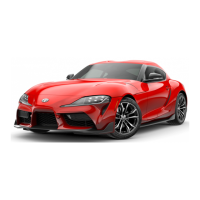





 To Next Page
