43
Initiate Bluetooth
®
on your Entune™ Multimedia Head Unit
Once you have Bluetooth enabled on your phone and ready to pair, you will need
to initiate Bluetooth on your Entune head unit. Please follow the instructions
below to pair your Bluetooth enabled phone to your Entune system.
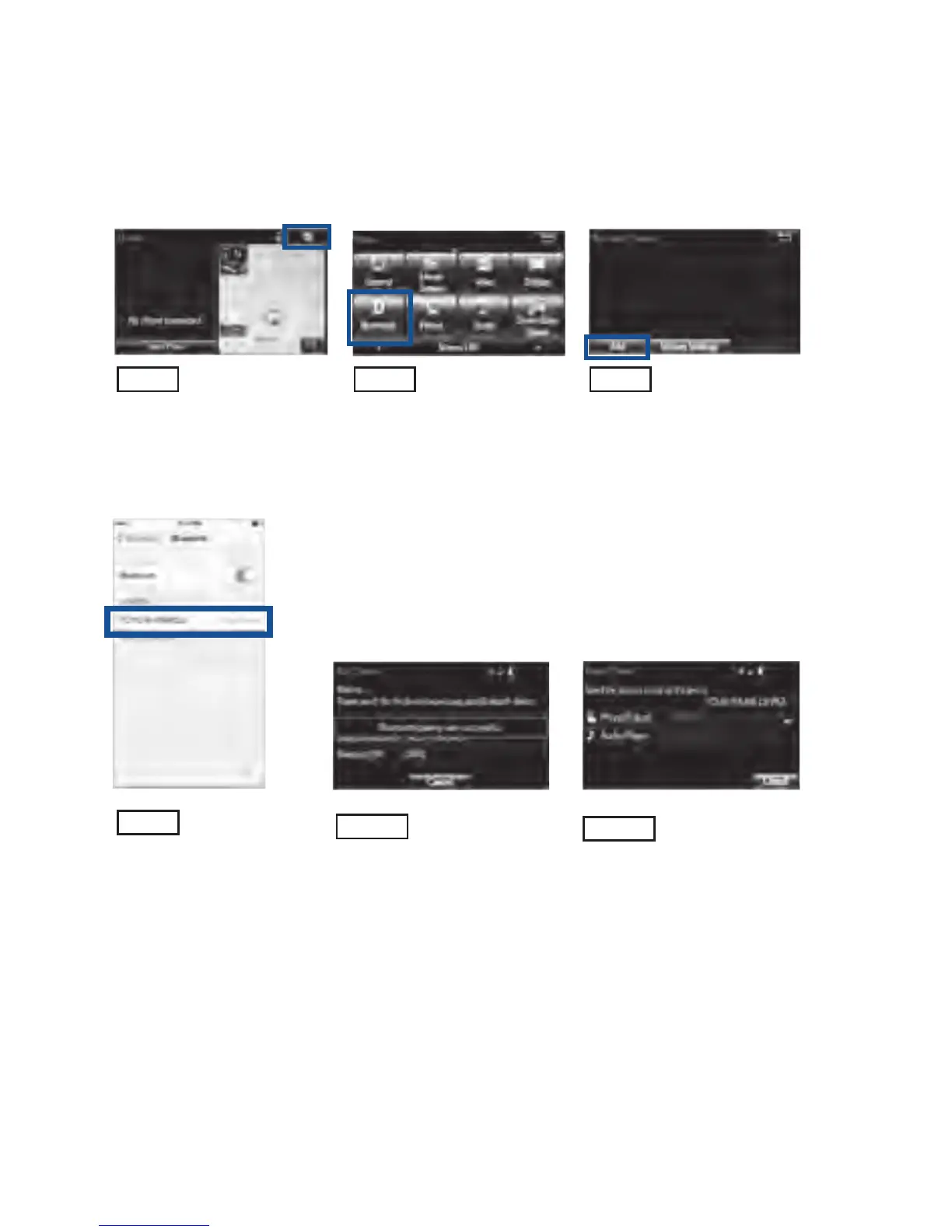
STEP 6
Select SETUP BUTTON on the
Home Screen.
STEP 7
Select BLUETOOTH.
STEP 8
Select ADD, to add your
phone device.
STEP 9
Back on your smartphone,
you can now select your
TOYOTA VEHICLE in
Bluetooth Settings.
You may need to enter the provided
Bluetooth PIN on your phone.
STEP 10
Your smartphone is now
paired with Entune.
STEP 11
Once paired, Entune will
attempt to connect audio and
contacts on your phone.














 To Next Page