TOZO'
4.0 TOZO app
EN
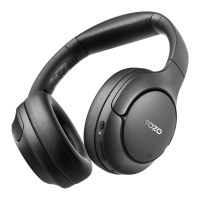
Single•click NC Button
Whgn you turn on the hgadphwngs. they will start in thc normal noise•canceling
mode. A single click on the NC button •vill switch the headphones to adaptive
nceling mode, Subsequent single clicks cycle through turning off
activating mode, and return ing ton
noise-canceling mode
INOte: Switching to adaptive noise•cancnling modg Willplay two calibration
audio segments)
Double-click NC Button
A double-click an the NC button will quickly switch to adaptive
any made. the in adaptive mode, a double-click Willreturn
them to normal noise-canceling mode.
Note: using the adaptme mode. ensure that the are
worn 10avoid Calibration failure. Calibration the earphones Will
normal noise-canceling mcnle.
Download the TOZO App for EQ and more,
• There're Settings in the App to optimize yaur while en"ying different
music
• Headøhones firmware uodate: The earWds firmware can be updated in the App. You will be informed once the now version ot
firmware is detected "hen you connect the headphme•s with the App.
5.0 TOZO app pairing
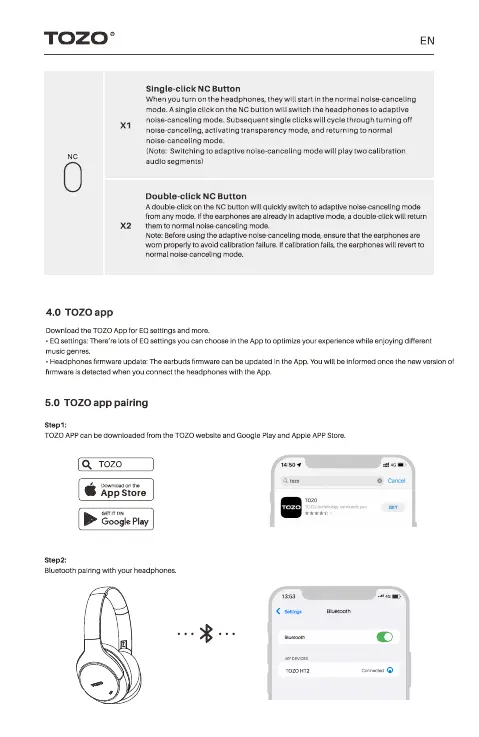
TOZO APP Can be the TOZO wetÆite and Play and APP Store.
q TOZO
App Store
Gle Play
Bluetooth pairing with your headphmes


 To Next Page