Bluetooth and choose [TOZO-T12].
Charging
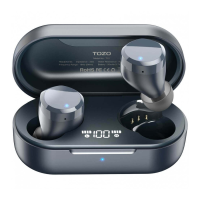
Charging the Earbuds
1. Put the earbuds into the charging case, they will power off & be charged automatically. When the
red LED lights up, it means that earbuds are being charged from charging case.
2. The red light will trun off when the earbuds are are fully charged Charging the Charging Case
Charging the Charging Case
Please use the 5V/1A adapter to charge the charging case, which can be charged with a computer USB
or other USB interface charger.
Box wireless charging
Designed for the modern life, never be strangled by headphone cables, Enjoy the convenience of wire
charging and free charging devices provided by airports, hotels, and cafe shops around the world.
Note: the battery indicator- white indicator light is above the wireless charger.
Charging warning
Don’t tap the earbuds Touch Control while in charge, otherwise it will be fail to pair.
Then you should follow the reset to factory settings.
Button operation


 To Next Page