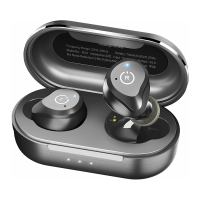
15.0 Touch Operation(Operation in wearing one earbu
Double tap the L sensing area (“L sensing area”
abbreviated as”L”), then skip to the previous song
Double tap the R sensing area (“R sensing area”
abbreviated as”R”), then skip to the next song
Tap the L or R sensing area (L or R sensing area
abbreviated as”L” or “R”) to play or pause music
18.0 Reset
When earbuds in charging box, long press L & R sensing area for 6 seconds to reset.
19.0 Low Battery Alarm
When the battery power is low, it will be reminded once every 10 minutes and white
light flashes one time every 3 seconds until the battery power run out and earbuds
turn off.
16.0 Calling Contro
17.0 Voice Assistance
Tap the L or R sensing area to answer the call
Long press L or R sensing area for 2 seconds to
hang up the call while calling
Long press L or R sensing area for 2 seconds to
reject the call while call coming
Long press L or R sensing area for 2 seconds to
cancel the calll while you dial out
When using single or double earbuds, triple tap
L or R to wake up voice assistant.
20.0 Earbuds Charging
Put earbuds into the charging box to charge automatically.
21.0 Box Wireless Charging
Designed for modern life, you can use either charging cables
or wireless charging pad for charging, enjoy the convenience
of unplugged charging and instant charging.
22.0 Display of charging Box Power
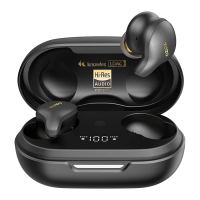
When open the charging case, earbuds will power on automatically and the Digital
display screen will turn on 5 seconds, then turn off.
When close the charging case, earbuds will power off automatically and the Digital
display screen will turn on 5 seconds, then turn off.
07 08


 To Next Page