12
3
Network
3.1 Interface
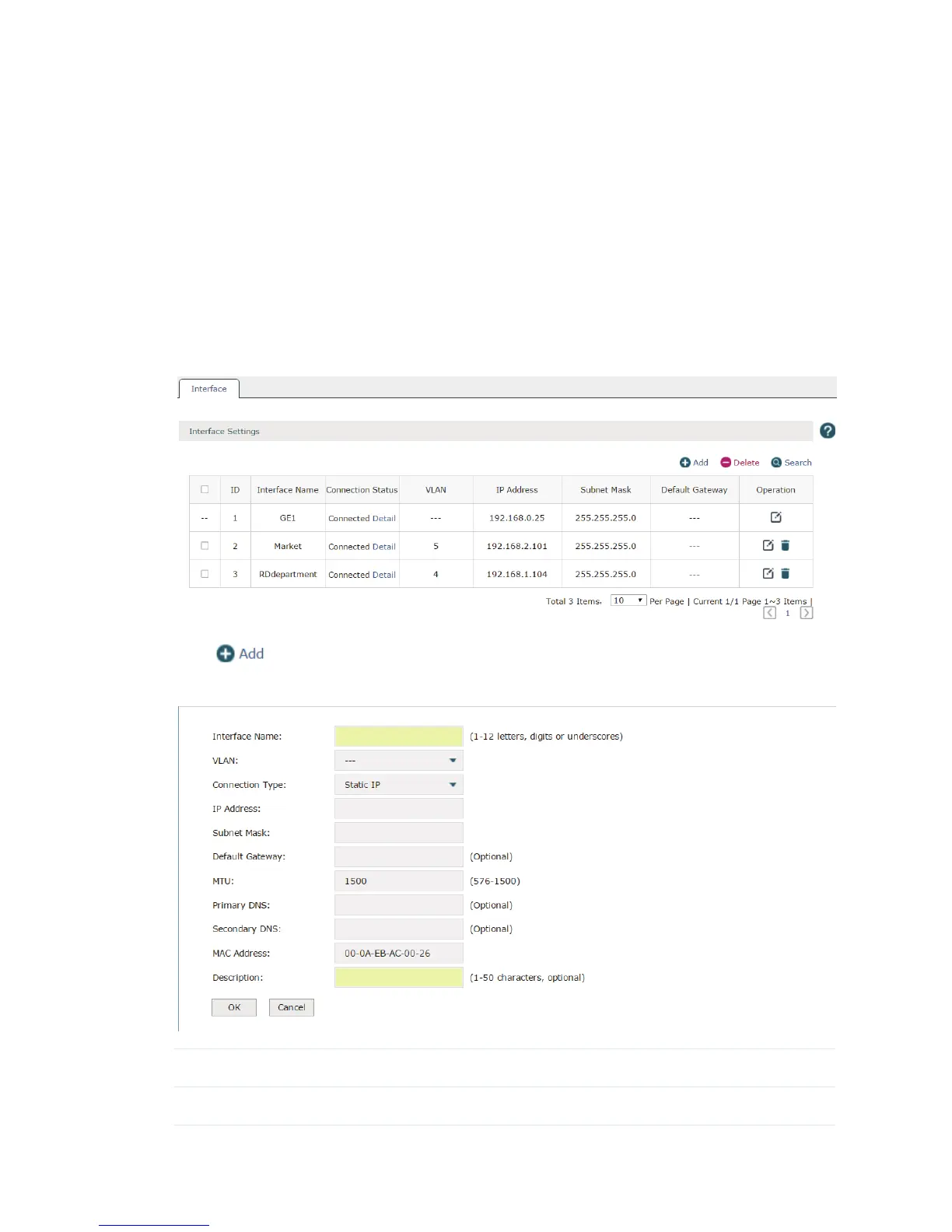
Choose the menu Network > Interface > Interface to load the following page. On this page
you can create a logical interface and specify it to a specified VLAN. Please refer to
3.3.1
VLAN
to set VLANs first.
Figure 3-1 Interface
Click to create a new interface. The page will be shown as below.
Figure 3-2 Add an Interface
Interface Name Specify a name for the interface to make it easier to search for and manage.
VLAN Specify a VLAN for the interface.



 To Next Page