86
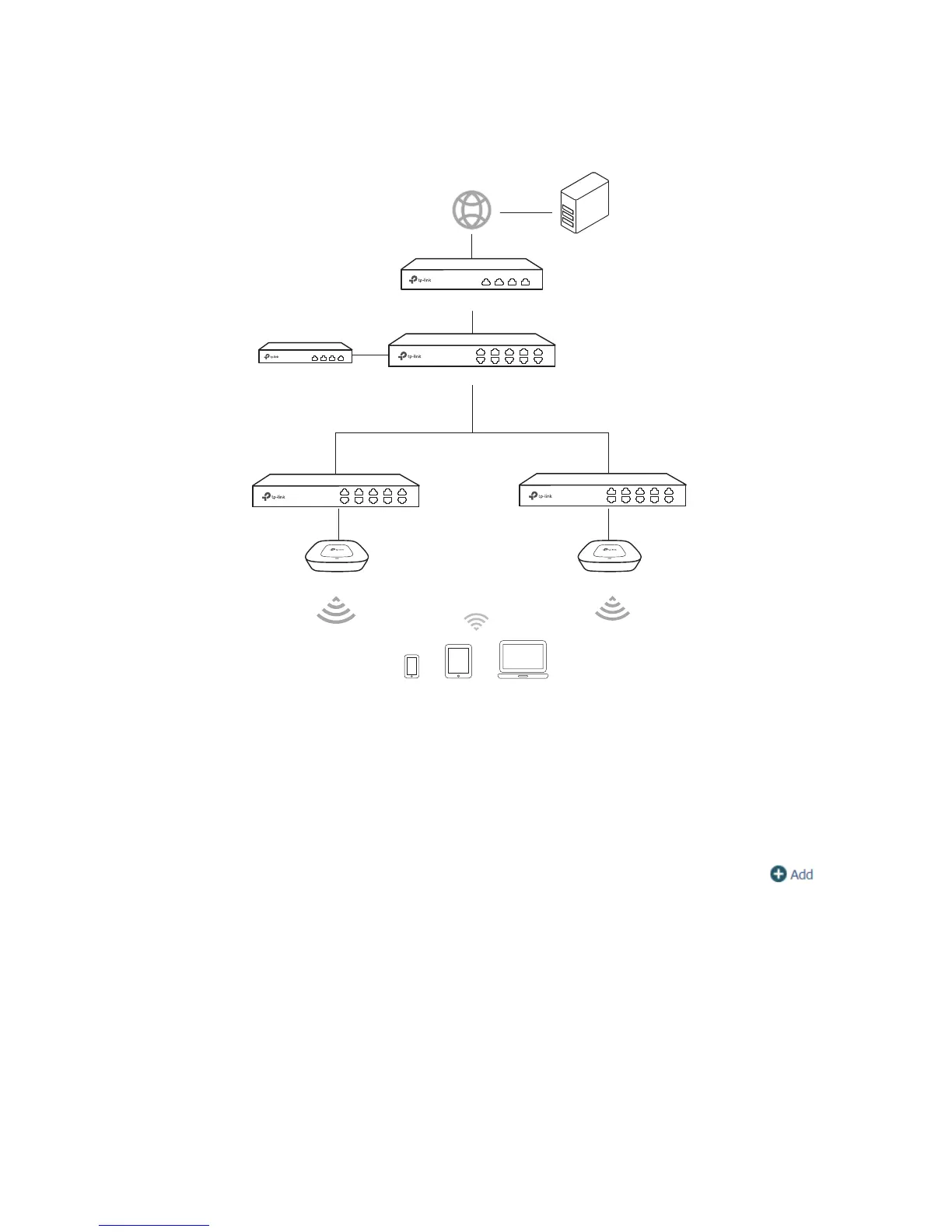
Network Topology
Figure 7-50 Network Topology
Clients
CAP CAP
Core Switch
AC
SMS Authentication Server
PoE Switch PoE Switch
Router
Internet
Configuration Steps
1 Create SSID
Create an SSID for the clients in the Wireless module.
2 Configure the splash page
Choose the menu Authentication > Portal Authentication > Splash Page. Click
to
add a new entry.
Set the Authentication Type as SMS and set the related parameters.



 To Next Page