70
Chapter 13
Network Security
Done!
Now you can block or allow specific client devices to access your network (via wired or
wireless) using the Deny List or Allow List.
13. 3. IP & MAC Binding
IP & MAC Binding, namely, ARP (Address Resolution Protocol) Binding, is used to bind
network device’s IP address to its MAC address. This will prevent ARP Spoofing and
other ARP attacks by denying network access to an device with matching IP address in
the Binding list, but unrecognized MAC address.
I want to:
Prevent ARP spoofing and ARP attacks.
How can I do that?
1. Visit http://tplinkwifi.net, and log in with your TP-Link ID or the password you set for
the router.
2. Go to Advanced > Security > IP & MAC Binding.
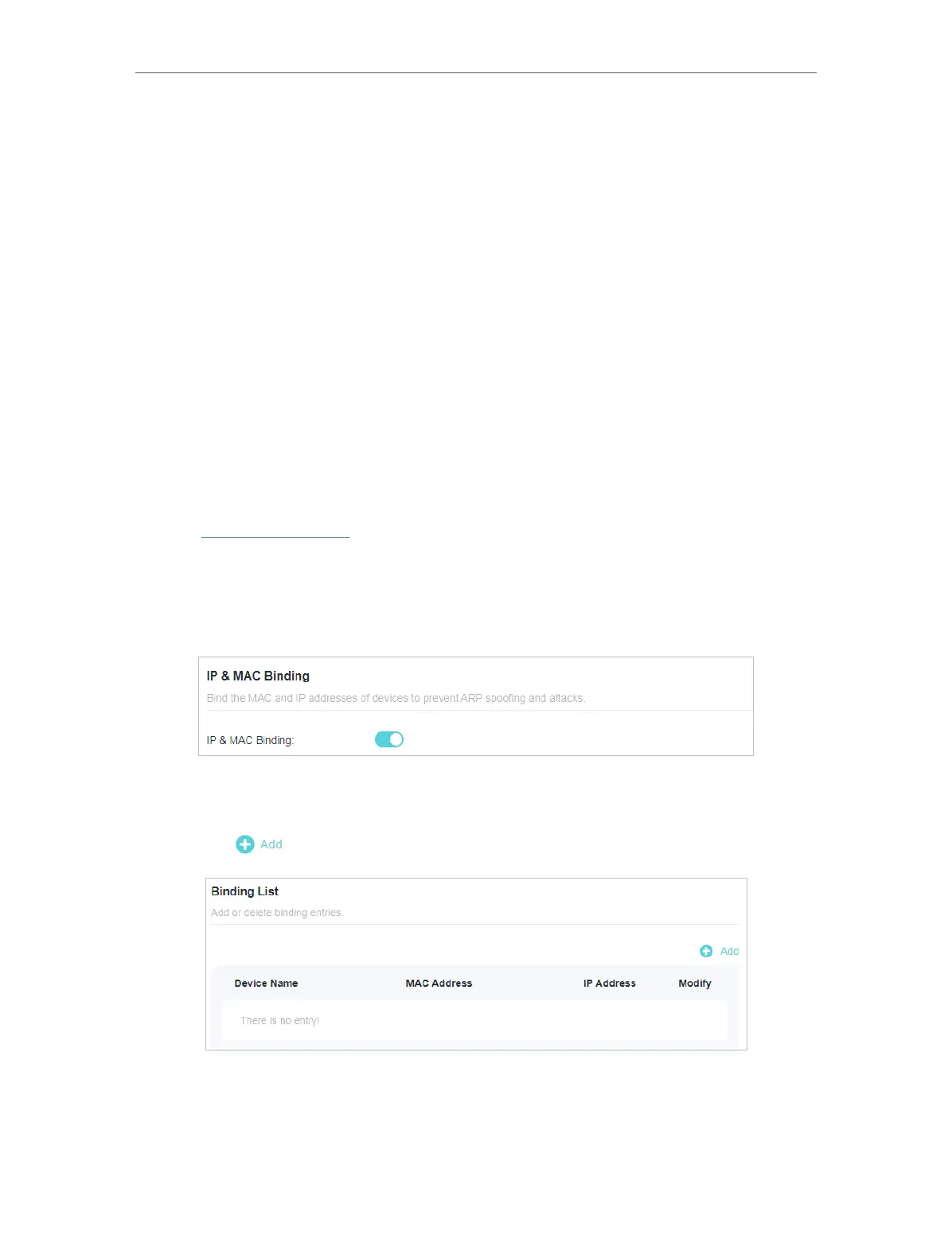
3. Enable IP & MAC Binding.
4. Bind your device(s) according to your need.
To bind the connected device(s):
1 ) Click in the Binding List section.
2 ) Click VIEW CONNECTED DEVICES and select the device you want to bind. The
MAC Address and IP Address fields will be automatically filled in.








 To Next Page