123
Chapter 17
Manage the Router
5. Click SAVE.
Devices using this WAN IP can manage the router by logging in to http://Router’s WAN
IP:port number (such as http://113.116.60.229:1024).
Tips: The router’s WAN IP is usually a dynamic IP. Please refer to Set Up a Dynamic DNS Service Account if you want
to log in to the router through a domain name.
17. 7. System Log
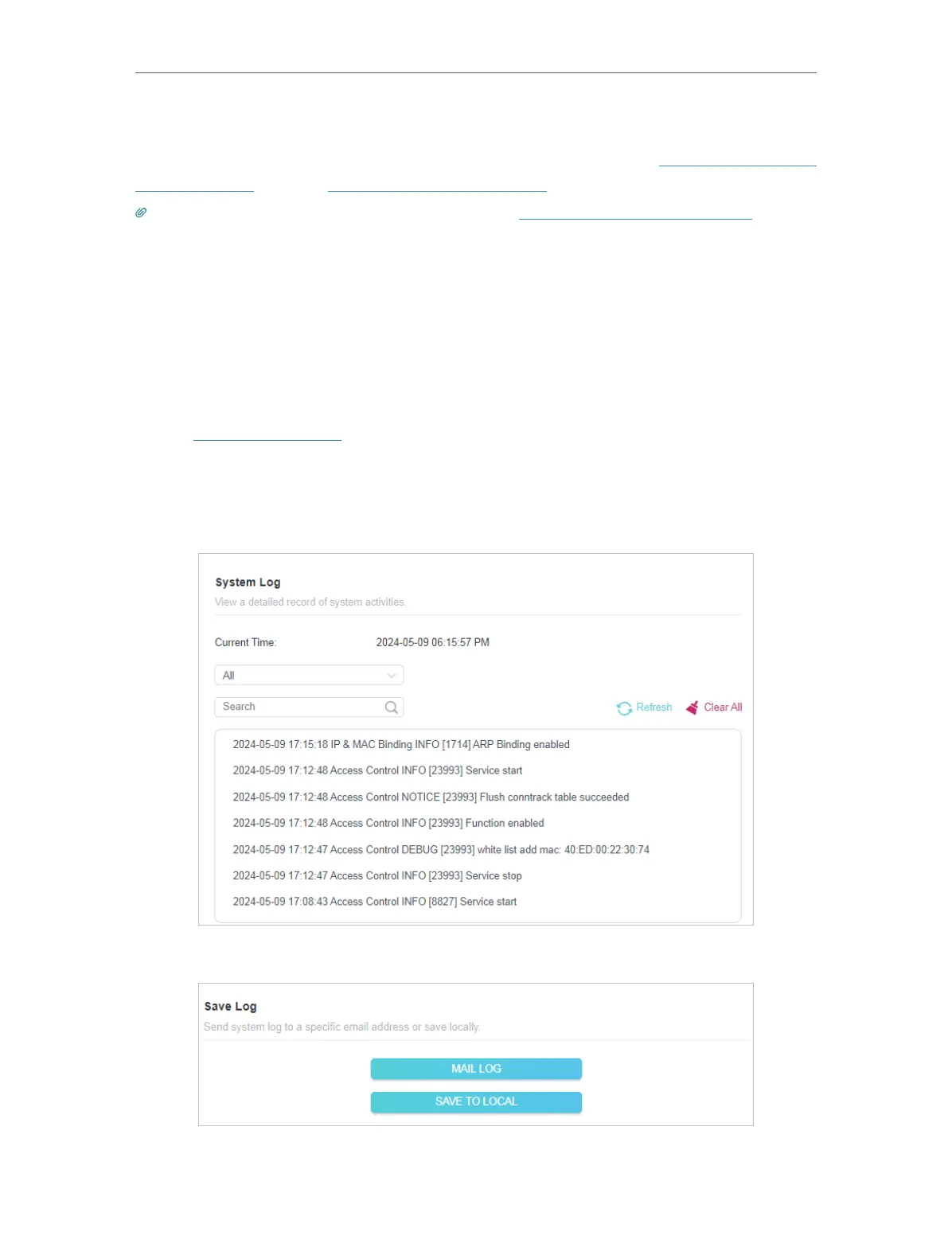
When the router does not work normally, you can save the system log and send it to the
technical support for troubleshooting.
• To save the system log locally:
1. Visit http://tplinkwifi.net, and log in your TP-Link ID or the password you set for the
router.
2. Go to Advanced > System > System Log.
3. Choose the type and level of the system logs as needed.
4. In the Save Log section, click SAVE TO LOCAL to save the system logs to a local disk.
• To send the system log to a mailbox at a fixed time:








 To Next Page