73
Q4. What can I do if I cannot access the Internet even though the
configuration is finished?
1. Visit http://tplinkwifi.net.
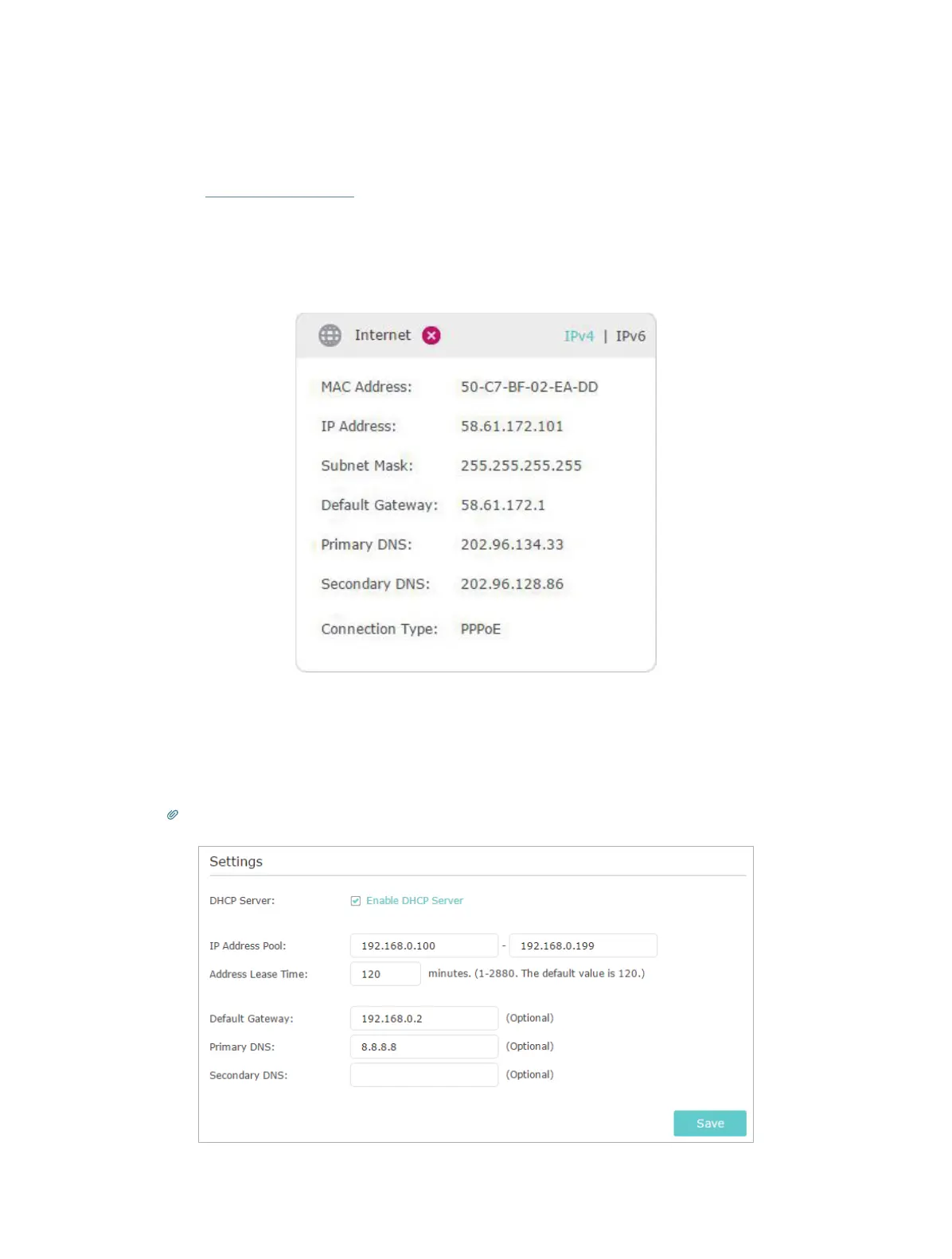
2. Go to Advanced > Status to check Internet status:
As the follow picture shows, if IP Address is a valid one, please try the methods below
and try again:
• Your computer might not recognize any DNS server addresses. Please manually
configure the DNS server.
1 ) Go to Advanced > Network > DHCP Server.
2 ) Enter 8.8.8.8 as Primary DNS, click Save.
Tips: 8.8.8.8 is a safe and public DNS server operated by Google.










 To Next Page