06
Chapter 2
Connect to a Computer
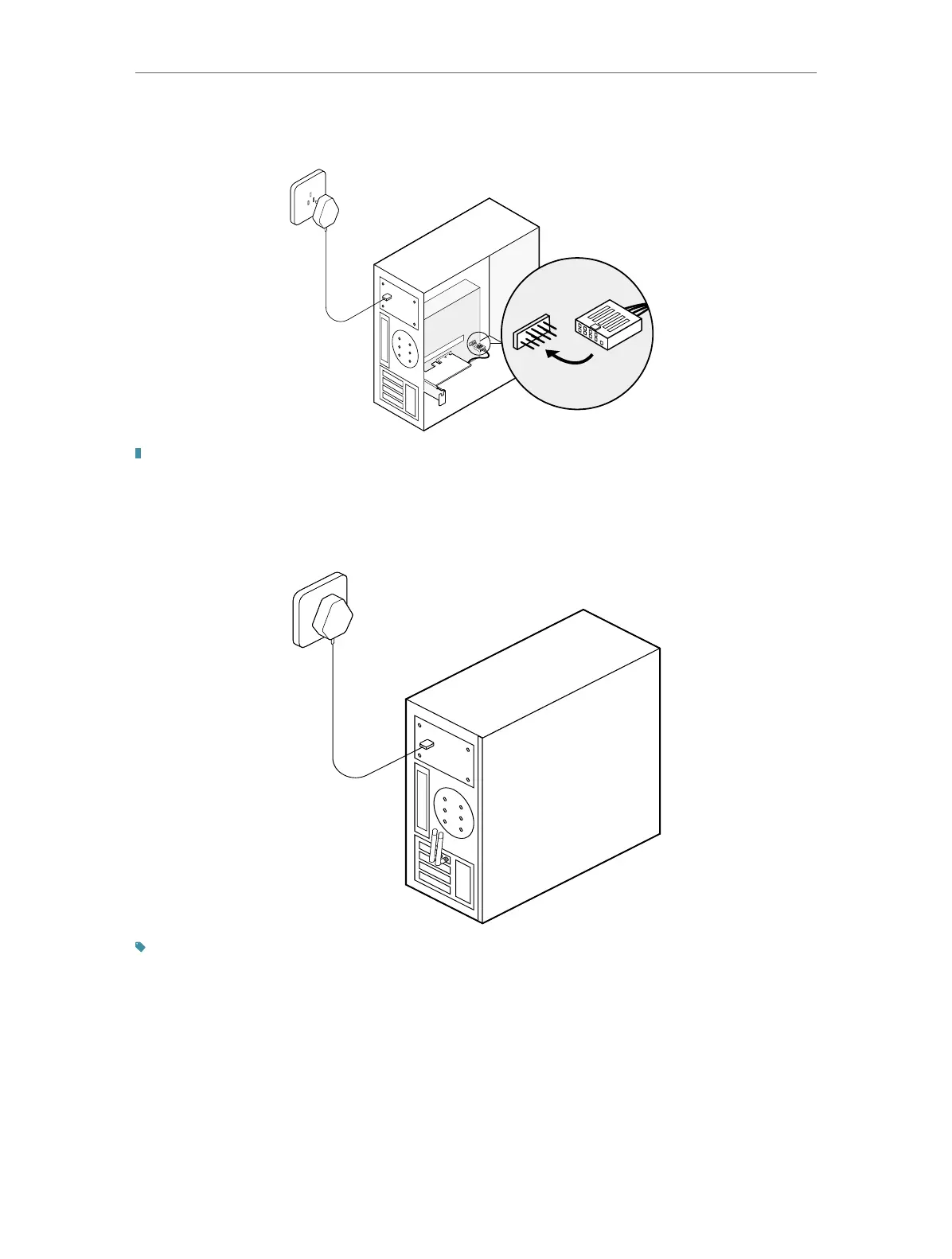
4. Locate an available F_USB connector and carefully plug the Bluetooth USB
cable into it.
USB
USB
Note:
If the Bluetooth USB cable is not correctly connected to the motherboard, Bluetooth function won’t work
even after driver installation.
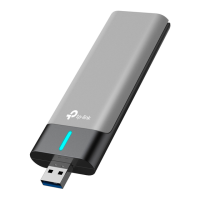
5. Connect the antenna(s) to the adapter.
Tip:
To maximize performance, make sure the path between the antenna(s) and your router is clear.
6. Replace the case panel, plug in the power cable and turn on your computer.
After connecting your adapter to the computer, follow the instructions in the
next chapter to install Wi-Fi and Bluetooth drivers.







 To Next Page