4
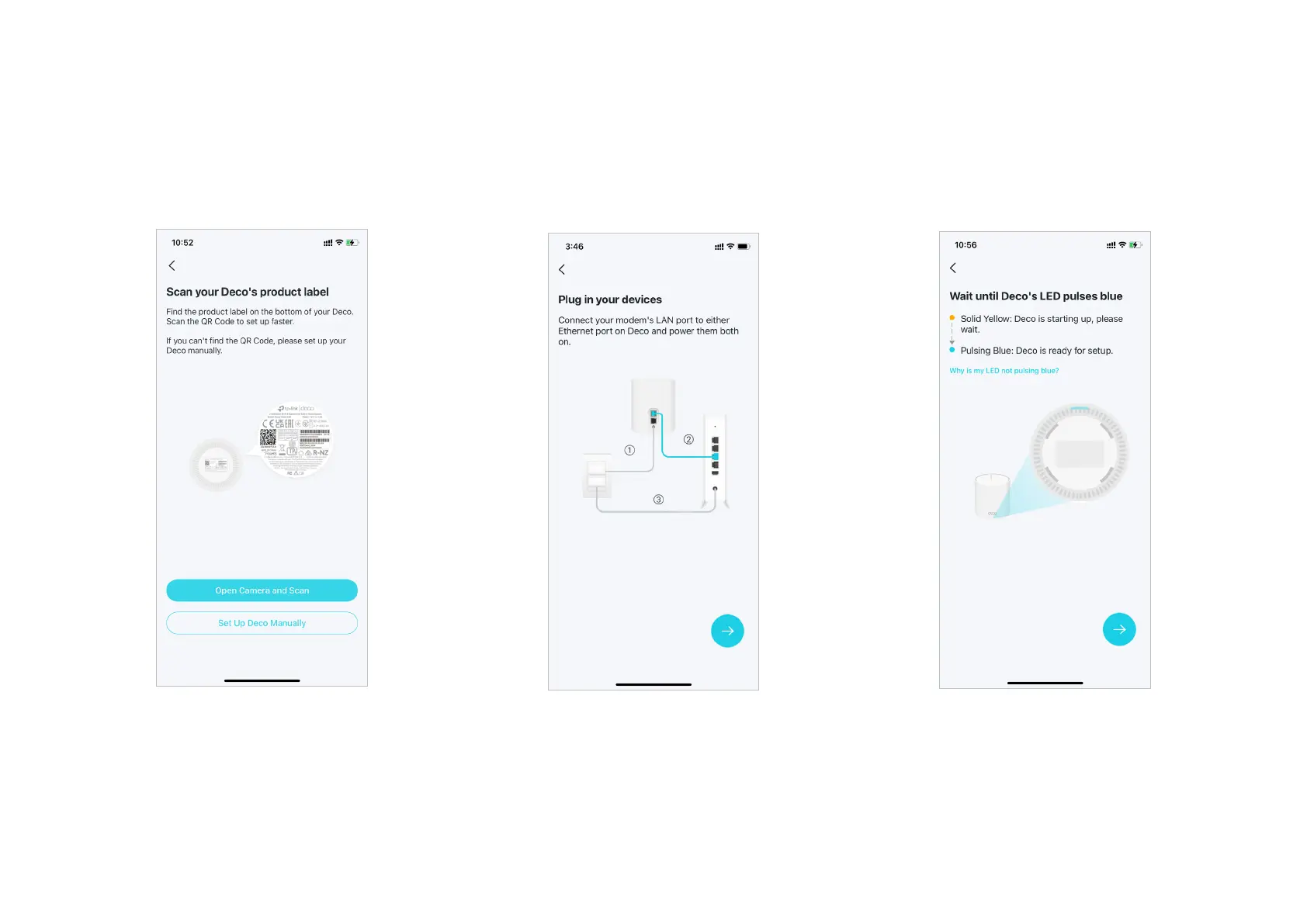
4. Scan your Deco's product label
Scan the QR code on the product label at the
bottom of your Deco for a quicker setup. You
can also set it up manually.
5. Plug in your Deco
Power o your modem. Connect your Deco to
the modem and power them both on.
If you don't have a modem, connect your
Deco directly to the Ethernet outlet.
6. Wait until Deco's LED pulses blue
Wait until your Deco's LED pulses blue, then
your phone/tablet will connect to the Deco's
default Wi-Fi automatically.


 To Next Page