7
Use Your Camera
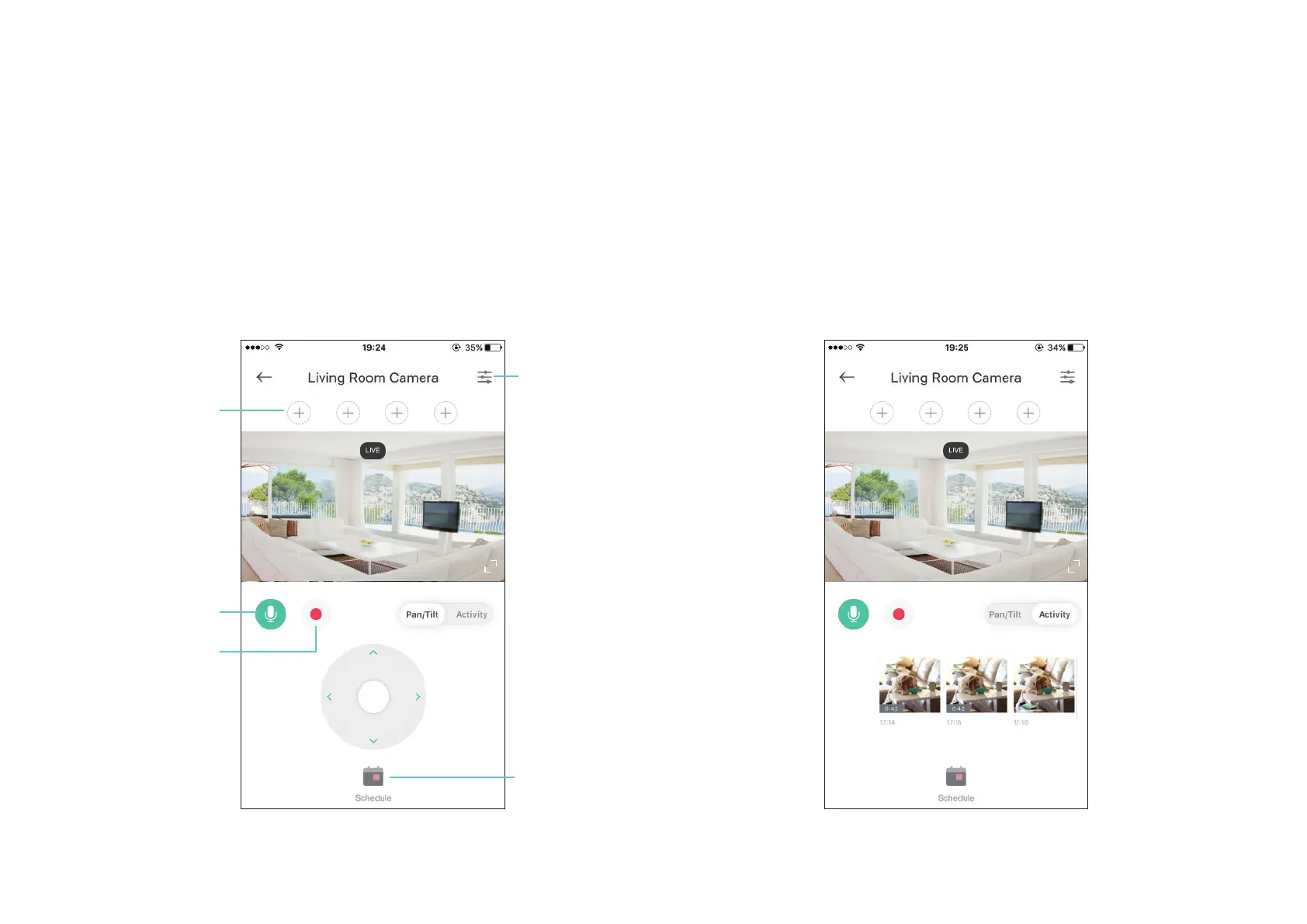
Tap a camera, then view and manage it with the Kasa app.
View the Live Video
You can view your camera from anywhere at any time. Use Pan/Tilt to
rotate your camera to monitor every angle of your room.
Check Activities
When you receive an instant alert, you can view live video immediately
or check the video clips recorded in the past 3 hours under Activity.
Two-way Audio
Record Videos
Add viewpoints
Camera Settings
Set Schedules



 To Next Page