Shipment Content:
1 x Protective Case
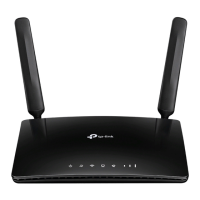
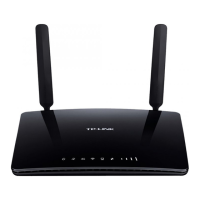
1 x 4G LTE Router
1 x Power Adapter
2 x Antennas
Quick Setup:
1. Install the antennas and position them
upwards.
2. Plug in and turn On the router. Allow 3-5
minutes for the router to light
up when ready.
3. Connect your Wired devices. (e.g. Ethernet
enabled Printer) Connect the ethernet cable
to a yellow port on the back of the router. Plug
the other end of the cable into the printer. The
LAN LED on the router lights up when
connected.
Troubleshooting:
What if…
4. Connect your Wireless devices (e.g.
Tablet / PC) Open the camera app on your
device and scan the QR-Code on the
bottom of the router. Alternatively use the
default SSID (Wireless Network Name) on
the bottom of the router along with the
password in your Important Documents
Folder to connect wirelessly.
5. Via WPS (e.g. WPS enabled Printer) Press
(do not hold) the WPS button on the back
of the router until the WiFi LED starts
flashing. Then proceed to set the printer on
WPS mode as per its setup guide. Allow 1-
2 minutes to establish a connection. Once the
WiFi LED changes from flashing to solid a
connection has been established.
Please DO NOT press the Reset button
on the back of the router.

 Need help?
 General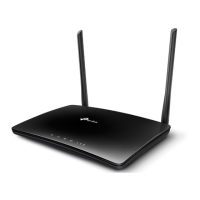



 To Next Page