17
Option 4: Create a Lighting Eect
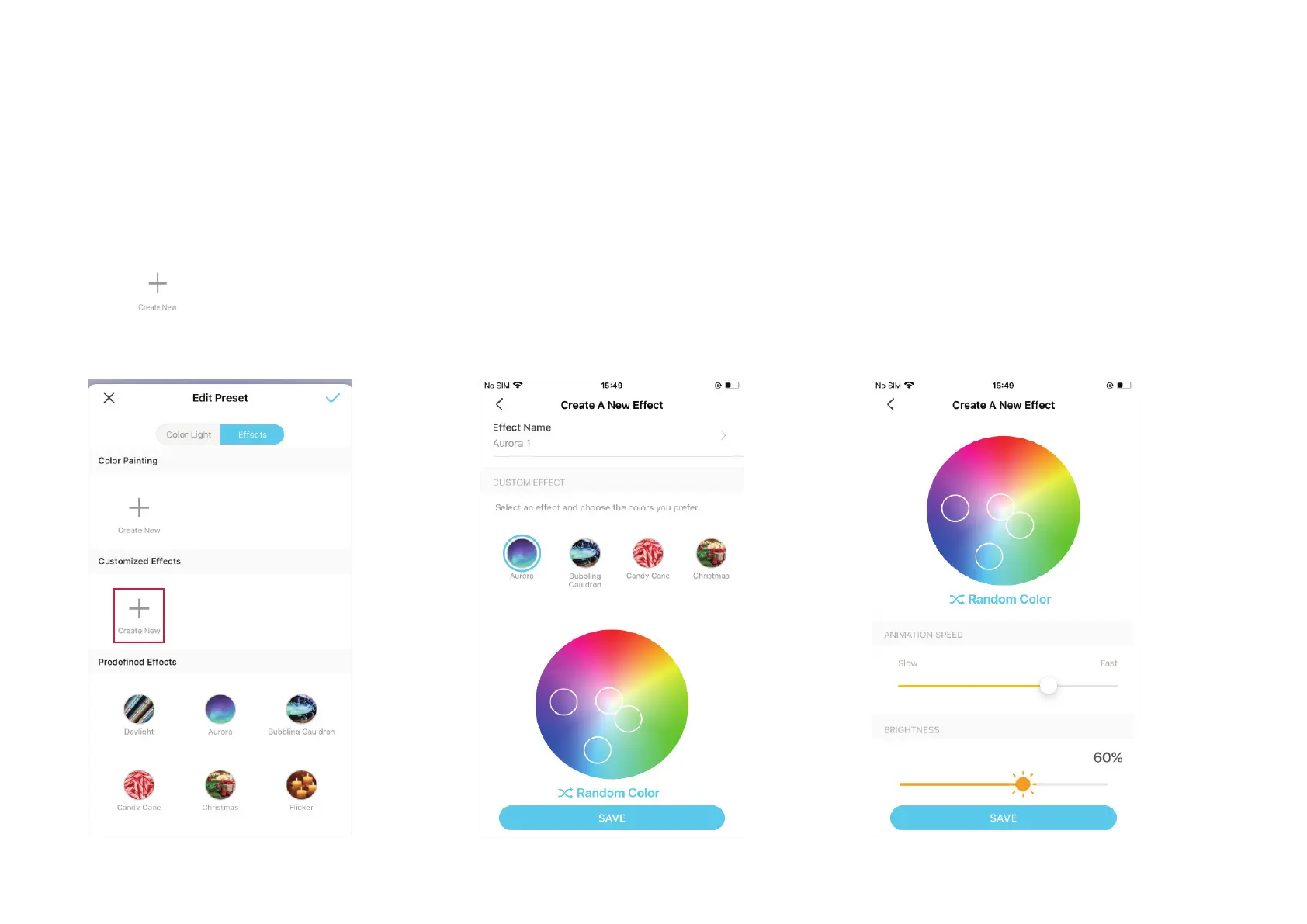
1. Tap to create a new eect.
2. Edit the name as needed, then select an
eect and choose colors you prefer. If you
have no idea, tap Random Color and Tapo will
help select colors for you.
3. Adjust how fast you want the color to switch
and set the brightness as needed. Tap SAVE
to save the custom eect.



 To Next Page