3
Appearance
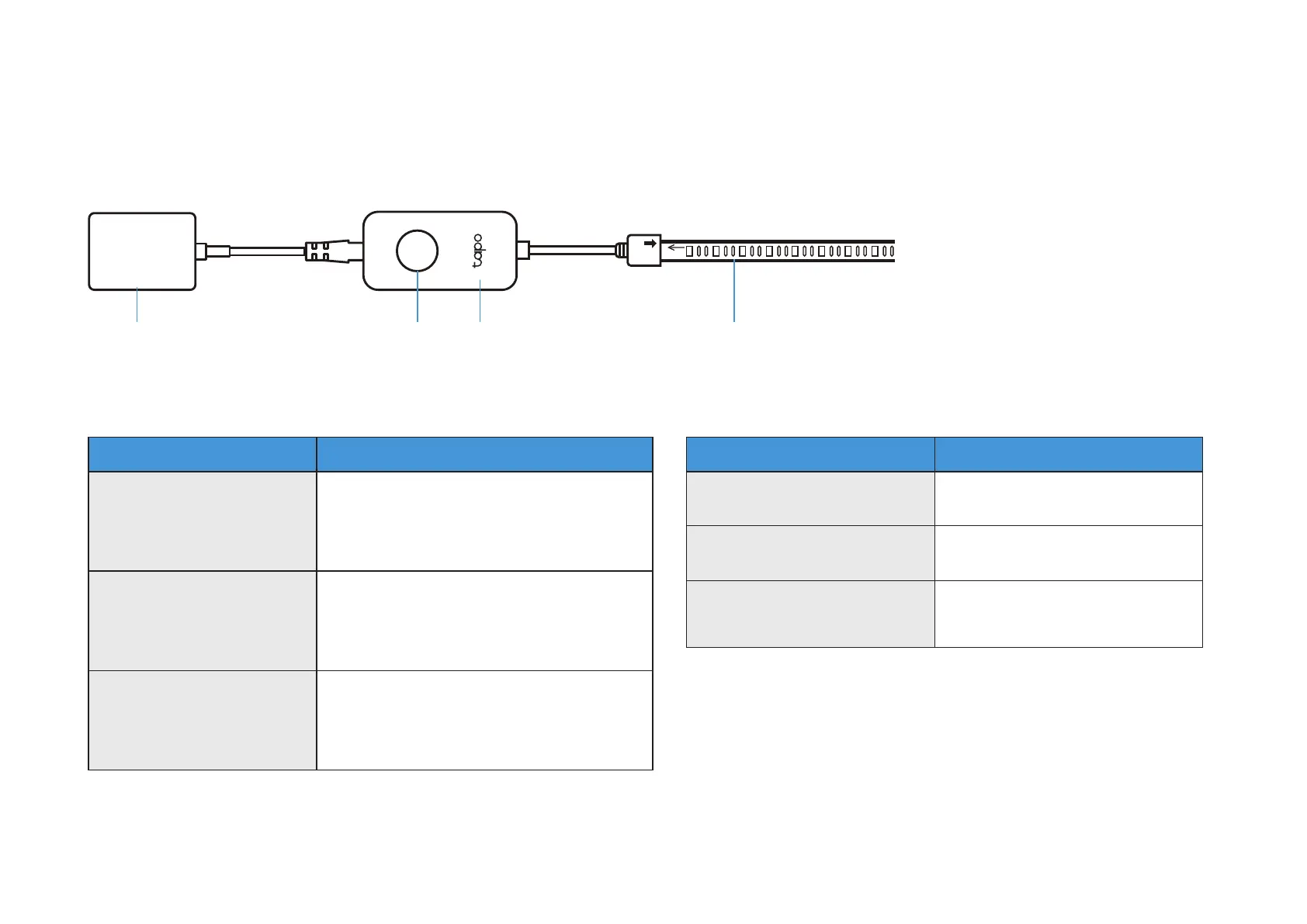
The Tapo Smart Light Strip includes a power adapter, a control button, a controller, and the Light Strip.
Power Adapter Control Button Light StripController
Control Button Explanation
Button Function Descriptionription
Switch Preset Lighting
Eects
Press the button two or three times to
switch the preset lighting eects forward
or backward.
Soft Reset
(Only reset Wi-Fi info)
Press and hold the button for 5s but no
more than 10s and release. The light
strip will blink orange and green.
Factory Reset
(Reset to factory settings)
Press and hold the button for at least
10s until the light strip turns solid white
then blinks orange and green.
LED Light Status
LED Status Descriptionription
Blinks orange and green Ready for setup
Blinks green and white Connecting to Wi-Fi
Blinks among several colors,
then remains solid white
Connected to Wi-Fi and TP-Link
server


 To Next Page